
Cloud Migration Services

Cloud Migration Services

Planned migration to Azure, AWS, or Google Cloud with governance, security,
and cost controls set before workloads move

TRUSTED BY

isuzu logo
verogen
westview
cha
wellpath
crown poly
isuzu (1)
verogen
westview
cha
wellpath
crown poly

Migration Decided by Workload, Not by Default

Cloud migration is a sequence of per-workload decisions rather than a single move, and the estates that run well afterward are the ones where each decision was made deliberately. Calance cloud migration services cover readiness assessment, migration strategy and business case, landing zone design, infrastructure, database, and application migration, security and compliance setup, and post-migration operations across Microsoft Azure, Amazon Web Services (AWS), and Google Cloud. The result is a cloud estate with documented controls, predictable cost, and workloads placed where they run best.

Most migrations start with a deadline rather than a strategy: a datacenter lease ending, a hardware refresh due, or a platform leaving support. Planning works back from that date to the sequencing that meets it without accepting avoidable risk. Platform-specific pages go deeper on Azure migration, VMware to cloud migration, and SQL Server migration; the work below covers the full program, and our broader IT infrastructure and operations practice supports what runs afterward.

Get in Touch

Types of Cloud Migration We Deliver

The type of migration determines the discovery depth, tooling, and cutover model, so it is confirmed before any design work begins.

Datacenter Exit and Colocation Migration

An entire on-premises or colocated estate moves to the cloud, usually against a lease or hardware deadline. Dependency mapping, wave sequencing, and offline data transfer for large volumes decide whether the deadline holds without compromising stability.

Hybrid Cloud Migration

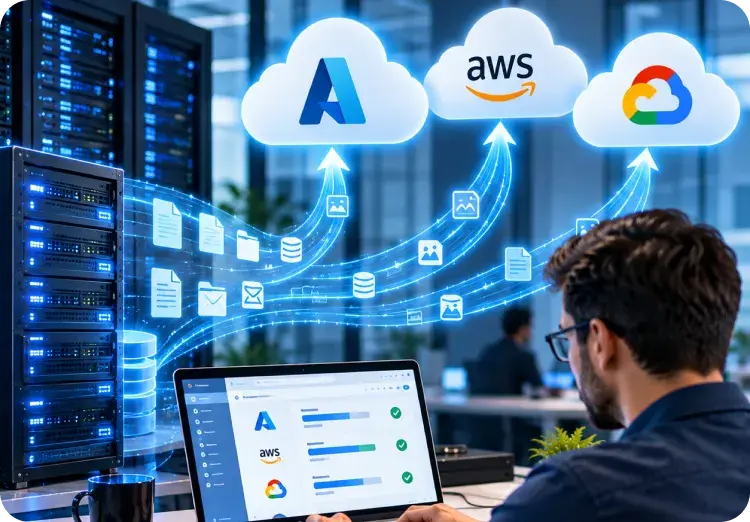
Some workloads move while others stay on-premises for latency, regulation, or equipment lifecycle reasons. Network design, identity extension, and unified management across both environments matter more here than migration speed.

Cloud-to-Cloud Migration

Workloads move between providers after an acquisition, a pricing change, or a platform decision. Service mappings differ between clouds, so each component is reassessed rather than assumed to have a direct equivalent in the target.

Application and Database Migration

Specific applications, databases, or data platforms move while surrounding infrastructure stays, often to retire end-of-support versions. Compatibility testing, data validation, and integration retesting carry most of the effort.

Virtualization Platform Migration

VMware or Hyper-V estates move to cloud infrastructure, frequently after a licensing change. Our VMware to cloud migration services cover replication tooling, host decommissioning, and licensing treatment in detail.


What Calance's Cloud Migration Services Cover

Engagements usually draw on most of the areas below, though the weight in each depends on whether the starting point is a full datacenter exit, a targeted workload move, or an estate that needs governance added after the fact.

1

Cloud Readiness and Discovery Assessment

  • Discovery inventories servers, applications, databases, storage, network paths, and dependencies using agent-based and agentless tooling. Findings produce a workload catalog with measured utilization, so sizing, sequencing, and cost estimates rest on observed data rather than nameplate capacity.
2

Migration Strategy and Business Case

  • Each workload is assigned a migration strategy from the seven options below, with the reasoning recorded. The business case compares current run cost against projected cloud cost after right-sizing, licensing treatment, and reserved pricing, so leadership approves a number grounded in the estate.
3

Landing Zone Design and Governance

  • Identity, network topology, security baseline, policy enforcement, tagging, and cost controls are built before the first workload arrives. Landing zones follow the Azure Cloud Adoption Framework, AWS Control Tower, or Google Cloud Architecture Framework, adapted to the organization's compliance obligations.
4

Infrastructure and Virtual Machine Migration

  • Windows Server and Linux virtual machines move through replication tooling in planned waves, with cutover windows, validation steps, and rollback criteria defined per wave. End-of-support operating systems are flagged for upgrade or isolation rather than migrated as they stand.
5

Database and Data Platform Migration

  • SQL Server, Oracle, MySQL, and PostgreSQL databases move to managed services or cloud virtual machines depending on compatibility and licensing. Schema assessment, data validation, and performance baselining precede cutover, and our SQL Server migration services cover that platform in depth.
6

Application Migration and Modernization

  • Web, .NET, Java, and line-of-business applications are rehosted, replatformed, or refactored based on change frequency and remaining life. Where modernization is the chosen path, our application modernization services handle containerization, managed runtimes, and re-architecture work.
7

Security, Identity, and Compliance Setup

  • Identity is extended or federated into the cloud, Conditional Access or IAM policies are rebuilt, encryption and key management are configured, and security monitoring is connected. Compliance mappings for HIPAA, SOC 2, or sector frameworks are documented before production workloads arrive.
8

Post-Migration Operations and Cost Optimization

  • After cutover, utilization is reviewed against the baseline, instances are right-sized, reserved pricing is applied, and decommissioning is completed. Ongoing operations can transfer to our Azure managed services or stay in-house with documentation and a defined review cadence.

Choosing a Migration Strategy for Each Workload

Migration strategy is decided per workload rather than for the estate, because the right answer for a stable file server is rarely the right answer for a frequently changing customer application. The seven strategies below are the industry-standard options, and most estates end up with a mix. Rehosting is often the correct first step rather than a lack of ambition, since it gets workloads off aging hardware quickly and leaves modernization for the components that will repay it.

Strategy
What It Means
Where It Usually Fits
Trade-Off
Rehost (lift and shift)
Move the workload to cloud virtual machines with no code changes
Datacenter exits on a deadline, stable applications, workloads with no in-house development capacity
Fastest path, but cloud cost stays high until right-sizing and reserved pricing are applied
Replatform
Move with targeted changes such as a managed database or managed runtime
Applications that benefit from managed services without a rewrite
Moderate effort; some operational practices change and need retraining
Refactor
Re-architect for cloud-native services, containers, or serverless
Actively developed applications with variable load and frequent releases
Highest effort and longest timeline, justified only where change frequency or scale demands it
Repurchase
Replace with a SaaS product
Commodity functions such as email, CRM, HR, or helpdesk where a market product fits
Data migration and integration rework; customizations are usually lost
Retire
Decommission the workload
Applications with no active users, duplicated function, or expired business purpose
Requires confident usage data and an owner willing to sign off
Retain
Keep on-premises for now
Latency-sensitive plant systems, regulated data with residency constraints, equipment mid-lifecycle
Hybrid connectivity and management must be designed rather than left informal
Relocate
Move the virtualization layer as-is to a cloud-hosted equivalent
Large VMware estates under licensing pressure that need to move quickly
Carries the existing architecture forward unchanged; modernization is deferred

Migrating to Azure, AWS, and Google Cloud

Platform choice follows workload fit, existing licensing, data gravity, and the skills of the team that will operate the estate, rather than a fixed preference. Many organizations end up with a primary platform and a secondary one for specific workloads. We migrate to all three and document the reasoning behind each recommendation so it can be reviewed as the estate and the providers' offerings change.

Migrating to Azure, AWS, and Google Cloud

Azure suits estates built on Windows Server, SQL Server, Active Directory, and Microsoft 365, where identity, licensing, and management reuse what already exists. Our Azure migration services draw on 20+ years of Microsoft delivery.

• Azure Migrate for discovery, dependency mapping, assessment, and server replication

• Azure Site Recovery and Database Migration Service for VM and database moves

• Azure Data Box for offline transfer where network bandwidth limits large volumes

• Azure Hybrid Benefit and reserved instances applied from the business case onward

• Cloud Adoption Framework landing zones with Azure Arc for hybrid management

AWS suits container-heavy, event-driven, and Linux-based workloads, and organizations with an existing AWS footprint from product or development teams. Delivery follows the AWS Well-Architected Framework with Control Tower landing zones.

• AWS Migration Hub for portfolio discovery, tracking, and wave planning

• AWS Application Migration Service (MGN) for lift-and-shift server replication

• AWS Database Migration Service with Schema Conversion Tool for heterogeneous moves

• AWS Snow family devices for offline transfer of large datasets

• Migration Acceleration Program (MAP) funding where the engagement qualifies

Google Cloud suits analytics-led estates consolidating data into BigQuery and organizations standardizing on Kubernetes through Google Kubernetes Engine. Delivery follows the Google Cloud Architecture Framework.

• Migrate to Virtual Machines for server replication from VMware and other clouds

• Google Cloud Database Migration Service for MySQL, PostgreSQL, and SQL Server

• Transfer Appliance and Storage Transfer Service for bulk and scheduled data moves

• BigQuery and Dataflow for analytics and data warehouse consolidation

• Google Kubernetes Engine for containerized workloads moving between platforms

Area
Microsoft Azure
AWS
Google Cloud
Discovery and assessment
Azure Migrate
AWS Migration Hub, Application Discovery Service
Migration Center
Server migration
Azure Migrate, Azure Site Recovery
AWS Application Migration Service (MGN)
Migrate to Virtual Machines
Database migration
Azure Database Migration Service
AWS DMS with Schema Conversion Tool
Database Migration Service
Offline data transfer
Azure Data Box
AWS Snow family
Transfer Appliance
Landing zone framework
Cloud Adoption Framework
Control Tower, Well-Architected Framework
Architecture Framework, Cloud Foundation Toolkit
Hybrid management
Azure Arc
AWS Outposts, Systems Manager
Anthos, GKE Enterprise
Licensing advantage
Azure Hybrid Benefit for Windows Server and SQL Server
Bring Your Own License on dedicated hosts
Bring Your Own License for Windows Server
Capacity planning and right-sizing
Trends tracked and recommendations acted on after approval
Trends are reported monthly; your administrators decide and act.
Not included; utilization data is available in the monthly summary.
Vendor and warranty escalation
Cases opened and managed with the vendor on your behalf
Your administrators open and manage vendor cases
Documentation and runbooks
Created at onboarding and kept current with every change
Both teams update one shared record set.
Your administrators maintain documentation.
Service reporting and reviews
Monthly report plus quarterly service review
Monthly summary covering availability and patch status

Workload Coverage

Every workload type carries its own migration path and its own failure modes. The table below reflects the workloads that appear in most enterprise estates and the points where migrations most often lose time.

Workload
Typical Path
What Needs Attention
Windows Server and Linux virtual machines
Rehost through replication tooling in waves
End-of-support versions, static IP dependencies, licensing activation, agent compatibility
VMware and Hyper-V estates
Relocate or rehost with host decommissioning
Licensing treatment, snapshot and backup integration, nested virtualization limits
SQL Server and Oracle databases
Replatform to managed instances or rehost on VMs
Compatibility levels, linked servers, agent jobs, licensing, performance baselining
File servers and NAS
Replatform to cloud file services or object storage
Permission mapping, DFS namespaces, access latency for remote sites, tiering for cold data
Active Directory and identity
Extend or federate; rarely moved outright
Domain controller placement, replication topology, Entra ID or IAM integration, Conditional Access
Web and .NET applications
Replatform to managed app services or containers
Session state, configuration secrets, certificate management, connection strings
ERP and line-of-business systems
Rehost or retain, with integrations rebuilt
PeopleSoft, JD Edwards, Sage, and Procore connectors, batch job scheduling, printer and scanner dependencies
Backup and disaster recovery
Replatform to cloud-native backup and recovery
Retention policy carry-over, recovery time and point objectives, restore testing before cutover
Analytics and data warehouses
Replatform to cloud data platforms
Data volume and egress, ETL rework, Power BI or reporting reconnection, security model rebuild
End-of-support platforms
Upgrade in place during migration, or isolate
Windows Server 2012 and SQL Server 2014 and earlier, extended security update eligibility, audit findings

Landing Zone, Security, and Governance Before Workloads Move

A cloud subscription is not a landing zone. Identity, network, security baseline, policy, and cost controls have to exist before production workloads arrive, because retrofitting them onto a running estate is slower and riskier than building them first. Governance is designed across three layers, and a wider posture review is available through our cybersecurity services.
Landing Zone, Security, and Governance Before Workloads Move

Cost, Licensing, and FinOps

Cloud cost surprises are the most common post-migration complaint, and most of them trace back to workloads moved at on-premises sizing and left there. Lift-and-shift without right-sizing usually costs more than the datacenter it replaced during the first year. Cost discipline is therefore built into the business case and carried through operations rather than treated as a later clean-up.

Cost Lever
What It Involves
When It Is Applied
Right-sizing
Sizing instances from measured utilization rather than current hardware specification
Business case, then reviewed 30 and 90 days after cutover
Reserved and savings pricing
Committing to one- or three-year terms for steady-state workloads
After utilization stabilizes, typically 60 to 90 days post-migration
Licensing treatment
Azure Hybrid Benefit, bring-your-own-license, and extended security update eligibility
Business case and landing zone design
Storage tiering
Moving cold data to lower-cost tiers and archive classes
Discovery, then on a scheduled review cadence
Egress and network design
Placing dependent workloads together and avoiding cross-region traffic
Wave planning and architecture review
Tagging and showback
Attributing cost to business units, applications, and environments
Landing zone build, enforced by policy
Decommissioning
Shutting down source infrastructure and retiring orphaned cloud resources
End of each wave and at program close

Cloud Migration Process

Delivery runs through six stages with a governance gate between each, so stakeholders confirm readiness before workloads are affected. Landing zone work runs ahead of migration, and the pilot is treated as a rehearsal of production cutover.

Discovery and Dependency Mapping

  • Inventory servers, applications, databases, storage, and network paths with discovery tooling
  • Map dependencies between workloads so nothing is moved without what it depends on
  • Capture measured utilization to size cloud resources from observed load, not nameplate

Strategy, Business Case, and Wave Planning

  • Assign one of the seven migration strategies to each workload and record the reasoning
  • Build the business case from measured data, licensing treatment, and reserved pricing
  • Group workloads into waves by dependency, business unit, and downtime tolerance

Landing Zone and Readiness

  • Build identity, network, security baseline, and policy controls in the target platform
  • Validate connectivity, name resolution, and management tooling before any workload moves
  • Rehearse backup, monitoring, and incident response against the empty landing zone

Pilot Migration and Validation

  • Migrate a pilot wave representing each workload type and integration pattern
  • Validate performance, security controls, and application behavior against baselines
  • Review pilot findings at a governance gate and adjust wave plans before production

Wave Migration and Cutover

  • Replicate, test, and cut over each wave within its agreed window and rollback criteria
  • Retest integrations, scheduled jobs, and reporting after every cutover
  • Provide elevated support through each wave, with 24/7 coverage for major cutovers

Govern, Optimize, and Operate

  • Right-size, apply reserved pricing, and decommission source infrastructure per wave
  • Hand over documentation, runbooks, and ownership with a defined review cadence
  • Transfer operations to co-managed IT services or managed cloud operations where required

Engagement Models

Model
Best Suited For
What Is Included
Assessment and Roadmap
Organizations deciding whether, where, and in what order to migrate
Discovery, workload catalog, strategy per workload, business case, wave plan, and platform recommendation
Migration Project
Organizations with a defined scope and an internal team ready to operate the result
Landing zone, pilot, wave migration, validation, decommissioning, documentation, and handover
Migration Plus Managed Cloud Operations
Organizations that want ongoing operations, monitoring, and cost management after cutover
Full migration plus continuing operations through Calance managed or co-managed services

Industry Considerations

Requirements differ by sector mainly in regulatory obligation, latency tolerance, and the line-of-business systems that constrain what can move. The notes below reflect the constraints we design around most often.

Manufacturing-Nov-10-2026-02-14-03-9847-PM

Manufacturing

Manufacturing

Plant-floor, MES, and quality systems often stay on-premises for latency and uptime reasons, so hybrid design, local identity, and resilient connectivity decide the migration scope. ERP and reporting typically move first while shop-floor systems are retained.

Healthcare-Nov-10-2026-02-14-03-1682-PM

Healthcare

Healthcare

Clinical and administrative systems operate under HIPAA, making audit logging, encryption, and business associate agreements architectural requirements. Availability targets drive redundancy design before cost does, and protected health information residency is confirmed per workload.

Life Sciences-1

Life Sciences

Life Sciences

Validated systems move under controlled change management with documented qualification, so traceable deployment records and environment separation matter more than migration speed. Long retention obligations shape storage tiering and backup design from discovery onward.

Financial Services-2

Financial Services

Financial Services

Data residency, audit evidence, and regulatory notification requirements are cataloged before design. Transaction systems need rehearsed cutover with defined recovery objectives, and demonstrable security controls are documented for examiners before production workloads move.

Construction and Engineering-2

Construction and Engineering

Construction and Engineering

Project control, estimating, and finance platforms such as Procore, CMiC, PMWeb, and Sage depend on integrations and field connectivity, so our construction software integration team plans reconnection to keep active projects uninterrupted.

Why Calance for Cloud Migration

Choosing a migration partner usually comes down to four questions: whether the platform recommendation follows the workload or the partnership, how deep the platform experience runs, whether governance and cost are designed in or added later, and who stays accountable after cutover. The points below answer each from how our practice is arranged.

Platform Recommendation Grounded in the Workload

Azure, AWS, and Google Cloud are each recommended where they fit, with the reasoning documented per workload. Organizations receive an architecture they can defend to their own leadership rather than one shaped by a partner's commercial preference.

Governance and Cost Controls Set Before Migration

Landing zones, policy enforcement, tagging, and budget guardrails are built before the first workload arrives, and right-sizing follows measured utilization. Cloud estates we deliver carry documented controls from day one rather than inheriting a clean-up project.

Microsoft and AWS Partner Depth

As a Microsoft Solutions Partner for Modern Work and Security with 20+ years on the platform, and an AWS technology partner, Calance brings delivered experience across both ecosystems.

Accountability That Continues After Cutover

A 90% client retention rate reflects how we work once migration is complete. Onshore architects lead design and governance, offshore engineering runs waves overnight, and follow-the-sun support covers cutover windows and the stabilization period that follows.

Cloud Migration Case Studies

Records of delivered infrastructure, cloud, and application migration work, including long-term infrastructure relationships with Isuzu and Yamaha and the SharePoint migration that supported a commercial bank merger, each setting out the starting point, the decisions made, and the reported outcome. Filterable by service area and industry.

Plan Your Migration with a Readiness Assessment

Whether the starting point is a datacenter lease or hardware refresh deadline, a platform leaving support, or a cloud estate that has grown without governance, a readiness assessment is a practical first step. Our team can catalog the estate, assign a strategy per workload, and set out a wave plan and business case grounded in measured data.

Frequently Asked Questions

What do server management services include?

Server management covers 24/7 monitoring with alert triage, operating system and firmware patching, security hardening and access control, backup verification, performance and capacity management, hypervisor and cloud instance management, and lifecycle planning. Scope per activity is set in a responsibility matrix agreed before the contract.

What is the difference between server management and a help desk?

A help desk supports people: password resets, device issues, and application questions. Server management supports infrastructure: the servers, hypervisors, and cloud instances those applications run on. The two coordinate closely, but they are separate services with separate teams and response models.

Are physical, virtual, and cloud servers managed differently?

The discipline is the same, but the tasks differ. Physical servers add hardware health, firmware, and out-of-band access. Virtual servers add host, cluster, and snapshot management. Cloud instances add right-sizing, reserved pricing, and platform-native backup. Most estates include all three.

How are patching windows agreed?

Maintenance windows are set per server group during onboarding, based on business hours, production calendars, and change freezes. Patches are staged on a pilot group first, deployed in the agreed window with rollback ready, and critical patches follow a separate expedite path.

Can servers be monitored without installing agents?

Yes, for servers where agents are restricted by vendor support or policy. Agentless monitoring through SNMP, WMI, SSH, or out-of-band controllers covers availability, hardware, and basic performance, with reduced depth on application and log data, which is noted in the matrix.

How are backups verified?

Backup jobs are reviewed daily for success, and restores are tested on a scheduled cadence against documented recovery objectives. Verification means a file, database, or full server is actually restored and checked, not just that the job log reported completion.

What happens when hardware fails?

Hardware alerts are triaged immediately, the vendor case is opened under the client's warranty or support contract, and the workload is moved or recovered where virtualization or backup allows. Servers past warranty are flagged in the lifecycle register before this becomes an emergency.

Does our internal team keep administrator access?

Yes. Client administrators retain access under the same named-account and MFA standard applied to our team, and the responsibility matrix defines who makes which changes. Shared change records keep both teams aware of what was done and when.

How are changes approved?

Routine changes within the agreed scope, such as scheduled patching, run under a standing approval. Changes outside that scope are raised as tickets with impact, rollback, and timing, and executed only after the named client approver confirms, with the record retained.

What documentation is produced?

Onboarding produces a server inventory, configuration records, dependency notes, runbooks for recurring tasks, and the responsibility matrix. Documentation is updated with every change and stored where the client can reach it, so it remains usable if the engagement ever ends.

How Is Server Management Priced?

Pricing is based on server count, environment mix, the engagement model, and coverage hours, with the responsibility matrix determining what each server includes. Calance confirms the estimate after discovery so the proposal reflects the actual estate.

What Does Our Organization Need to Provide?

Clients provide administrator access for onboarding, a named operations contact and change approver, maintenance window constraints, existing vendor and warranty contracts, and security and compliance requirements. Calance supplies monitoring, tooling, engineers, documentation, reporting, and the escalation path.

What Are the Response Targets?

Targets are set by severity: critical incidents are acknowledged within 15 minutes around the clock, high within 30 minutes, medium within two business hours, and low within one business day. Workaround targets follow, and resolution depends on root cause.

How Long Does Onboarding Take?

Onboarding typically runs 60 to 90 days from contract to steady state, covering discovery, monitoring and access setup, patch catch-up, and the first service review. Estates with significant deferred maintenance take longer, and Calance sets expectations for that after discovery.

What Happens If We End the Engagement?

Documentation, runbooks, monitoring configuration, and credentials are handed back in a structured transition over an agreed notice period, and Calance supports the incoming team or internal staff through knowledge transfer so the estate stays operable throughout.