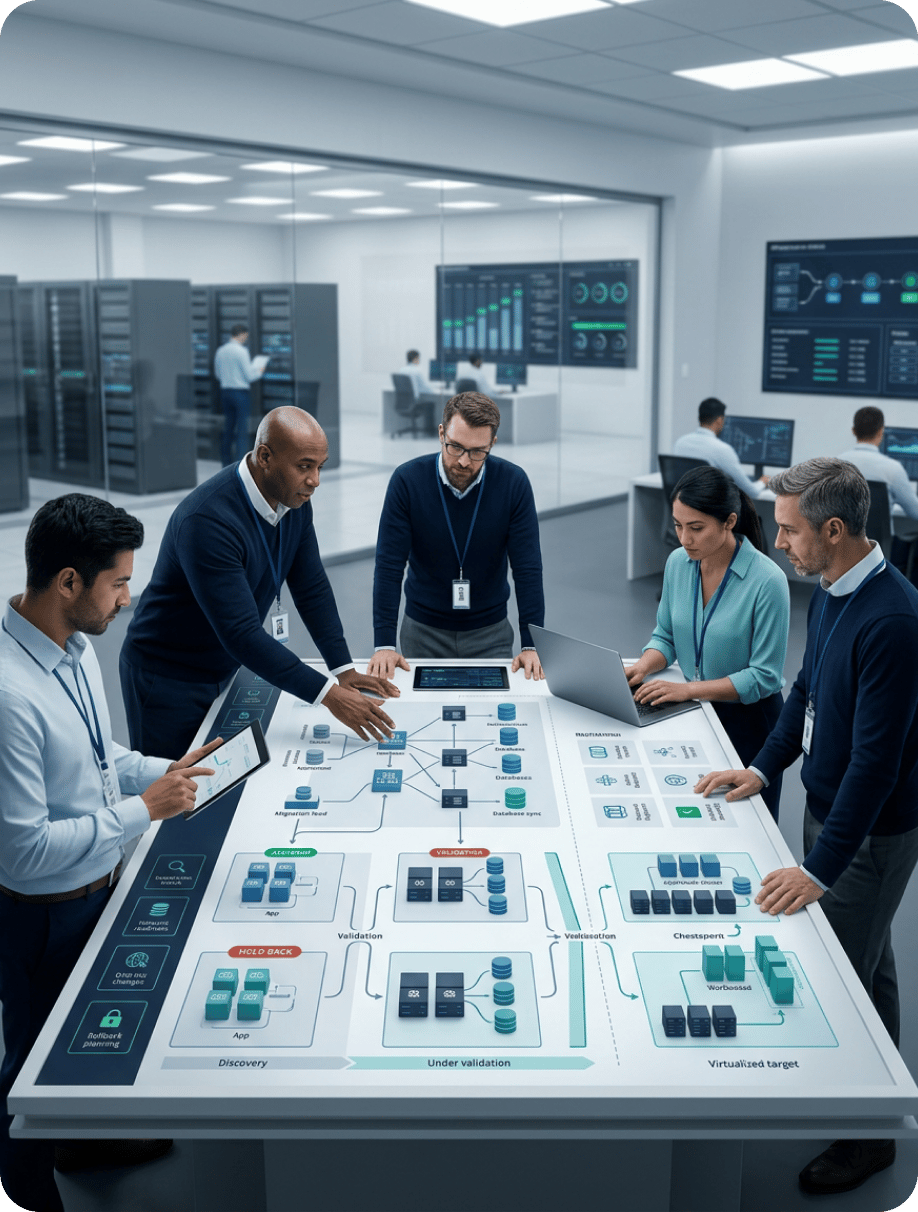
Data Center Migration Services

Relocate, consolidate, or exit data centers with dependencies mapped, risks controlled, and cutover rehearsed before the move

A Data Center Move Is a Dependency Problem Before It Is a Logistics Problem

 Most data center migrations fail on an unmapped dependency, such as a hard-coded IP address, an undocumented batch job, or a backup target left behind, not on the physical move. Calance covers the full program: discovery and dependency mapping, destination strategy, physical relocation, cloud and hybrid migration, network cutover, data migration, security continuity, decommissioning, and post-move operations. Programs start from a fixed date, like a lease ending or hardware leaving support, so planning works backward from it. For cloud-bound workloads, see our cloud migration services and Azure migration services; ongoing operations run through our IT infrastructure and operations practice. 

Get in Touch

Why Organizations Migrate Data Centers

The reason for the move shapes the timeline, the destination options, and how much of the estate is worth carrying forward, so it is confirmed before any design work begins.

SharePoint Online

divider

A fixed exit date drives the whole program, and the penalty for missing it is usually a costly short-term extension. Sequencing, carrier lead times, and decommissioning conditions are planned against that date from the first week. 

Hardware End of Life and Refresh Avoidance

divider

Servers and storage past vendor support carry rising failure and security risk, and refreshing them in place often costs more than moving. Migration becomes the point at which refresh, replatform, or retire decisions are made per asset. 

Consolidation After Merger or Acquisition

divider

Two organizations arrive with two facilities, two networks, and two identity estates. Consolidation reduces cost and administration, but duplicate applications and overlapping IP ranges must be resolved before anything moves.

Capacity, Power, and Cooling Limits

divider

Facilities built for an earlier generation of hardware cannot support current densities, so growth stalls on rack space, power, or cooling rather than on budget. A move to colocation or cloud removes the constraint without a facility rebuild.

Cloud-First or Hybrid Strategy

divider

A strategic decision to reduce owned infrastructure turns the data center into a migration source. Workloads that cannot move to cloud still need a home, which is why most programs end in a hybrid of colocation and public cloud.

Our SharePoint Assessment and Planning Process

Our SharePoint consulting services begin with a detailed assessment and planning phase. Over a brief engagement, Calance’s SharePoint consultants move through four key stages to lay a solid foundation for your solution.
This structured process, an important part of our SharePoint Consulting Services, ensures your SharePoint solution meets your needs and delivers value from day one.

What Calance Data Center Migration Services Cover

Engagements usually draw on most of the areas below, since a facility exit touches every system in it, though the balance between physical relocation and cloud migration varies with the destination strategy.

Schedule a Migration Assessment
1

Discovery, Asset Inventory, and Dependency Mapping

Discovery tooling and configuration review produce an inventory of servers, storage, network devices, applications, and the dependencies between them, including scheduled jobs, file transfers, and hard-coded addresses. Move groups are built from that map so nothing moves without what it depends on.

2

Destination Strategy and Business Case

Each workload is assigned a destination from the options below, with the reasoning recorded. The business case compares current facility, hardware, and support cost against the projected run cost of the chosen mix, so leadership approves a number grounded in the estate.

3

Physical Relocation Planning and Execution

Equipment that moves intact is planned down to rack elevation, cabling, power, and transport, with chain of custody and insurance arranged before anything is unracked. Move-day sequencing follows dependency order so systems restart cleanly.

4

Cloud and Hybrid Workload Migration

Workloads heading to public cloud are migrated through replication tooling in waves, with landing zones built first and cutover rehearsed in a pilot. Platform detail sits on our cloud migration services page, and VMware estates have their own path.

5

Network Design, IP Addressing, and Cutover

The destination network is designed and built ahead of the move, with carrier circuits ordered against their lead times and dual-homing kept through transition. Addressing, DNS, firewall rules, and load balancer configurations are prepared so cutover is a planned switch rather than a discovery exercise.

6

Data and Storage Migration

Data moves as its own project inside the program, with replication or offline transfer chosen by volume and bandwidth, integrity validated against checksums, and a frozen final sync before cutover. Backup targets and retention copies are relocated alongside the primary data rather than left behind.

7

Security, Backup, and Compliance Continuity

Security controls, monitoring, and backup coverage are maintained through every wave, since attackers and auditors do not pause for a migration. Default credentials, open rules, and unmonitored gaps are the common failure points, and a wider review is available through our cybersecurity services.

8

Decommissioning, Asset Disposition, and Handover

The source facility is exited to its lease conditions, with data sanitized to a documented standard, assets resold, recycled, or redeployed with certificates retained, and licenses reclaimed. Documentation, runbooks, and ownership are handed over for the new environment at program close.

Choosing the Destination for Each Workload

The destination is decided per workload rather than for the estate, because a latency-sensitive plant system, a stable file server, and a frequently changing customer application rarely belong in the same place. Most programs end with a mix, and colocation is often the pragmatic middle step for workloads that cannot move to cloud yet but should not stay in an owned facility.

Destination
What It Involves
Where It Usually Fits
Main Constraint
DestinationNew Owned Facility
What It InvolvesBuilding or fitting out a facility and relocating equipment into it
Where It Usually FitsOrganizations with regulatory or latency reasons to retain ownership and the scale to justify it
Main ConstraintHighest capital cost and longest lead time; capacity decisions are locked in for years
DestinationColocation
What It InvolvesRelocating owned equipment into a provider facility with power, cooling, and connectivity supplied
Where It Usually FitsWorkloads that must stay on dedicated hardware, interim homes during cloud migration, disaster recovery sites
Main ConstraintEquipment still ages and needs refresh; carrier and cross-connect lead times affect timeline
DestinationPublic Cloud
What It InvolvesMigrating workloads to Azure, AWS, or Google Cloud and retiring the hardware
Where It Usually FitsVirtualized workloads, applications under active development, workloads with variable load
Main ConstraintLicensing treatment and right-sizing decide whether cost falls or rises; some systems cannot move
DestinationHybrid (Colocation Plus Cloud)
What It InvolvesSplitting the estate between dedicated hardware and public cloud with connectivity between them
Where It Usually FitsMost enterprise estates, where some systems cannot leave dedicated infrastructure
Main ConstraintTwo environments to operate, with network design and identity extension deciding whether it works
DestinationConsolidation into an Existing Site
What It InvolvesMoving a facility's workloads into another facility the organization already runs
Where It Usually FitsPost-merger estates and organizations with underused capacity elsewhere
Main ConstraintOverlapping IP ranges, duplicate applications, and capacity headroom at the receiving site

Physical Relocation: Moving Equipment Without Losing a Business Day

Equipment that moves intact carries a risk the cloud path does not: hardware that has run continuously for years may not restart after transport. Spares, refresh decisions, and vendor support for the move window are arranged before anything is unracked. Relocation is planned across three layers so the move itself becomes a rehearsed procedure rather than an event.

  • Document rack elevations, cabling, and port maps so every device returns to a known position
  • Validate power, cooling, and floor loading at the destination before equipment is scheduled
  • Arrange chain of custody, transport insurance, and vendor support cover for the move window
  • Label every device, cable, and port and photograph racks before and after de-installation
  • Power down and restart systems in dependency order, with application owners confirming each
  • Use specialist transport with shock monitoring, and remote hands at the destination site
  • Run hardware burn-in and compare performance against baselines captured before the move
  • Reconnect monitoring, backup, and alerting before declaring any system back in service
  • Hold rollback and spare capacity until every system passes its agreed validation checks

Network, IP Addressing, and Connectivity Cutover

Network change is the most common cause of post-move failure, and it is usually invisible until a system cannot reach something it has always reached. Carrier circuits are ordered early against their lead times, the destination network is built and tested ahead of the move, and every addressing dependency is found during discovery rather than during cutover.

Area
What Changes
How It Is Handled
AreaIP addressing and subnets
What ChangesNew ranges at the destination, or stretched subnets during transition
How It Is HandledHard-coded addresses are found in discovery; DNS, DHCP, and application configurations are updated in sequence
AreaWAN and carrier circuits
What ChangesNew circuits with lead times of weeks to months
How It Is HandledOrdered at program start; dual-homing keeps both sites reachable until the last wave completes
AreaFirewalls and security zones
What ChangesRule sets rebuilt for new topology and addressing
How It Is HandledRules are exported, translated, reviewed for stale entries, and tested before cutover
AreaLoad balancers and certificates
What ChangesVirtual IPs, pools, and certificates tied to old addresses
How It Is HandledNew VIPs provisioned in advance; certificates reissued where subject names or addresses change
AreaActive Directory sites and replication
What ChangesSite topology, subnets, and domain controller placement
How It Is HandledSites and subnets updated before servers move so authentication follows the nearest controller
AreaVPN and remote access
What ChangesGateway addresses, client profiles, and split-tunnel rules
How It Is HandledNew gateways stood up in parallel; client profiles updated ahead of user cutover
AreaLatency-sensitive integrations
What ChangesRound-trip time between systems that used to share a rack
How It Is HandledDependent systems are moved in the same wave or placed in the same destination zone

Risk Register: What Goes Wrong and How It Is Controlled

Every migration carries the same set of risks, and the difference between programs is whether each one has a named control before the first wave. The register below is maintained through the engagement, with probability and impact reviewed at each governance gate.

Risk
Business Consequence
Control
RiskUnplanned downtime
Business ConsequenceLost revenue, missed SLAs, and user disruption during the cutover window
ControlDependency-ordered waves, rehearsed cutover, agreed freeze periods, and rollback criteria per wave
RiskData loss or corruption
Business ConsequenceIrrecoverable records, regulatory exposure, and extended timelines for recovery
ControlVerified backups before every wave, checksum validation after transfer, and a frozen final sync
RiskApplication incompatibility
Business ConsequenceSystems that start but do not function in the new environment
ControlCompatibility testing in a pilot that mirrors the destination, with application owners signing off
RiskHard-coded dependencies
Business ConsequenceConnections that fail on new addresses or hostnames
ControlConfiguration-level discovery, not just network scanning, and a sequenced update plan
RiskCost overrun
Business ConsequenceBudget exceeded through extensions, duplicate running costs, or unplanned refresh
ControlBusiness case from measured inventory, contingency reserve, and decommissioning tied to each wave
RiskSecurity incident during transition
Business ConsequenceBreach through default credentials, open rules, or monitoring gaps while teams are distracted
ControlSecurity baseline built before the move, monitoring kept live through every wave, hardening checklists
RiskCompliance exposure
Business ConsequenceRegulated data in an unapproved location or without audit continuity
ControlData classification in discovery, destination approval per class, and chain-of-custody records
RiskDeficient backups
Business ConsequenceDiscovering at restore time that backup coverage did not follow the data
ControlBackup targets migrated with primary data; restore tested at the destination before cutover
RiskPerformance and SLA failure
Business ConsequenceSystems that run but miss response-time or throughput commitments
ControlBaselines captured before the move, compared after, with right-sizing or placement changes
RiskSkills gap in the new environment
Business ConsequenceOperations team unable to support a platform it has not run before
ControlTraining and runbooks delivered before handover, with co-managed support available afterward

Data Center Migration Process

Delivery runs through six stages with a go or no-go gate between each, so the business confirms readiness before systems are affected. Network and destination build run ahead of the first wave, and the pilot is a rehearsal of production cutover rather than a test of tooling. 
Data Center Migration Process

Discovery and Dependency Mapping

  • Inventory every server, storage array, network device, application, and scheduled job
  • Map dependencies down to configuration level, including hard-coded addresses and file paths
  • Classify data by sensitivity and regulation so destination approval can follow per class

Destination Strategy and Business Case

  • Assign a destination to each workload and record the reasoning for future review
  • Build the business case from measured inventory, support contracts, and facility costs
  • Group workloads into move waves by dependency, criticality, and downtime tolerance

Design, Readiness, and Risk Planning

  • Design and build the destination network, security baseline, and landing zones first
  • Order carrier circuits, cross-connects, and transport against their real lead times
  • Populate the risk register with a named owner and control for every identified risk

Pilot Move and Rehearsal

  • Move a pilot wave covering each destination type and integration pattern in the estate
  • Validate connectivity, performance, backup, and monitoring against pre-move baselines
  • Review findings at a governance gate and revise wave plans, runbooks, and freeze windows

Wave Migration and Cutover

  • Execute each wave against a timed runbook with named owners and rollback triggers
  • Retest integrations, batch jobs, and reporting after every cutover before sign-off
  • Provide elevated support through each wave, with 24/7 coverage for major cutovers

Decommission, Validate, and Operate

  • Reconcile migrated systems against the inventory and record every exception
  • Sanitize, dispose of, or redeploy source assets and exit the facility to lease terms
  • Hand over documentation and ownership, with co-managed IT services where required

Decommissioning and Asset Disposition

A migration is not finished when the last system is running at the destination. The source facility has to be exited to its lease conditions, data has to be removed from retired equipment to a standard an auditor will accept, and the assets themselves have to be resold, recycled, or redeployed with records kept. Decommissioning is scheduled per wave rather than left to the end, which also stops duplicate running costs from accumulating.

Activity
What It Involves
Evidence Retained
ActivityData sanitization
What It InvolvesWiping or destroying storage media to NIST SP 800-88 guidelines
Evidence RetainedCertificate of sanitization or destruction per device
ActivityAsset disposition
What It InvolvesResale, recycling, or redeployment of servers, storage, and network equipment
Evidence RetainedAsset register reconciled to disposal records
ActivityLicense reclamation
What It InvolvesRecovering software and support entitlements from retired hardware
Evidence RetainedUpdated license inventory and vendor confirmations
ActivityFacility exit
What It InvolvesRemoving cabling and racks, restoring the space, and handing back to the landlord
Evidence RetainedLease handback acceptance and final walkthrough record
ActivityDocumentation
What It InvolvesClosing the inventory, updating CMDB and network records, archiving runbooks
Evidence RetainedProgram close report with exceptions and dispositions

Engagement Models

Model
Best Suited For
What Is Included
ModelAssessment and Roadmap
Best Suited ForOrganizations deciding whether to relocate, consolidate, or exit, and what the destination mix should be
What Is IncludedDiscovery, dependency map, destination per workload, business case, risk register, and wave plan
ModelFull Migration Program
Best Suited ForOrganizations with a confirmed exit date and an internal team ready to operate the result
What Is IncludedDesign, network build, pilot, wave migration, physical relocation coordination, decommissioning, and handover
ModelMigration Plus Managed Infrastructure Operations
Best Suited ForOrganizations that want ongoing operations after the move
What Is IncludedFull program plus continuing operations through Calance managed infrastructure or Azure managed services

Industry Considerations

Requirements differ by sector mainly in regulatory obligation, tolerance for downtime, and the systems that cannot leave dedicated infrastructure. The notes below reflect the constraints we design around most often. 

Manufacturing

Manufacturing

Plant-floor, MES, and quality systems rarely tolerate the latency of a distant facility, so they are retained locally or placed in nearby colocation while ERP and reporting move first. Cutover is scheduled around production shifts, not office hours. 

Healthcare-Oct-29-2026-06-51-12-7683-PM

Healthcare

Protected health information needs chain-of-custody records through transport and transfer, and clinical systems need rehearsed cutover with defined recovery objectives. Business associate agreements with colocation or cloud providers are confirmed before any data moves.

Life Sciences

Life Sciences

Validated systems must be requalified at the destination, so migration records, environment separation, and change documentation are produced to a standard auditors accept. Retention obligations shape which storage and backup media move and which are archived. 

Financial Services-1

Financial Services

Regulator notification, data residency, and audit continuity are confirmed during discovery. Transaction systems move in rehearsed windows with documented recovery objectives, and demonstrable security controls are in place at the destination before production cutover. 

Construction and Engineering-1

5. Construction and Engineering

Project control, estimating, and finance platforms such as Procore, CMiC, PMWeb, and Sage depend on integrations and field connectivity, so our construction software integration team plans reconnection to keep active projects uninterrupted.

Why Calance for Data Center Migration

Choosing a migration partner usually comes down to four questions: whether dependencies are mapped before anything moves, whether the destination recommendation follows the workload or the partner's interests, how deep the platform experience runs for workloads landing in cloud, and who stays accountable through cutover and after. The points below answer each from how our practice is arranged.

Dependency Mapping Before Any Equipment Moves

Discovery goes to configuration level, not just network scans, because hard-coded addresses and undocumented jobs are what break a move. Waves are built from that map, so the cutover runbook reflects how systems actually depend on each other.

Destination-Neutral Recommendations Across Facility, Colocation, and Cloud

Calance does not operate colocation facilities or resell data center space, so the destination recommendation for each workload follows fit and cost rather than a facility to fill. The reasoning is documented for leadership to review.

Microsoft and AWS Depth for Workloads That Land in Cloud

As a Microsoft Solutions Partner for Modern Work and Security with 20+ years on the platform, and an AWS technology partner, our team brings delivered cloud experience to the portion of the estate that moves off hardware. [CONFIRM: AWS partner tier]

Accountability Through Cutover and Beyond

A 90% client retention rate reflects how we work once the move is complete. Onshore architects lead design and governance, offshore engineering supports waves overnight, and follow-the-sun coverage runs through every cutover window and the stabilization period.

Data Center Migration Case Studies

Records of delivered infrastructure, cloud, and migration work, including long-term infrastructure relationships with Isuzu and Yamaha and the SharePoint migration that supported a commercial bank merger, each setting out the starting point, the decisions made, and the reported outcome. Filterable by service area and industry.

Browse All Case Studies

Plan Your Data Center Migration with a Readiness Assessment

 Whether the starting point is a lease date, hardware that has left vendor support, or an acquisition that leaves two facilities doing one job, a readiness assessment is a practical first step. Our team can inventory the estate, map its dependencies, assign a destination per workload, and set out a wave plan and business case grounded in measured data. 

Frequently Asked Questions

What does a data center migration include?

Data center migration covers discovery and dependency mapping, destination strategy per workload, network and security build at the destination, physical relocation or cloud migration, data and storage transfer, cutover, decommissioning of the source facility, and handover. Scope varies with whether the estate relocates, consolidates, or exits to cloud. 

What is the difference between migration and relocation?

Relocation usually means physically moving equipment from one facility to another. Migration is the broader term covering relocation, consolidation, and moves to colocation or cloud. Most programs combine both, relocating some hardware intact while migrating other workloads to new platforms.

How long does a data center migration take?

Small single-site moves can complete in two to four months, while multi-site consolidations and full exits commonly run nine to 18 months. Duration depends on estate size, dependency complexity, carrier lead times, destination build, compliance reviews, and how many cutover windows the business can absorb.

How is downtime minimized during the move?

 Workloads are grouped into waves by dependency and moved in agreed windows, often overnight or over weekends. Cloud-bound workloads replicate before cutover so the switch is short, and physically relocated systems follow rehearsed runbooks with rollback criteria and spare capacity held. 

What happens to hard-coded IP addresses?

Configuration-level discovery finds addresses embedded in applications, scripts, and integrations before the move. Each is either updated in sequence with DNS and firewall changes or preserved by stretching subnets during transition. Finding them in discovery rather than at cutover is the point of the exercise. 

Can equipment be moved physically, or must it be replaced?
Both paths are common within one program. Equipment under support with useful life left is relocated intact, while hardware past vendor support is usually refreshed or retired because restart failure risk rises after transport. The decision is made per asset in the destination strategy. 
How is data protected during transit?

Data in transit moves over encrypted connections or through encrypted offline appliances, with checksum validation after transfer. Physically moved storage travels under chain of custody with transport insurance. Verified backups exist before every wave so nothing depends on a single copy.

How are backups and disaster recovery maintained during the migration?

Backup coverage follows each wave rather than being rebuilt at the end, and restore is tested at the destination before cutover. Disaster recovery targets are updated per wave so recovery objectives remain valid throughout, with the source site often serving as interim recovery.

Can some systems stay where they are?

Yes. Latency-sensitive plant systems, equipment mid-lifecycle, and regulated workloads with residency constraints are commonly retained or placed in nearby colocation. Hybrid connectivity, identity extension, and unified management are then designed deliberately rather than left informal.

How is the destination chosen for each workload?

Destination follows workload fit, latency needs, licensing treatment, regulatory constraints, and remaining hardware life. Virtualized and actively developed workloads often suit cloud, dedicated-hardware systems suit colocation, and a mix is the usual outcome, with the reasoning documented per workload.

How Much Does a Data Center Migration Cost?

Cost depends on estate size, dependency complexity, destination mix, carrier and transport requirements, destination build, compliance obligations, and whether operations transfer afterward. Calance builds the estimate from the discovery inventory so the proposal reflects the measured estate rather than assumptions.

What Does Our Organization Need to Provide?

Clients provide access for discovery tooling, a named owner per application, the exit date and downtime tolerance, facility and carrier contracts, security and compliance requirements, and availability for governance gates. Calance supplies assessment, design, risk register, execution, decommissioning, and documentation.

Does Calance Handle the Physical Move Directly?

Calance plans and manages the relocation end to end, including rack elevations, sequencing, validation, and cutover. [CONFIRM: whether specialist transport and de-installation are delivered directly or through a certified logistics partner under Calance management]

Can a Migration Wave Be Rolled Back?

Yes, within the window defined for that wave. Cloud-bound workloads keep the source intact until validation completes, and physically moved systems are backed by verified restores and held spare capacity. Calance sets rollback triggers and procedures per wave before production begins.

What Happens After the Migration Is Complete?

Systems are reconciled against inventory, baselines compared, source assets sanitized and disposed of, and the facility exited to lease terms. Operations can stay with your team using the handover documentation, transfer to Calance through managed infrastructure services, or be shared through a co-managed model.