
25 Oct 2021

Remote worker support has become essential as over 70% of the global workforce now spends professional hours working away from the office. This shift is not just a temporary trend but a fundamental change in how businesses operate. In fact, Gartner forecasts that 31 percent of the global workforce will follow either a hybrid or fully remote work model by 2022. For businesses navigating this new landscape, implementing effective remote technology support is crucial for maintaining productivity and security. Employees working remotely experience a 77% increase in productivity, however, this benefit can only be realized with proper remote workplace solutions in place. Surprisingly, only 52 percent of employees who work remotely are using company-provided computers, creating significant security vulnerabilities. As the demand for remote working IT solutions continues to grow, with the social software and collaboration market forecast to reach $4.5 billion in 2021 (a 17.1% increase from 2020), businesses need comprehensive IT support for remote workers to stay competitive and secure.
In this article, we'll explore seven essential IT solutions that can transform your remote workforce management while ensuring security, productivity, and seamless collaboration.
Provide the right equipment for remote work
Equipping your remote workforce with the right tools isn't just about convenience—it's a strategic investment that directly impacts productivity, security, and employee satisfaction. When organizations shifted to remote work during the pandemic, many employees hastily purchased their own work-from-home devices without IT oversight. Now, as more companies commit to long-term remote or hybrid models, it's time to establish a thoughtful equipment strategy that supports your distributed team's needs.
Company-owned vs personal devices
The decision between corporate-owned devices and personal equipment significantly impacts your remote technology support strategy. Each approach offers distinct advantages and challenges that merit careful consideration.
Corporate-owned device benefits:
- Enhanced security control: Corporate devices using mobile device management (MDM) are substantially more secure than personal devices. Your IT team can enforce security policies, monitor network access, control application usage, and remotely wipe lost or stolen devices.
- Uniform security protocols: With identical security protocols on all devices, managing and monitoring security becomes streamlined.
- Simplified compliance: Adhering to industry regulations is more straightforward when devices are uniform and company-controlled.
- Consistent user experience: IT teams can remotely set up or troubleshoot devices, enabling employees to work efficiently regardless of location.
Personal device considerations: On the other hand, implementing a Bring Your Own Device (BYOD) policy allows employees to use their familiar personal equipment for work. Currently, 59% of companies allow BYOD, including Fortune 500 organizations like Microsoft and Google. This approach offers cost savings but creates significant security challenges.
When employees use personal devices, the organization has limited ability to monitor or enforce security measures. Additionally, personal devices without MDM/MAM (Mobile Application Management) are highly vulnerable to security threats. According to one cybersecurity expert, approximately 80% of all malware incidents could be mitigated simply by removing local admin rights—a control that's not possible on personally owned devices.
Furthermore, addressing what happens when an employee leaves the company becomes complicated with personal devices. Corporate apps and data may remain on the device, requiring careful handling to avoid destroying personal data during removal.
Reducing IT load with standardized hardware
Standardizing your remote workforce's hardware delivers substantial benefits for both IT teams and end users. When everyone uses the same equipment, it becomes easier to get teams up and running quickly, troubleshoot issues efficiently, and ensure integrations work properly.
By standardizing toolsets and training workers to use their devices effectively, IT departments can:
- Reduce support requests from employees struggling with unapproved tools
- Prevent easily-avoidable security breaches that occur with diverse personal devices
- Streamline technology purchases, device setup, and software integration
For IT support teams, standardized hardware creates a more predictable environment. The IT department can deliver more efficient service and resolve problems faster when supporting uniform equipment. They'll become intimately familiar with standard configurations, can receive targeted vendor training, and develop specialized technical skills.
Additionally, organizations can leverage greater purchasing power through vendor partnerships. Working with select hardware providers enables businesses to negotiate lower prices while ensuring devices meet company specifications. This approach reduces total cost of ownership across the entire device fleet.
For employees working remotely, standardized equipment ensures consistent access to applications and software, creating a smoother virtual work experience. It eliminates compatibility issues and ensures everyone has the necessary tools to collaborate effectively.
When implementing your equipment strategy, consider these approaches:
- Full provisioning: Source and ship pre-configured equipment directly to employees
- Equipment allowances: Provide fixed stipends for purchasing approved hardware
- Expense reimbursement: Allow employees to submit receipts within established guidelines
Whichever model you choose, ensure your remote technology support includes essential equipment: a reliable computer (laptop or desktop depending on needs), quality display, ergonomic accessories, and connectivity solutions. For optimal remote working IT solutions, consider standardizing on professional-grade equipment rather than consumer models to enhance durability, performance, and security.
Remember that remote worker support extends beyond initial equipment provisioning. Implement a hardware lifecycle management program that includes regular updates, security patches, and scheduled refreshes to maintain productivity and security across your distributed workforce.
Ensure 24/7 IT support availability

When teams work across different time zones and outside traditional business hours, continuous IT support becomes a cornerstone of successful remote operations. For businesses with distributed teams, providing reliable, around-the-clock IT assistance isn't optional—it's essential for maintaining productivity and preventing costly downtime.
Remote teams encounter technical issues at all hours, making traditional 9-5 support inadequate for today's flexible work environment. With employees potentially working early mornings, late nights, or even from international locations, having access to reliable IT support whenever issues arise is crucial for business continuity.
Automated helpdesk workflows
Implementing automated helpdesk workflows dramatically improves support efficiency for remote teams while reducing the burden on IT staff. These systems handle repetitive tasks automatically, allowing IT professionals to focus on more complex issues requiring human expertise.
Modern helpdesk automation incorporates several key capabilities:
- Intelligent ticket routing directs support requests to the appropriate specialist based on predefined criteria, ensuring faster resolution and better workload distribution
- Automated escalation protocols prevent urgent issues from being overlooked by flagging and elevating tickets based on priority, age, or specific keywords
- AI-powered support agents provide immediate assistance for common technical problems, offering 24/7 support even when human staff is unavailable
Automation particularly benefits remote workers who might otherwise face productivity-killing delays waiting for support during off-hours. For instance, password resets, order status updates, and routine product bugs can be handled autonomously by AI agents, providing instant resolution at any hour.
Beyond improving response times, automated workflows create consistency across support interactions. According to support experts, help desk automation delivers "a more consistent and impactful customer experience or employee experience". This consistency is particularly valuable for remote teams who may otherwise feel disconnected from corporate resources.
Notably, the strategic implementation of workflow automation extends beyond simple ticketing. Comprehensive solutions also manage critical processes like onboarding/offboarding, access requests, maintenance schedules, and security updates. These automated processes ensure remote workers receive necessary tools and access regardless of location or time zone.
Outsourcing IT support for scalability
For many organizations, building an in-house 24/7 IT support team is prohibitively expensive and logistically challenging. Consequently, partnering with managed service providers (MSPs) offers a cost-effective alternative that delivers around-the-clock expertise without the overhead of maintaining a full-time staff.
MSPs provide several distinct advantages for supporting remote workforces:
Continuous coverage: With support staff distributed across time zones, MSPs deliver genuine 24/7/365 assistance via phone or live chat, ensuring remote workers receive help precisely when needed. This eliminates productivity gaps that occur when employees must wait for "business hours" to resolve technical issues.
Cost efficiency: Outsourcing eliminates expenses associated with in-house teams, including salaries, paid time off, office space, and training costs. Additionally, 24/7 support prevents expensive downtime and avoids premium rates typically charged for after-hours emergency fixes.
Scalability on demand: Remote workforce needs fluctuate, especially during growth periods or seasonal spikes. MSPs can quickly adjust to accommodate new hires, additional devices, and expanded service requirements without the delays of recruiting and training in-house personnel. This flexibility is particularly valuable during transitional periods when remote work patterns evolve.
Proactive monitoring and maintenance: Best-in-class MSPs implement continuous monitoring that detects potential problems before they impact users. When system resources cross predefined thresholds or suspicious activity is detected, support teams receive immediate alerts, enabling rapid response to emerging issues. This proactive approach prevents minor problems from escalating into major disruptions.
Specialized expertise: MSPs invest heavily in remote monitoring and management (RMM) tools while developing disciplined processes that ensure timely, professional support delivery. Their technical teams possess diverse skill sets that would be difficult and expensive to maintain in-house, particularly for organizations with limited IT resources.
Essentially, outsourced support transforms IT capabilities from a fixed internal function to a flexible service that adapts to changing business requirements. This allows organizations to focus on core activities while ensuring their remote workforce receives consistent, high-quality technical assistance regardless of when or where they work.
For businesses committed to long-term remote or hybrid work models, implementing reliable 24/7 IT support—whether through automated systems, outsourced partnerships, or a combination of both—remains fundamental to sustaining productivity and employee satisfaction across distributed teams.
Use cloud infrastructure for flexibility
Cloud infrastructure serves as the backbone of effective remote work strategies, enabling businesses to adapt swiftly to changing workforce dynamics. As organizations continue supporting distributed teams, cloud-based systems provide the necessary flexibility and accessibility that traditional on-premises solutions simply cannot match.
Cloud storage and productivity tools
The transition to remote work demands seamless access to files and applications from any location. Cloud storage solutions address this need by allowing remote workers to access critical data from anywhere with an internet connection. This accessibility ensures teams remain productive regardless of their physical location, eliminating geographical barriers to collaboration.
Beyond mere storage, cloud platforms offer significant benefits that enhance remote worker support:
- Scalability: Cloud storage can expand effortlessly as your business grows, providing virtually unlimited capacity without requiring additional hardware investments. This flexibility is particularly valuable for organizations with fluctuating data needs or rapidly growing remote teams.
- Cost efficiency: Cloud solutions eliminate the need for expensive hardware purchases through pay-as-you-go pricing models. For startups and small businesses with limited IT resources, this approach reduces initial capital expenditures while still providing enterprise-grade capabilities.
- Enhanced collaboration: Cloud environments enable real-time document editing and seamless communication across distributed teams. Microsoft 365 and Google Workspace offer integrated experiences where remote employees can simultaneously edit documents, conduct meetings, and manage shared workspaces without version control issues.
Many distributed teams rely on popular cloud storage solutions like Google Drive, OneDrive, and Dropbox to facilitate remote technology support. Google Drive provides 15GB of free storage shared with Gmail and integrates smoothly with Google's productivity suite. OneDrive offers tight integration with Microsoft's ecosystem, making it ideal for organizations already using Windows and Office applications. Meanwhile, Dropbox centralizes team collaboration by bringing together files and conversations in one platform.
Nevertheless, it's crucial to recognize that simply storing files in cloud services does not constitute a comprehensive backup strategy. Remote workplace solutions must incorporate dedicated backup protocols alongside everyday cloud storage.
Disaster recovery and data backup
Data protection becomes even more critical with remote teams working across various networks and devices. Modern backup approaches combine both on-premises and cloud-based solutions to create resilient systems that can withstand potential disruptions.
Cloud-based backup solutions offer distinct advantages for remote work environments:
- Geographic redundancy: Cloud providers store data across multiple locations, protecting against localized disasters that might otherwise compromise business continuity. This distributed approach ensures that even if one data center experiences problems, your remote workers can still access critical systems.
- Automated protection: Cloud backups run automatically in the background, ensuring consistent protection without requiring manual intervention from remote staff. This automation reduces the risk of human error while maintaining continuous protection.
- Business continuity: With proper cloud backup solutions, companies can quickly restore lost files, minimizing downtime and avoiding disruptions to remote workflows. Every minute of downtime has financial implications, making rapid recovery capabilities essential for supporting remote operations.
Many organizations are adopting hybrid backup strategies that combine the strengths of both cloud and on-premises solutions. This approach provides redundancy by storing critical data locally for quick recovery while backing up less sensitive information to the cloud for offsite protection. Hybrid models offer both flexibility and regulatory compliance, making them ideal for companies with complex data protection requirements.
For comprehensive remote working IT solutions, Disaster Recovery as a Service (DRaaS) has emerged as a key component. These cloud-based recovery solutions significantly reduce downtime during disruptions while eliminating the need for maintaining separate physical recovery sites. According to a CloudEndure survey of 375 IT professionals, nearly half (47%) of companies now use public clouds as their disaster recovery target sites, compared to just 15% using physical machines.
The economics of cloud-based disaster recovery also align perfectly with remote work models. Most providers offer "pay per use" consumption billing, allowing organizations to control costs by paying only for resources actually utilized. This approach enables more predictable budgeting while ensuring IT support for remote workers remains robust and reliable.
Ultimately, implementing cloud infrastructure creates a foundation for secure, flexible remote work that can adapt to changing business needs. By leveraging these technologies effectively, organizations can build resilient operations that support productive remote teams regardless of external circumstances or geographical distribution.
Implement strong security protocols
Security vulnerabilities multiply exponentially with distributed teams, making robust protection protocols a non-negotiable component of any remote work strategy. As organizations expand their digital footprints, implementing comprehensive security measures protects both corporate assets and employee productivity from increasingly sophisticated threats.
VPNs and encrypted connections
Virtual Private Networks (VPNs) form the foundation of secure remote access by creating encrypted tunnels between employees' devices and company resources. This encryption ensures that sensitive information remains confidential during transmission, preventing unauthorized interception or tampering.
For remote teams, VPNs serve multiple critical functions:
- Data protection in transit: VPNs encrypt all traffic flowing to and from devices, making it unreadable without the proper decryption key. This protection is crucial given that organizations using encrypted messaging systems report 70% fewer data breaches.
- Secure access to corporate resources: VPNs allow employees to safely connect to company networks, applications, and databases from anywhere without exposing these resources to the wider internet. This capability is vital for maintaining access to essential tools without compromising security.
- Public network protection: Remote workers frequently connect through unsecured networks at cafes, libraries, or other public locations. VPNs shield online activities even on these vulnerable connections, maintaining security regardless of where employees work.
- Verification of approved devices: Properly configured VPNs ensure that only authorized machines can connect to company networks, providing another layer of protection against unauthorized access.
First and foremost, VPNs must implement strong encryption to adequately safeguard corporate data. The entire VPN solution should encrypt both transmitted data and management communications between clients and servers. Properly stored credentials using your device's dedicated security hardware (rather than easily accessible plain text) further strengthen this protection.
Nonetheless, it's important to recognize that VPNs alone don't defend against every cybersecurity threat. Social engineering scams and phishing attacks can still compromise even the most secure VPN implementations. This limitation highlights the need for complementary security measures.
Multi-factor authentication (MFA)
Multi-factor authentication significantly reduces unauthorized access risks by requiring users to verify their identity through multiple methods beyond just passwords. Given that stolen credentials remain the most common cause of data breaches, accounting for over 24% of hacking-related incidents, implementing MFA provides essential protection for distributed teams.
MFA works by requiring two or more verification methods:
- Something you know (password)
- Something you have (smartphone, security token)
- Something you are (fingerprint, facial recognition)
The effectiveness of MFA in remote environments stems from its ability to maintain security even when passwords are compromised. Subsequently, even if hackers obtain login credentials through phishing or data breaches, they still cannot access systems without the secondary authentication factor.
Organizations can implement various MFA approaches based on their specific needs:
- Mobile authentication apps provide convenient verification through smartphones
- Hardware tokens offer physical security devices for sensitive systems
- Biometric verification uses unique physical characteristics for identification
- SMS or email codes deliver time-limited verification numbers
MFA aligns perfectly with zero trust security frameworks increasingly adopted for remote work environments. Under this model, trust is never assumed, even after initial login, and access can be dynamically adjusted based on real-time risk signals. This continuous verification is particularly valuable for distributed teams connecting from various locations and devices.
Moreover, adaptive authentication can analyze contextual data—such as location, device type, or user behavior—to determine if additional verification steps are needed. This approach maintains strong security while minimizing disruption to legitimate work activities.
Beyond preventing unauthorized access, MFA helps organizations meet regulatory requirements like GDPR, HIPAA, and other industry standards governing sensitive data protection. This compliance benefit adds another layer of value to MFA implementation.
As organizations build comprehensive remote worker support systems, integrating both VPNs and MFA creates a multi-layered security foundation. Together, these protocols protect sensitive information while enabling the flexibility and accessibility that distributed teams require. Ultimately, strong security doesn't just prevent breaches—it creates the confidence and trust that allow remote work to flourish.
Adopt cloud-based collaboration tools
Effective collaboration lies at the heart of successful remote work arrangements. Cloud-based collaboration tools bridge the distance gap between team members, enabling seamless communication and project management regardless of physical location. In today's distributed work environment, these digital platforms have become indispensable for maintaining productivity and team cohesion.
Project management and communication apps
The market offers numerous collaboration solutions tailored to different team sizes and requirements. Project management tools serve as virtual headquarters for remote teams, creating structured environments where work can be organized, tracked, and completed efficiently.
Task and project management platforms:
Asana stands out as a comprehensive solution for teams needing robust project tracking capabilities. Its strength lies in features like task dependencies, timeline views, and goal-setting functionality. For smaller teams with simpler needs, Trello provides an intuitive card-based interface using the Kanban methodology that helps visualize workflows. This visual approach makes it exceptionally easy to track tasks, due dates, and team member assignments.
For teams requiring more sophisticated project management, ClickUp and Monday.com offer customizable workflows with automation features that streamline repetitive tasks. These platforms allow teams to break down complex projects into manageable components while maintaining visibility across all workstreams.
Communication-focused tools:
Alongside project management, dedicated communication platforms facilitate real-time collaboration. Slack functions as a "supercharged chat room" where teams create topic-specific channels for focused discussions. This approach eliminates the chaos of endless email chains while fostering team culture through dedicated spaces for both work-related and casual conversations.
Microsoft Teams provides similar functionality with tighter integration into the Microsoft ecosystem, making it ideal for organizations already using Office applications. For video-based communication, Zoom has emerged as a leading platform with over 300 million daily users, 89% of whom use it for professional meetings.
Importantly, these tools don't exist in isolation. Most modern collaboration platforms integrate with each other, creating cohesive digital workspaces. Trello connects with Slack and Google Drive, whereas Basecamp combines communication and management functions in one centralized platform.
Limitations of free tools
Although many collaboration platforms offer free versions, these typically come with significant constraints that can hamper productivity for growing teams. Before selecting free options, organizations should understand these potential limitations:
Storage restrictions represent a common constraint, with many free plans offering only minimal cloud storage capacity. This limitation becomes problematic for teams sharing numerous or large files. Additionally, free tiers frequently cap the number of users, projects, or tasks. Asana's free version, for instance, limits teams to 15 users.
Message history presents another common limitation. Slack's free plan only stores the last 10,000 messages, potentially resulting in lost information for active teams. Similarly, many platforms restrict advanced features like reporting, automation, and analytics to paid tiers.
Free collaboration tools might also lack crucial integrations with other business applications. This limitation creates disconnected workflows as teams must manually transfer information between systems. Furthermore, priority support is typically unavailable for free users, potentially leading to extended downtime during critical technical issues.
When selecting collaboration tools for remote worker support, it's essential to evaluate both immediate needs and future growth requirements. While free options might suffice initially, scaling teams often benefit from paid solutions that eliminate these constraints. The right investment in collaboration platforms forms the foundation of effective remote technology support, enabling distributed teams to work together seamlessly regardless of physical location.
Train employees on tools and security
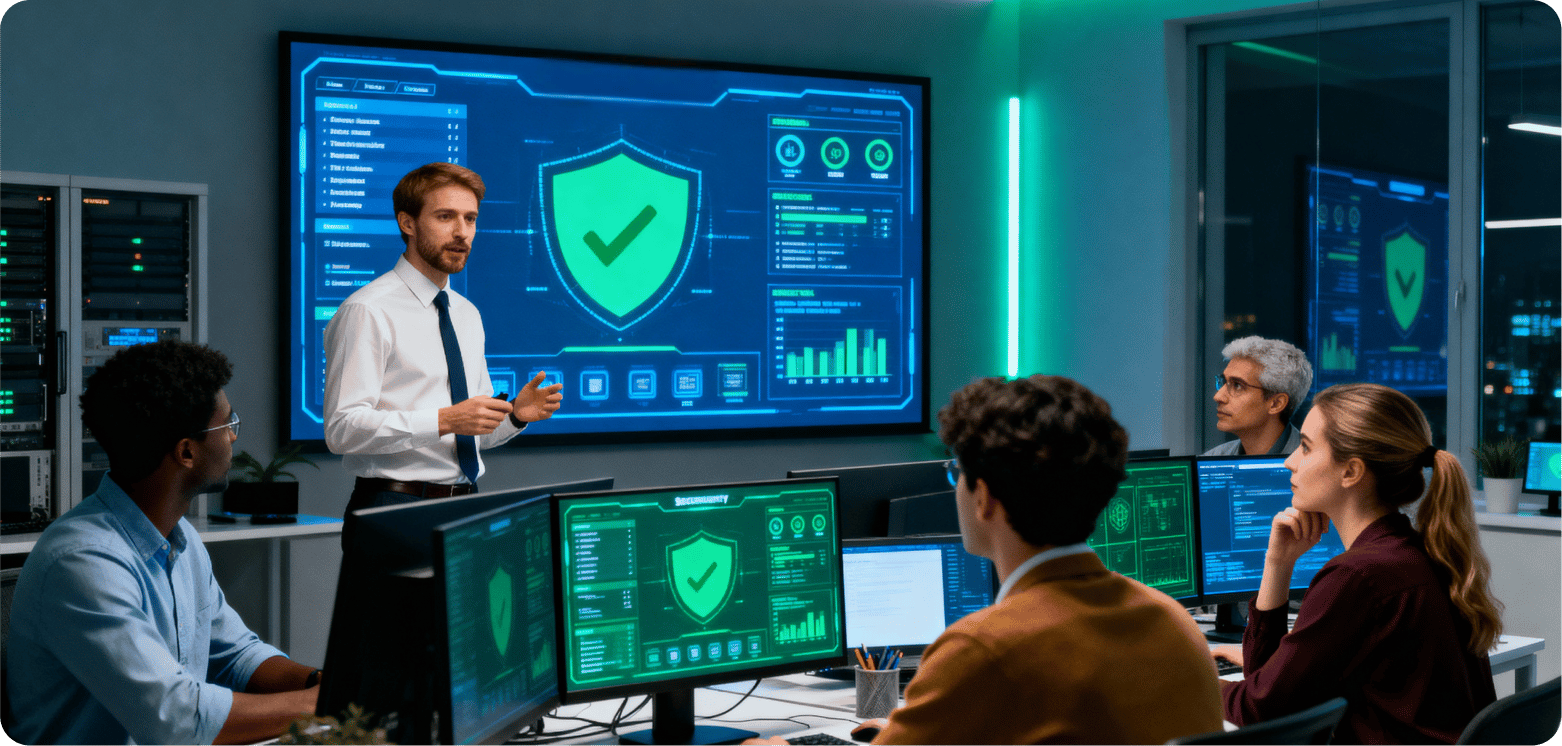
Proper training forms the bedrock of effective remote worker support, ensuring your distributed workforce can operate both productively and securely. Since human error remains a leading cause of security breaches, educating your team on both tools and security protocols becomes a critical investment for long-term remote work success.
Security awareness for remote staff
First and foremost, comprehensive security training helps remote employees understand their crucial role in maintaining your organization's digital defenses. Without structured training, remote workers can struggle with unclear expectations and difficulty accessing key resources, creating significant security vulnerabilities.
Effective security awareness training should include:
- Regular cybersecurity workshops with real-world examples reflecting remote work scenarios, such as phishing attempts disguised as meeting invites or unsafe public Wi-Fi usage
- Simulated phishing exercises that test employees' ability to identify malicious attempts, followed by targeted training that adapts based on their responses
- Clear guidelines on identifying suspicious emails, links, and attachments to reduce phishing risks
- Periodic security drills to test awareness and response to potential threats
The implementation of personalized security training has proven particularly effective. Advanced solutions can analyze each employee's digital footprint—including leaked credentials and social profiles—to craft highly personalized phishing simulations that reflect real-world attacker behavior. This approach makes risk feel personal, dramatically improving awareness and retention.
For optimal results, security training should be ongoing rather than a one-time event. Regular updates via internal communication channels keep security top-of-mind, as employees working remotely miss the organic reminders that occur in office environments.
Tool onboarding and usage support
In addition to security awareness, thorough training on remote work tools directly impacts productivity and engagement. When the pandemic struck, many employees were left "flying blind" with little knowledge of new communication platforms, complex network requirements, and workplace procedures. This technology gap creates frustration and reduces efficiency.
Effective tool training requires strategic planning. Consider having dedicated IT support available during new hire onboarding to assist with technology questions. This immediate support ensures employees can begin contributing productively from day one. Additionally, employees should complete comprehensive training on communication software, collaboration platforms, and any role-specific applications.
To maximize training effectiveness, utilize diverse delivery methods:
- Synchronous training with live instructor-led sessions
- Asynchronous self-paced learning modules
- Mobile-friendly resources accessible from any location
- Interactive elements like gamification to increase engagement
Throughout this process, remember that time is your employees' most valuable resource. Remote training programs should respect this fact by eliminating irrelevant information and providing targeted content based on specific roles and responsibilities.
Beyond initial onboarding, implement continuous learning opportunities through regular refresher courses. Importantly, these ongoing training sessions help remote workers feel valued and connected to the organization. Employees with access to continuous learning report higher satisfaction levels and stronger team connections.
For maximum impact, measure training effectiveness through assessment tools. Modern remote training software allows you to track individual employee performance throughout their training program, identifying knowledge gaps and adjusting content accordingly. This data-driven approach ensures your remote technology support continually improves based on actual results.
Partner with managed service providers (MSPs)
Outsourcing your IT function to Managed Service Providers (MSPs) has become increasingly vital for organizations supporting distributed teams. The global managed service business is projected to reach USD 711.00 billion by 2028, highlighting the growing reliance on external IT expertise for remote workforce management.
Benefits of outsourcing IT services
First and foremost, MSPs deliver comprehensive remote technology support through specialized knowledge that would be difficult to maintain in-house. These external partners provide:
- Round-the-clock assistance for remote teams working across time zones, ensuring employees receive support regardless of when they work
- Cost-effective solutions that eliminate expenses associated with salaries, paid time off, and office space for in-house IT staff
- Enhanced security monitoring that protects remote workers who frequently connect through unsecured networks
- Expert guidance on implementing the latest technologies to optimize remote work environments
Beyond these operational benefits, MSPs significantly reduce security vulnerabilities. They implement end-to-end encryption, employ multi-factor authentication, and conduct regular security audits to identify and address potential threats. Indeed, MSPs stay updated on regulations and ensure your contingent workforce complies with local, state, and federal laws, mitigating compliance risks by 40%.
Scalable solutions for growing teams
In essence, scalability remains one of the most compelling reasons to partner with an MSP for remote worker support. As the demand for IT support ebbs and flows with business cycles, MSPs provide flexible infrastructure that adapts to your changing needs.
This adaptability proves particularly valuable during periods of growth or transition. MSPs can quickly adjust to accommodate new hires, additional devices, and expanded service requirements without the delays of recruiting and training in-house personnel. Undoubtedly, this flexibility helps businesses handle seasonal spikes or sudden increases in demand without sacrificing service quality.
For smaller organizations, MSPs offer access to enterprise-level IT capabilities without the associated overhead costs. Meanwhile, larger enterprises benefit from supplementing their existing IT teams during peak periods or specialized projects. The dynamic staffing solutions provided by MSPs allow organizations to scale their IT support as needed, whether for temporary staffing or additional project support.
Conclusion
Remote work has transformed business operations, demanding robust IT solutions to keep teams productive, secure, and connected. Standardized equipment, 24/7 IT support, and cloud infrastructure form the foundation, while strong security measures and collaboration tools ensure seamless operations. Employee training and partnering with experienced MSPs like Calanceus further enhance efficiency and scalability.
Calanceus delivers end-to-end remote workforce solutions—from equipment setup to round-the-clock support—helping businesses reduce downtime, strengthen security, and streamline IT operations. By investing in these technologies today, organizations can build resilient, flexible, and future-ready workforces.
Let’s Build Your Digital Future Together
Tell us about your business challenges — we’ll help craft the right solutions.
Book a Free Consultation →