

12 Aug 2026

A modern SharePoint tenant is a graph of sites, groups, sharing links, labels, owners, applications, workflows, retention rules, and inherited permissions. Governance fails when those objects are managed as separate configuration tasks. By 2026, the harder technical problem is keeping those relationships understandable as Microsoft 365 collaboration expands and Copilot, Power Platform, Teams, and third-party applications consume the same content layer.
That changes what a SharePoint Governance Framework has to do. It must turn policy into repeatable controls, assign decision rights to named owners, detect drift, define lifecycle states, and give administrators a way to measure whether access and content remain within policy after the initial configuration. A written standard that nobody can operationalize is documentation. A working governance system produces evidence, exceptions, review dates, and accountable action.
For enterprise teams, the 2026 design question is therefore practical: which decisions belong at tenant level, which belong with site owners, which require security or records review, and which can be automated? The framework below treats SharePoint Governance as an operating model across policy, ownership, lifecycle, access, information architecture, records, AI readiness, and advanced administration.
TL;DR
The concern. SharePoint can accumulate broad access, ownerless sites, stale collaboration spaces, inconsistent metadata, unmanaged external sharing, and overlapping Power Platform or application permissions faster than a central admin team can review them manually. Once AI assistants and search can surface content across the tenant, small governance gaps become easier to discover and harder to ignore.
The overview. A useful SharePoint Governance Model connects policy to operational controls. It defines who can provision sites, how ownership is maintained, how permissions are reviewed, how information is structured, how retention is applied, how external sharing is constrained, and which signals trigger remediation. Governance should cover the full Microsoft 365 context around SharePoint, while still keeping responsibilities clear enough for site owners and business teams to execute.
The approach. Build the model in layers: establish policy boundaries, assign ownership, classify sites, automate lifecycle checks, govern permissions and sharing, connect SharePoint Information Architecture to retention and search, use Advanced Management where its controls fit the risk, and measure the operating results. Review the framework quarterly, but run the underlying controls continuously or on defined schedules.
Start with Control Planes, Not a Policy Document
A SharePoint Governance Plan is easier to implement when the tenant is divided into control planes. Each plane has a different owner, review cadence, and technical mechanism. This prevents every SharePoint decision from landing on one administrator and makes exceptions traceable.
|
Control plane |
Decision question |
Primary accountable role |
Typical controls |
|
Provisioning |
Who can create sites, Teams-connected sites, hubs, and communication sites |
M365 platform owner |
Request workflow, naming rules, templates, sensitivity defaults |
|
Identity and access |
Who can enter a site and through which group or link |
Identity + SharePoint admin |
Extra groups, site permissions, sharing settings, access reviews |
|
Content structure |
Where content belongs and how it is described |
Information architect + business owner |
Hub model, content types, metadata, navigation, search |
|
Lifecycle |
When a site is reviewed, archived, renewed, or deleted |
Site owner + platform team |
Ownership attestation, inactivity review, archive rules |
|
Records and compliance |
How long content is retained and when disposal is allowed |
Records, legal, compliance |
Purview labels, retention policies, eDiscovery controls |
|
Automation and apps |
Which flows, apps, agents, and integrations can touch content |
Platform + app governance |
Environment strategy, connectors, consent, solution inventory |
This operating view also creates a cleaner boundary for SharePoint consulting services when an internal team needs an independent assessment. The useful output is a map of decisions, owners, controls, and evidence rather than a generic list of best practices.
Policy Should Define Boundaries that Technology can Enforce
A SharePoint Governance Policy should be short enough to use and specific enough to configure. The policy layer defines permitted behavior, risk tiers, mandatory controls, approval thresholds, and exception routes. Technical standards then translate those statements into tenant settings, templates, scripts, labels, or review jobs.
The policy set usually needs separate rules for site creation, external collaboration, privileged access, guest access, anonymous links, records, sensitive content, Power Platform connections, custom solutions, storage, and end-of-life handling. Keeping those topics modular makes policy easier to update when Microsoft changes features or licensing.
The case for disciplined information governance is broader than SharePoint. In the AIIM 2025 Industry Watch, 44% of respondents reported defined AI governance policies and another 49% said policies were in development. The same research found organizations rating their data good or excellent had more than doubled compared with the prior period. For SharePoint leaders, that is a useful signal: governance work increasingly sits upstream of AI readiness and data quality, rather than being a separate compliance exercise.
Assign Ownership as a System of Record
Weak SharePoint Site Ownership usually starts with a simple assumption that the person who requested a site will remain responsible for it. That breaks when people change roles, projects close, departments reorganize, or a Teams-connected workspace outlives its original purpose. Ownership needs its own data model.
- Require at least two accountable owners for business-critical or externally shared sites.
- Record a business purpose, data classification, department, lifecycle state, and next review date alongside owner identity.
- Separate technical administrators from business owners. Admins run the platform; business owners decide who should have access and whether content still has a purpose.
- Use escalation rules when owners do not attest, leave the company, or cannot identify a successor.
- Treat ownership changes as governed events that update site records, group ownership, and review schedules together.
This is where the SharePoint administrator operating model matters. An administrator can maintain controls and run reviews, but business ownership still has to sit with the people who understand the content and its operational context.
A Lifecycle State Machine Keeps Sprawl measurable
Effective SharePoint Lifecycle Management works better as a state machine than as a yearly cleanup project. Every site should move through known states, with criteria for entering and leaving each one.
|
State |
Entry criteria |
Allowed decision |
|
Requested |
Purpose, sponsor, sensitivity, audience, template, retention need |
Reject duplicate or incomplete requests |
|
Active |
Named owners, current membership, recent use, required labels |
Normal operation and periodic checks |
|
Review due |
Owner attestation or risk trigger reached |
Renew, remediate, reclassify, or archive |
|
Restricted |
Owner missing, risky sharing, legal hold, or unresolved exception |
Limit changes while issue is resolved |
|
Archived |
Business use ended but retention or reference value remains |
Read-only or controlled archive pattern |
|
Eligible for deletion |
Retention satisfied, no hold, owner approval complete |
Controlled disposal with evidence |
A mature SharePoint Governance Framework ties these states to automation. For example, inactivity may trigger an owner review rather than automatic deletion. An ownership failure may trigger escalation. A high-risk sharing event may move a site into restricted review. The point is to make lifecycle changes observable and reversible until the final disposal step.
Permissions Governance Needs Two Views: Entitlement and Behavior
A static permission export answers who can access a site at one moment. Strong SharePoint Permissions Governance also asks how that access was granted, whether it is still needed, and what users are doing with sharing links and external collaboration.
The threat context makes that operational distinction useful. The Netskope Cloud and Threat Report 2025 found 8.4 out of every 1,000 users clicked a phishing link each month, and Microsoft 365 credentials were the top target. The report also found 26% of users sent data to personal applications monthly. Those numbers do not measure SharePoint configuration quality, but they show why governance cannot assume that valid credentials or user intent are sufficient controls.
A practical review routine should classify access paths separately: Microsoft 365 groups, SharePoint groups, direct grants, guest accounts, organization-wide principals, anonymous links, specific-people links, application permissions, and privileged administrator roles. Each path has a different remediation method and owner.
- Flag sites with direct user grants when group-based access is the standard.
- Review guests by sponsor, last activity, and business relationship.
- Treat anonymous or organization-wide links as expiring exceptions, not permanent collaboration patterns.
- Keep privileged roles separate from normal content access and review them on a tighter cadence.
- Record why an exception exists, who approved it, and when it expires.
Use Risk Tiers so Every Site is Not Governed the Same way
A SharePoint Governance Model becomes easier to scale when sites are assigned risk tiers. A public communications site, an HR case-management site, a legal matter workspace, and a low-risk project team should not carry identical approval and review requirements.
|
Risk tier |
Typical content |
Governance treatment |
|
Tier 1: high impact |
Regulated, highly confidential, legal, executive, sensitive HR |
Quarterly owner/access review; strict sharing; retention mandatory; app restrictions |
|
Tier 2: controlled |
Departmental operations, financial working data, partner collaboration |
Semiannual review; guest controls; defined retention; limited exceptions |
|
Tier 3: standard |
Normal team collaboration and project content |
Annual review; standard sharing policy; owner attestation |
|
Tier 4: published |
Intranet, knowledge, communications with curated publishing |
Editorial ownership; change control; audience validation; archive plan |
This classification should be part of Microsoft 365 SharePoint Governance because Teams, OneDrive, Power Platform, and Copilot can change how SharePoint content is created or consumed even when the user never opens the SharePoint site itself.
Information Architecture is the Control Layer Users Actually Touch

Policies describe intended behavior, while SharePoint Information Architecture determines whether users can follow that behavior without fighting the platform. Site types, hubs, navigation, content types, metadata, search scopes, and naming conventions all influence where content lands and how easily it can be governed later.
Poor structure increases governance cost. If departments invent their own libraries and metadata, retention mapping becomes harder. If every project creates a new taxonomy, search quality drops. If users cannot tell where a document belongs, duplicates proliferate and ownership becomes ambiguous. The same issues are covered in Calance's guide to information architecture and governance, which is useful when the governance problem is really a structure problem.
The 2025 Verizon Data Breach Investigations Report analyzed more than 22,000 security incidents and 12,195 confirmed breaches. It reported credential abuse at 22% of breaches and vulnerability exploitation at 20%, while third-party involvement doubled to 30%. Those findings reinforce a practical design point: governance should reduce unnecessary exposure and dependency paths before an incident tests them.
Retention and Deletion Need a Separate Decision Path
Records controls belong inside the SharePoint Governance Plan because lifecycle cleanup cannot be based only on inactivity. An inactive site may still contain records under retention, material under legal hold, or content with continuing business value. Conversely, active content can still contain material that should be disposed of when a retention period expires and no hold applies.
The governance workflow therefore needs three independent questions: does the business still need the site, does policy require the content to be retained, and is any legal or investigative hold active? Archive, deletion, and owner decisions should be made only after those checks are reconciled.
For organizations with large repositories, storage can become a useful governance signal. Rapid growth may indicate versioning, duplicate libraries, abandoned project areas, or poor archive practices. Calance's guidance on SharePoint storage management can sit beside governance reviews when capacity growth is exposing lifecycle problems rather than simple licensing pressure.
Advanced Management Should Sit Behind a Defined Operating Process
SharePoint Advanced Management can strengthen controls around site lifecycle, access, and data exposure, but features still need operating ownership. SharePoint Advanced Management should be attached to a runbook that says who reviews findings, how quickly high-risk sites are investigated, which changes can be automated, and how exceptions are documented.
The economic reason for disciplined access management is easy to understand. The IBM Cost of a Data Breach Report 2025 reported a global average breach cost of $4.4 million. It also found that 63% of organizations lacked AI governance policies and that organizations reporting AI-related security incidents frequently lacked proper AI access controls. SharePoint controls are only one part of enterprise security, but they sit directly on the content layer that Microsoft 365 AI services can retrieve.
- Define the report or policy being used and the risk question it answers.
- Assign a named reviewer and response SLA for findings.
- Map each finding type to an approved remediation path.
- Record exceptions with owner, reason, compensating control, and expiry date.
- Measure closure time and repeat findings so the team can distinguish isolated errors from structural drift.
This keeps SharePoint Advanced Management inside the broader governance system instead of turning it into another dashboard that administrators check without a decision process.
Govern Apps, Flows and Agents as Access Paths
The 2026 model has to include application consent and automation. A workflow, custom app, connector, AI agent, or third-party integration can have access to SharePoint content that is broader than the access of any single user. That makes app governance part of Microsoft 365 Governance rather than a separate development concern.
A 2026 Microsoft 365 app permissions study examined more than 8,000 third-party applications in the Microsoft 365 ecosystem. The researchers found large inconsistencies in permission transparency and identified applications requesting broad tenant-wide scopes that did not always fit the declared function. Because the paper is a 2026 preprint, its numbers should be read as research evidence rather than a vendor benchmark. The governance implication is still direct: app permissions need inventory, review, ownership, and least-privilege decisions.
For Power Apps and Power Automate, environment strategy matters too. Define which connectors are allowed, where production solutions can run, who owns orphaned flows, how service accounts are handled, and what happens when a business owner leaves. Where custom solutions become part of operational governance, Calance's Microsoft 365 services provide a wider context for tenant-level configuration and operating support.
Copilot Raises the Cost of Unresolved Permission Drift
AI does not create SharePoint permissions, but it changes the consequence of them. Content that was technically accessible but practically buried can become easier to retrieve through semantic search and assistant experiences. That makes SharePoint Site Governance and SharePoint Permissions Governance part of AI readiness.
The Proofpoint 2025 Data Security Landscape report surveyed 1,000 security professionals across 10 countries. Nearly half identified data sprawl across cloud and hybrid environments as a top concern, and 44% said they lacked adequate oversight of GenAI use. Those findings support a governance sequence that starts with content ownership and access before expanding AI access across the tenant.
Before broad Copilot adoption, review high-impact sites, organization-wide access, anonymous links, inactive guests, stale ownership, sensitive libraries, and application permissions. Use SharePoint Governance Best Practices as an operational checklist, then record the exceptions that remain so security leaders know which risks are accepted and which are still being remediated.
Measure Governance Through Exceptions, Not Activity Volume
The best governance framework metrics show where policy is failing or where operating load is rising. Counting sites created or permission changes made is useful context, but it does not show whether risk is improving.
- Percentage of sites with two current owners and a valid review date.
- Percentage of high-risk sites with completed access review in the required period.
- Number and age of anonymous links, broad internal links, and unresolved guest accounts.
- Median time to close ownership failures, sharing exceptions, and policy violations.
- Number of inactive sites by lifecycle state and business disposition.
- Percentage of sites mapped to required retention or sensitivity controls.
- Repeat findings by business unit, which can reveal training or process problems.
- Growth in storage and version volume for sites already flagged as inactive or low value.
These measures also make SharePoint Governance Best Practices testable. A practice is useful only when the team can see whether it is being followed and whether exceptions are declining.
Run Governance on 3 Cadences
Continuous or event-driven
Use event-driven controls for owner departures, risky sharing events, privileged role changes, app consent, policy violations, and high-impact security findings. This is where SharePoint Advanced Management and other Microsoft 365 controls can reduce the lag between drift and response.
Monthly
Review unresolved sharing risks, orphaned sites, guest exceptions, storage anomalies, failed automation, and overdue owners. Monthly operations are the heartbeat of SharePoint Site Governance because they catch issues before quarterly reviews become cleanup projects.
Quarterly
Review risk-tier policy, owner attestation results, lifecycle inventory, major app permissions, retention coverage, and metrics with security, records, and business stakeholders. Quarterly review is where the SharePoint Governance Model is adjusted when new services, business structures, or regulatory requirements appear.
A 90-Day Implementation Sequence
Organizations rebuilding the governance program should avoid trying to automate every control immediately. A 90-day sequence can establish ownership and evidence first, then add automation where it removes repeat manual work.
- Days 1-30: inventory sites, owners, sharing settings, sensitivity, retention coverage, hubs, major apps, and existing policy exceptions. Define the target SharePoint Governance Plan and risk tiers.
- Days 31-60: remediate missing owners, close obvious broad-access problems, publish the SharePoint Governance Policy, assign the RACI, and establish review cadences. Pilot lifecycle and permissions reviews on one business unit.
- Days 61-90: automate repeat checks, connect reporting to ticket or work-management queues, train business owners, formalize exception handling, and baseline the metrics that will be reviewed quarterly.
Where the environment is already heavily customized or distributed, the implementation may need a hybrid support model. The Isuzu SharePoint migration case study shows a long-running SharePoint environment where different workloads required different migration destinations and ongoing support, which is a useful reminder that governance has to match real architecture rather than an idealized tenant diagram.
The 2026 Governance Standard is Operational Evidence
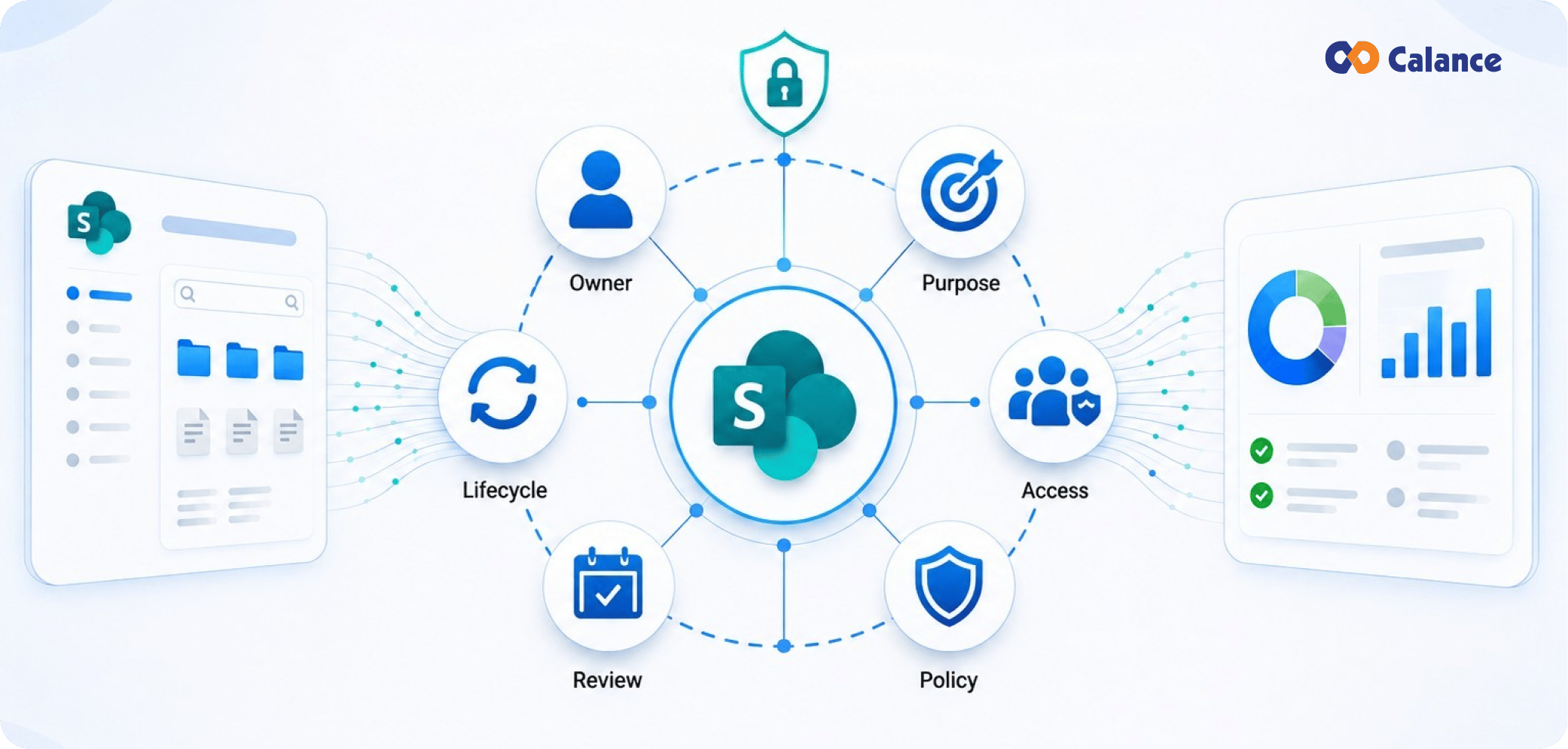
A useful SharePoint Governance Framework should let an IT or security leader answer six questions without starting a manual investigation: who owns this site, why does it exist, who can access it, what policy applies, when was it last reviewed, and what happens next in its lifecycle. If those answers live in different spreadsheets or in the memory of one administrator, governance is fragile.
The next level is repeatability. SharePoint Site Governance should produce the same review outcome regardless of which administrator runs it. SharePoint Permissions Governance should distinguish entitlement from behavior. SharePoint Information Architecture should make correct content placement easier. SharePoint Lifecycle Management should connect business use with retention and disposal. SharePoint Advanced Management should feed a defined response process. Together, those capabilities turn governance from a document into an operating system for the tenant.
For 2026, that operating system also has to support AI-era discovery without widening access by accident. The practical standard is simple: policy must be enforceable, ownership must be current, exceptions must expire, and every high-impact control must leave evidence that someone can review.
A Final Readiness Check Before Governance Goes Live
Before rollout, test the operating model against real sites instead of policy examples. Pick a high-risk department site, a normal project workspace, an externally shared site, and a Teams-connected collaboration space. Run each through the same ownership, access, lifecycle, retention, and exception decisions. This exposes where the SharePoint Governance Model is still ambiguous and where business owners need clearer instructions.
Use SharePoint Governance Best Practices to validate the basics: group-based access, current owners, documented purpose, defined risk tier, controlled guest access, mapped retention, and review dates. Then test SharePoint Site Governance under a real exception, such as a supplier who needs temporary access or a project that must remain open after its sponsor leaves.
The technical review should confirm that Microsoft 365 SharePoint Governance connects to the surrounding tenant. Check whether SharePoint Site Ownership changes update the right groups, whether SharePoint Lifecycle Management respects retention, and whether SharePoint Permissions Governance can distinguish direct access from inherited or link-based access. Confirm that SharePoint Information Architecture gives records and search teams enough structure to apply policy consistently.
Finally, check Microsoft 365 Governance beyond the site boundary. Inventory production flows, registered applications, service accounts, agents, and sensitive connectors that can reach SharePoint content. A second Microsoft 365 SharePoint Governance review should verify that these access paths have owners and review dates. This is also the point to decide which findings require central remediation and which can be delegated to site owners. This keeps Microsoft 365 Governance tied to actual access paths instead of a platform-by-platform checklist.
A governance model is ready for production when the same facts produce the same decision regardless of who runs the review. If reviewers disagree about ownership, risk tier, retention, or exception handling, fix the rule before automating it.
Frequently Asked Questions
What is a SharePoint Governance Framework?
It is the operating structure used to control SharePoint policy, ownership, provisioning, access, lifecycle, information architecture, records, applications, and exceptions. It combines written rules with named responsibilities, technical controls, review cadences, and measurable evidence.
How often should SharePoint Governance be reviewed?
The policy framework should usually be reviewed at least quarterly and whenever major Microsoft 365 capabilities, regulations, or organizational structures change. Operational controls such as sharing-risk review, owner changes, privileged access, and app consent should run more frequently.
Who should own a SharePoint Governance Plan?
The platform owner normally coordinates it, but accountability should be shared with security, records or compliance, business owners, identity teams, and application owners. Business teams should remain accountable for the purpose and membership of their sites.
What belongs in a SharePoint Governance Policy?
Core topics include provisioning, naming, site classification, ownership, internal and external sharing, guest access, privileged roles, retention, sensitivity, lifecycle, app permissions, Power Platform use, storage, exceptions, and required review cadence.
How does SharePoint Site Ownership differ from administration?
Site owners decide why a workspace exists, who should have access, and whether the content remains needed. Administrators operate the platform, enforce policy, run controls, and support remediation. Combining the roles can create unclear accountability.
What is the role of SharePoint Advanced Management?
It can add controls and reporting for site lifecycle, access governance, and data exposure. Its value depends on the operating process around the feature: who reviews findings, how quickly issues are handled, and how exceptions are tracked.
How does Microsoft 365 SharePoint Governance relate to Copilot?
Copilot can retrieve content that users already have permission to access. Governance therefore needs to address stale permissions, broad sharing, inactive guests, sensitive content, and app access before AI makes that content easier to discover.
Which SharePoint Governance Best Practices should be implemented first?
Start with current ownership, site classification, risk-tier rules, group-based access, guest review, lifecycle states, retention mapping, and a documented exception process. Add automation after the responsibilities and decision rules are stable.
How should SharePoint Governance handle external sharing?
External sharing should be controlled through approved policies, trusted domains, access expiration, guest reviews, and clear ownership. Organizations should define who can share externally, which sites permit it, what information can be shared, and how exceptions are approved and monitored.
How should organizations measure SharePoint Governance effectiveness?
Governance should be measured through practical indicators such as inactive sites, owner coverage, guest-account reviews, external sharing exposure, privileged access, retention compliance, unresolved exceptions, and remediation times. Regular reporting helps teams identify control gaps and demonstrate that governance processes are operating as intended.
Let’s Build Your Digital Future Together
Tell us about your business challenges — we’ll help craft the right solutions.
Book a Free Consultation →