

25 Feb 2026

Azure landing zones form the base for successful Azure adoption and clearly separate structured cloud environments from unmanaged deployments. As organizations move deeper into cloud usage in 2026, architectural complexity continues to increase. Because of this, a standardized and well-defined Azure setup has become a requirement for long-term stability and control.
When implemented correctly, an Azure landing zone brings consistency across the organization by aligning security, compliance, and operational needs from the start. At the same time, these structured environments support governance that can grow alongside changing workloads and business priorities. Based on real-world implementation experience, the ability to assign ownership while maintaining recommended Azure role controls has proven especially valuable for organizations operating at scale.
Throughout this blog, we explain what Azure landing zone architecture includes and why it matters even more in 2026. In addition, we present a practical Cloud Adoption Framework checklist that focuses only on the decisions that truly matter. This approach helps organizations build an Azure landing zone environment that supports growth, protects resources, and maintains operational stability over time.
What is an Azure Landing Zone and Why It Matters in 2026
An Azure landing zone provides a standardized way to design, deploy, and manage Azure environments at scale. In simple terms, it is a structured setup that helps organizations build a secure and well-governed cloud environment from the start. This foundation addresses key areas such as identity, security, governance, and network design, which are essential for long-term cloud stability.
Definition and purpose of an Azure landing zone
Azure landing zones represent a multi-subscription Azure environment structured under a defined management group hierarchy to support scale, security, governance, networking, and identity. They act as a prepared starting point that allows organizations to deploy workloads in a consistent and controlled manner. Rather than being a single service, a landing zone consists of predefined configurations that guide how cloud resources are created and managed.
In 2026, landing zones remain important because identity-related risks continue to increase across cloud environments. For this reason, a well-designed landing zone places strong emphasis on identity controls, role-based access, and Zero Trust practices from the beginning. In addition, as regulatory expectations continue to expand across industries such as finance, healthcare, and the public sector, landing zones help enforce standards through centralized governance and policy controls.
How it fits into the Cloud Adoption Framework (CAF)
The Azure landing zone is a core part of Microsoft’s Cloud Adoption Framework. It represents the recommended foundation for organizations using Azure at any scale. This framework provides design guidance that shapes technical decisions and promotes consistency across cloud environments.
These design principles span several focus areas, including governance, security, cost management, operational excellence, performance efficiency, and reliability. Together, these areas guide organizations in building Azure environments that remain manageable as usage grows.
Platform vs application landing zones
An Azure landing zone model typically consists of platform subscriptions and workload landing zone subscriptions aligned under defined management groups. Platform capabilities such as identity, connectivity, and management are implemented using dedicated platform subscriptions. These subscriptions are placed under the appropriate management group hierarchy to provide shared services across the environment. Large enterprises often use multiple platform subscriptions, especially for connectivity or regional design requirements.
Workload landing zone subscriptions are designed to host individual applications or workloads. These subscriptions are typically placed under the “Landing Zones” management group and may be separated by environment, such as development, testing, and production. Each workload commonly uses one or more subscriptions to support scaling and isolation. These subscriptions are provisioned through infrastructure as code and inherit governance controls from higher-level management groups.
The 8-Point CAF Checklist for Azure Landing Zones
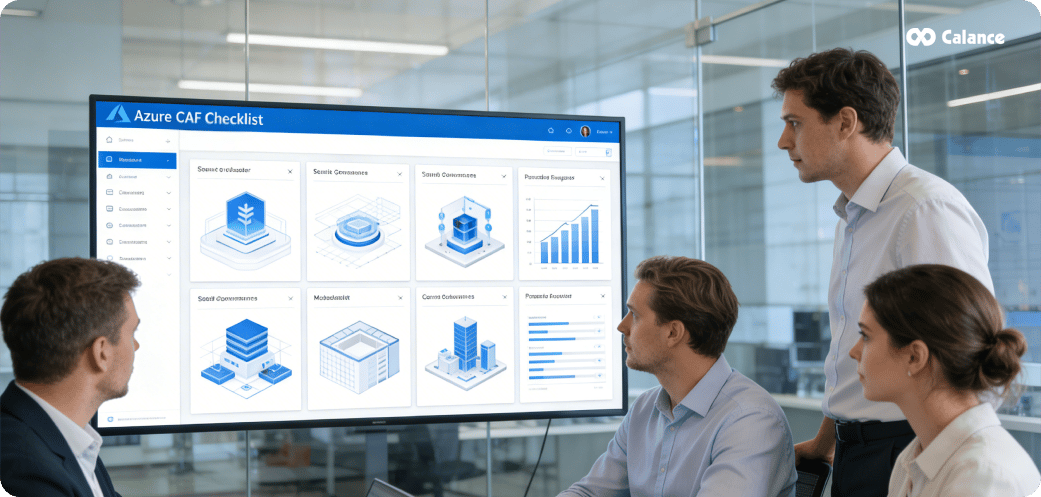
A strong Azure landing zone depends on eight key design areas defined in the Cloud Adoption Framework. Together, these areas create a stable foundation that supports security, scale, and long-term operations as cloud usage grows.
1. Identity and access management
Identity acts as the primary control plane security boundary in Azure environments. However, it operates alongside subscription boundaries, tenant isolation, and network segmentation, which together provide layered protection across control and data planes. Because most cloud risks now focus on identity misuse, this area requires early attention. Enforce Microsoft Entra multifactor authentication for all users who access Azure resources. In addition, apply phishing-resistant authentication methods and clearly separate administrative access from daily user access. Microsoft Entra Privileged Identity Management should be used to apply least-privilege access and maintain clear visibility into elevated permissions across the environment. Modern identity architecture also includes governance of workload identities. Managed identities and service principals used for automation, CI/CD pipelines, and platform integrations should follow lifecycle controls, periodic review, and least-privilege assignment. In multi-tenant environments, cross-tenant access and B2B collaboration scenarios must be governed explicitly using conditional access and policy enforcement to prevent unintended data exposure.
2. Network topology and connectivity
Network architecture must align with business connectivity needs, especially when hybrid or multicloud environments are involved. Organizations typically choose between Azure Virtual WAN for large-scale connectivity or a hub-and-spoke model for more controlled traffic flow. Regardless of the model, network design should clearly separate internal workloads from internet-facing resources. This separation supports security controls while simplifying traffic inspection and routing. In enterprise landing zone implementations, connectivity design also includes traffic inspection patterns using Azure Firewall or network virtual appliances (NVAs), depending on regulatory and operational requirements. Private DNS architecture must be planned carefully to support hybrid name resolution across regions and on-premises networks. Many organizations implement ExpressRoute and VPN coexistence to balance performance and resiliency. In addition, DDoS Protection Standard should be evaluated for internet-facing workloads to strengthen network-layer protection.
3. Resource organization and management groups
Management groups provide a structured way to apply access controls, policies, and compliance rules across multiple subscriptions. To maintain clarity, keep the hierarchy limited to three or four levels. Instead of copying the company org chart, design management groups around function, such as platform, sandbox, and landing zone scopes. Resource tags should be used alongside management groups to support cost tracking and operational reporting.
4. Security and compliance controls
Security must be applied consistently across all Azure resources. Microsoft Defender for Cloud should be enabled to provide security recommendations, alerts, and remediation guidance. For broader visibility, integrate security data with Microsoft Sentinel to support centralized monitoring across cloud and hybrid environments. Applying the Microsoft cloud security benchmark helps maintain consistent protection across commonly used Azure services.
5. Resiliency and business continuity planning
Reliability is a core pillar of the Cloud Adoption Framework. Landing zone design should incorporate Azure region pair strategy, availability zone usage for critical workloads, and clear disaster recovery alignment. Backup and recovery mechanisms must be integrated into the landing zone architecture rather than treated as workload-specific afterthoughts. Platform components such as management infrastructure, identity services, and connectivity layers should be designed with high availability and failover considerations from the outset.
6. Governance using Azure Policy
Azure Policy plays a key role in maintaining standards across Azure environments. Policies help control how resources are created and configured, supporting compliance alongside role-based access controls. Built-in policy definitions provide a useful starting point. However, most enterprise environments rely on policy initiatives (policy sets), such as those aligned to the Azure Landing Zone reference architecture and the Microsoft Cloud Security Benchmark (MCSB). When required, organizations should extend these initiatives using custom policy definitions to address specific regulatory or operational needs.
7. Monitoring and logging setup
Reliable monitoring is essential for availability, performance, and security oversight. A centralized Azure Monitor Log Analytics workspace is common in small-to-medium deployments to simplify visibility and alerting. However, large enterprises often adopt distributed or regionalized workspace strategies to meet data residency, compliance, or scale requirements. Alerts should be routed through action groups that reflect operational responsibilities. When long-term log retention is required, logs should be exported to Azure Storage with immutability controls in place.
8. Platform automation and DevOps
Automation supports consistent and repeatable Azure environments. Infrastructure should be deployed using infrastructure as code to reduce manual changes and configuration drift. Core platform components should be managed separately from application deployments, since platform changes occur less frequently. Tools such as ARM templates, Bicep, or Terraform help standardize provisioning while supporting controlled updates.
Common Pitfalls When Skipping Landing Zones
Skipping a proper Azure landing zone setup introduces issues that tend to compound over time. What often starts as short-term workarounds gradually develops into structural problems that are difficult and costly to correct later. As cloud usage grows, these gaps become more visible and disruptive.
Lack of governance and policy enforcement
Organizations that deploy workloads without baseline governance quickly experience environment drift. Resources are created in regions that are not approved, which introduces data residency and compliance risks. At the same time, public endpoints may be exposed without consistent security controls, and encryption standards may be applied inconsistently. As these patterns continue, environments accumulate large numbers of non-compliant resources. Correcting these issues later often requires coordinated remediation efforts, extensive validation, and involvement from multiple stakeholders. This slows progress and increases operational risk.
Inconsistent resource deployment
Without structured landing zones, Azure environments often evolve in an unplanned manner. Subscriptions, resources, and access controls are created using different approaches, which reduces consistency across the platform. As a result, teams struggle to identify ownership, track costs accurately, or apply access controls uniformly. Over time, this lack of structure makes governance, cost reporting, and compliance activities more complex as cloud usage expands across teams and projects.
Security vulnerabilities and access sprawl
When speed is prioritized without guardrails, access management issues begin to surface. Common patterns include:
- Excessive identity assignments instead of defined roles
- Credentials that remain active long after projects end
- Policies with broad permissions that are difficult to audit
These conditions increase the risk of unauthorized access and make it harder to maintain clear security boundaries across the environment.
Operational inefficiencies and cost overruns
Operational challenges also emerge when foundational controls are missing. Monitoring added late in the process means issues are detected only after users report problems, with no clear baseline for expected behavior. Inconsistent or missing resource tags make cost allocation unreliable and time-consuming. Over time, manual reviews and audits take longer to complete, while the environment continues to change. This gap between detection and response increases both operational effort and financial exposure.
How to Deploy Azure Landing Zones in 2026

In 2026, deploying Azure landing zones requires more deliberate choices than ever before. Organizations must select deployment methods that match their technical maturity, operational capacity, and long-term cloud goals. As Azure environments grow larger and more distributed, the deployment approach you choose directly affects consistency, security, and ongoing manageability.
Using Azure Landing Zone Accelerators
Azure Landing Zone Accelerators, aligned to the Enterprise-Scale reference architecture, remain the recommended approach for deploying landing zones at scale. These accelerators are built on Infrastructure as Code practices, which help teams deploy consistent environments using repeatable processes.
This approach supports modern delivery workflows by integrating with Azure DevOps and GitHub for source control and pipeline automation. Deployment typically follows a structured, multi-phase process that prepares identity, networking, management, and governance layers before application workloads are introduced.
Azure Verified Modules play an important role in this process. They provide reusable and tested building blocks for both Bicep and Terraform, helping teams reduce configuration errors while maintaining consistency across environments. As a result, organizations gain better control over changes while supporting long-term platform stability.
Choosing between Bicep, Terraform, and Portal Accelerator
Selecting the right deployment tool depends on your platform strategy and team skill sets.
- Bicep works well for Azure-focused teams that want native integration and faster access to new Azure features. It aligns closely with Azure resource management and simplifies template maintenance.
- Terraform suits organizations that operate across multiple cloud platforms. While it offers broader flexibility, support for new Azure features may arrive later compared to native tooling.
- Portal Accelerator provides a guided, visual experience that helps teams get started quickly, particularly for proof-of-concept deployments or smaller organizations. However, it is not intended for large-scale enterprise production implementations, as it does not offer the same level of customization, repeatability, and governance control as Infrastructure as Code approaches.
In practice, many organizations begin with portal-based deployments and gradually shift toward Bicep or Terraform as their environments mature.
Subscription vending and automation
Subscription vending is a critical capability for scaling Azure environments safely. It standardizes how subscriptions are requested, created, and governed, which reduces manual effort and improves consistency.
A typical subscription vending process includes structured data collection, approval workflows, automated provisioning, and controlled handoff to application teams. This automation ensures that every new subscription inherits required policies, access controls, and monitoring configurations from the start. By formalizing this process, platform teams can support faster onboarding while maintaining strong governance across the environment.
Customize the reference architecture to your needs
Although reference architectures provide a solid starting point, most organizations need to adapt landing zones to meet specific regulatory, operational, or business requirements.
This customization is usually achieved by adding management groups beneath the standard Landing Zones hierarchy. Doing so allows teams to introduce additional controls, such as industry compliance or workload-specific policies, without disrupting the broader platform design. Through careful customization, organizations can extend the landing zone model while preserving consistency, clarity, and long-term maintainability across their Azure estate.
Conclusion
Looking ahead to 2026, Azure Landing Zones continue to be a critical part of successful cloud adoption. As outlined throughout this article, a well-planned landing zone architecture lays the groundwork for cloud environments that support scale, security, and compliance from the start. In addition, the eight-point CAF checklist offers a clear and practical reference that helps teams focus on the design decisions that carry the most impact.
Organizations that bypass landing zones often encounter growing issues over time. Technical debt builds quickly, security gaps expand, and operational inefficiencies drive unnecessary spending. For this reason, beginning with a structured landing zone approach helps reduce rework, lowers long-term effort, and limits avoidable risk. Deployment methods have also matured, giving teams more choice based on their operating model. Whether using Bicep for Azure-focused deployments, Terraform for environments that span multiple clouds, or the Portal Accelerator for guided setup, consistency in applying core CAF design principles remains the deciding factor for success.
It is also important to view Azure Landing Zones as more than a technical setup. They represent a long-term investment in how cloud platforms are governed and operated. Landing zones support delegated ownership while retaining oversight, maintain consistency without blocking growth, and provide governance that adapts as cloud usage expands. Most importantly, strong landing zones depend on balance. Teams must align standard controls with operational flexibility, apply security without slowing delivery, and apply governance without limiting progress. By following the CAF checklist shared in this guide, organizations can build an Azure foundation that supports current needs while staying ready for future demands. In many cases, the line between cloud confusion and cloud stability is defined by the choices made at the foundation stage.
Let’s Build Your Digital Future Together
Tell us about your business challenges — we’ll help craft the right solutions.
Book a Free Consultation →