

30 Oct 2026

Server management in hybrid IT is the discipline of keeping every server you own (on-premises, in private cloud, in public cloud IaaS, and at the edge) visible, patched, hardened, backed up, and performing under one consistent set of standards rather than conflicting policies across environments. That last clause is the whole challenge. In many organizations, cloud, on-premises, and edge assets have different operational tools, which can leave gaps in response, patching, and recovery.
The security data reinforces why consistent server operations matter. Verizon's 2026 DBIR found vulnerability exploitation became the top breach entry point for the first time in the report's 19-year history, median patch time stretched to 43 days, and only 26 percent of known exploited vulnerabilities got fully remediated. At Calance, we help teams manage hybrid server environments. The operating model described here provides practical starting points, rather than universal contractual SLAs: twelve practices across four disciplines, with the thresholds, KPIs, and maturity model to implement them.
TL;DR
One Fleet, One Standard, However Many Environments
Hybrid server management fails when each environment gets its own rules. The fix is a single policy spine (monitoring coverage, patch SLAs, hardening baselines, backup testing) applied everywhere, with tooling and shared responsibility mapped per platform underneath it.
Why Missing Coverage Creates Security Risk
In the 2026 DBIR dataset, vulnerability exploitation represented 31% of identified breach entry points. The report also found low remediation rates for observed CISA KEV flaws. The server attackers find are the ones nobody's dashboard shows: aging on-prem hosts behind a modern cloud estate.
Twelve Practices, Measured Like a Contract
We organize the work into visibility, security, resilience, and efficiency. Suggested measures include patch compliance, recovery test frequency, monitoring completeness, and configuration drift, with targets adjusted to service criticality.
What Is Server Management in Hybrid IT, and Why Is It Harder?
Hybrid IT means running workloads across more than one infrastructure model at once: owned on-premises servers, private cloud, public cloud IaaS, and often edge locations, a posture the overwhelming majority of enterprises now report in Flexera's State of the Cloud research. Managing servers in that world is fundamentally harder than managing one environment, for four specific reasons:
- Fragmented visibility. The cloud console doesn't see the on-prem hosts; the legacy monitoring tool doesn't see the cloud VMs; nobody sees the branch server in the storage closet.
- Inconsistent patching. Cloud images get rebuilt; on-prem boxes get "we'll patch it next window," and the next window slips.
- Mixed tooling and skills. Two (or five) toolchains mean two of everything: dashboards, agents, runbooks, and training gaps.
- Split responsibility.Under the shared responsibility model, the provider secures the infrastructure under your IaaS VMs, but the guest OS, patches, configuration, access, and data remain yours. Teams routinely assume the cloud "handles" more than it does.
Where Hybrid Server Management Breaks First
Before the practices, the honest failure patterns, because we see the same five everywhere: a well-run cloud estate fronting unpatched on-prem servers that become the actual entry point; configuration drift, where hosts that started identical diverge until an "identical" failover doesn't work; alert fatigue from uncorrelated tools, so the one alert that mattered scrolled past at 3 a.m.; backup coverage gaps at environment boundaries, where each platform's backups look fine and the cross-environment dependency restores to nothing; and tribal knowledge, where the only person who understands the aging database host is the person who just resigned. Every practice below exists because one of these patterns burned somebody.
Visibility: See Every Server the Same Way
1. Unify monitoring and observability across all environments.
The practice: every server you own appears in one monitoring plane with the same health, performance, and log telemetry, regardless of where it runs. Coverage is the metric that governs all others; you cannot patch, secure, or restore what you cannot see. Inventory first (automated discovery across on-prem, cloud accounts, and edge), then standardize the telemetry: metrics, logs, and uptime checks flowing to a single platform or a tightly integrated pair, with cloud-native monitors federated in rather than watched separately. Target 100 percent of production servers enrolled, alert thresholds defined per tier, and a monthly reconciliation of discovered assets against the monitored list, because the delta between those two numbers is your blind spot. This is the foundation a 24/7 NOC runs on, and the operating model behind our security operations center explainer applies to infrastructure monitoring just as directly.
2. Engineer alerts for action, not noise
The practice: every alert that pages a human must be actionable, owned, and tied to a runbook; everything else is a dashboard line. Alert fatigue is a root cause in real outages; the Uptime Institute's 2026 outage analysis keeps finding failure to follow procedure as the leading human-error driver, and procedures don't get followed at alert number 400 of the day. Implement severity tiers (page, ticket, log), deduplicate and correlate across environments so one network event doesn't fire fifty host alerts, review the top ten noisiest alerts monthly and fix or kill them, and attach a runbook link to every paging alert. As an internal diagnostic, investigate high volumes of pages that result in no action. No single no-action percentage is an industry-wide threshold.
Security: Patch, Harden, and Control Access Consistently
3. Run patch management as a policy with deadlines, not a monthly habit
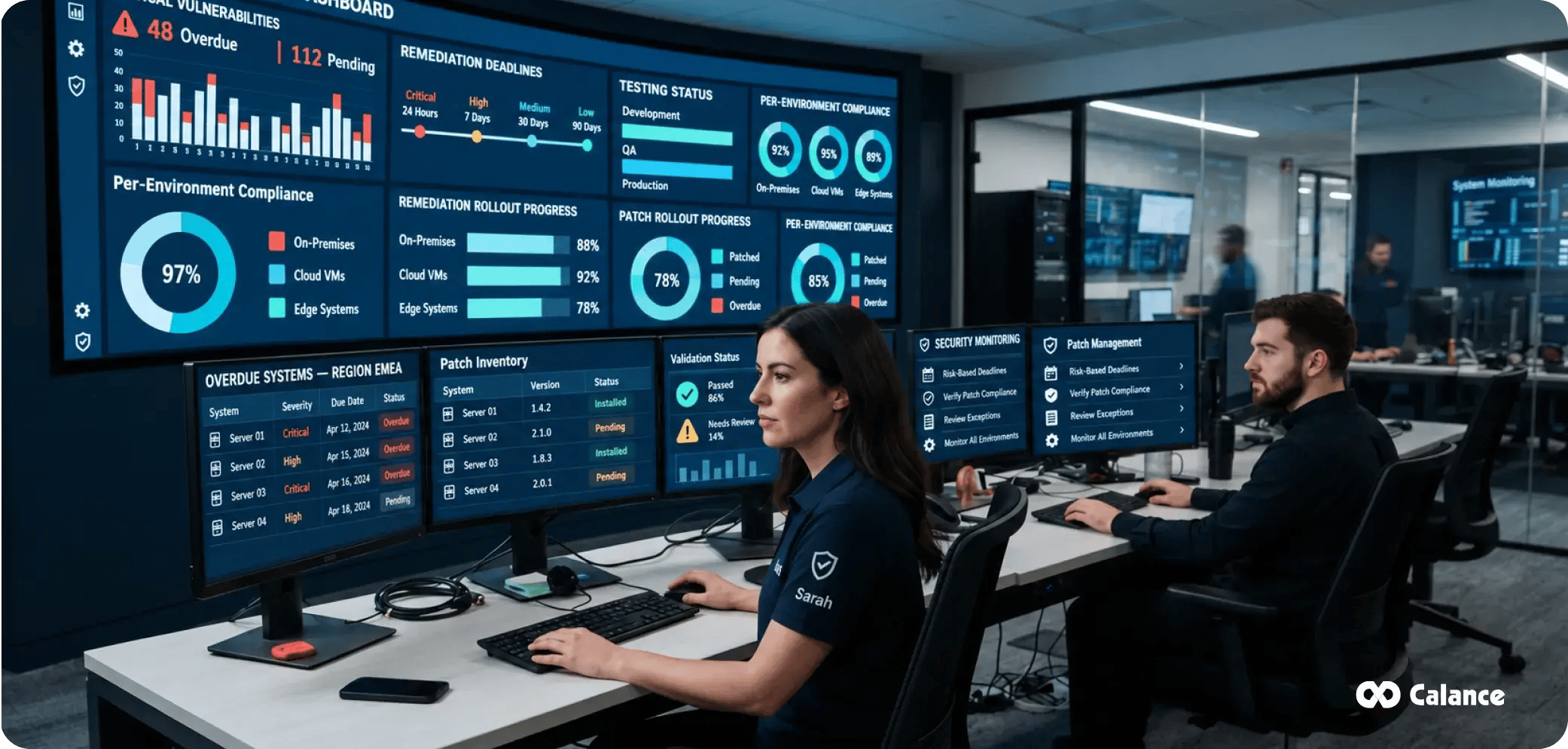
The practice: patching operates under a written policy with risk-based deadlines, measured compliance, and no environment exempted. The case is no longer arguable: Verizon's 2026 DBIR found vulnerability exploitation initiated 31 percent of breaches, overtaking credential abuse for the first time, while the report's observed median resolution time was 43 days, and only 26 percent of assessed CISA KEV vulnerabilities were fully remediated. Build the policy on NIST SP 800-40r4, which frames patching as preventive maintenance rather than an interruption. Example risk-based targets to agree with security and system owners: anything on the CISA Known Exploited Vulnerabilities catalog or critical on an internet-facing server within 72 hours to 7 days; other critical and high severity within 14 to 30 days; routine updates monthly in defined windows; emergency out-of-band process documented and rehearsed. Stage through test rings before production, automate deployment wherever possible, and measure compliance per environment so the on-prem lag can't hide inside a blended average. Regular scanning helps verify remediation; our vulnerability assessment service exists because unmeasured patching is unverified patching.
4. Enforce hardening baselines on every build
The practice: every server is built from, and continuously compared against, a documented hardening baseline such as the CIS Benchmarks. Default OS installs ship with services, protocols, and permissions nobody needs and attackers love. Adopt the relevant CIS Benchmarks (or NIST-aligned equivalents) per operating system, bake them into golden images, and build templates so compliance is the starting state; scan for deviation on a schedule; and document every approved exception with an owner and a review date. The hybrid twist: use the same baseline family on-prem and in cloud images, because "hardened differently" becomes "troubleshot differently" and becomes "breached differently."
5. Lock down administrative access with least privilege and zero trust
The practice: server administration happens through named accounts, MFA, just-in-time elevation, and recorded privileged sessions, never shared root passwords. Credential abuse still appears somewhere in 39 percent of breaches even after falling as an entry point, and server admin credentials are the highest-value kind. Implement a privileged access management pattern: vaulted credentials, MFA on every administrative path, just-in-time or time-boxed elevation instead of standing admin rights, jump hosts or bastions for on-prem and cloud alike, and session logging for anything privileged. Architect toward NIST SP 800-207 zero trust principles: verify explicitly, assume breach, least privilege per request. For organizations formalizing this across the whole environment, this practice connects directly to our zero trust cybersecurity services, and detection on the servers themselves belongs alongside it through managed detection and response, because hardening reduces attack surface but never to zero.
6. Manage configuration centrally and stop drift before it compounds
The practice: server configurations are defined in code or a configuration management system, applied automatically, and audited for drift on a schedule. Configuration drift is the slow divergence of servers from their intended state through one-off fixes and undocumented changes, and it's why the DR server that "matches production" doesn't, and why patch Tuesday breaks one host out of twenty identical ones. Pick a configuration management approach, define the desired state for each server role, enforce it automatically, run drift detection at least weekly with alerts on unauthorized change, and route all intentional changes through change control that updates the definition, not just the server. The target is simple to state and powerful in practice: no snowflake servers.
Resilience: Back Up, Test, and Plan Capacity
7. Back up across environments and prove restores quarterly
The practice: protect every in-scope workload with a recovery design informed by the 3-2-1 pattern (three copies, two media, one off-site or cross-environment), with restore exercises scheduled according to business impact and recovery requirements. A backup that has never been restored is a hope, not a control, and hybrid environments multiply the gap risk: cloud-native backups that don't cover the on-prem tier, on-prem backup jobs that quietly exclude the new cloud VMs, and ransomware that encrypts the backups first, which matters when ransomware appeared in 48 percent of breaches in the 2026 DBIR. Implement immutable or logically air-gapped copies, define RPO and RTO per workload tier rather than one blanket number, consider quarterly sample restore testing and annual full recovery exercises for business-critical systems, with more frequent tests where required, and exercise the cross-environment scenario: restoring an on-prem workload into cloud, and vice versa. The backup conversation is really the recovery conversation, and it belongs inside a broader plan; our guide to building an effective disaster recovery plan covers the program around these mechanics.
8. Plan capacity and tune performance before users notice
The practice: capacity decisions run on trend data and forecasts, not on the day the disk fills. Reactive capacity management produces both failure modes at once: on-prem servers running hot at 90 percent while cloud VMs idle at 8 percent, paid for by the hour. Baseline CPU, memory, storage, and IOPS per server role; alert on trend (will breach in 30 days) rather than only on threshold (breached now); review growth quarterly against business plans; and treat sustained low utilization as a finding equal to sustained high utilization, because in the cloud, oversizing is a recurring invoice.
Efficiency: Automate, Document, and Govern the Cost
9. Automate provisioning and operations with Infrastructure as Code
The practice: new servers are created from code and templates, and repetitive operations run as automation, so environments are reproducible and human error shrinks. IaC is what makes practices 4 and 6 sustainable at scale: the baseline lives in the template, drift is a diff, and rebuilding a server is minutes instead of a weekend of remembering. Start where repetition hurts most: provisioning templates for each server role, automated patch orchestration, scheduled health checks, and scripted failover steps. In hybrid estates, aim for tooling that spans environments or at least shares patterns, and version-control everything so change history is auditable. Automation maturity, more than headcount, determines how large a fleet one team can run well.
10. Keep documentation and runbooks living, not archival
The practice: every production server has an owner, a purpose, dependencies, and a runbook, and every paging alert links to one. Tribal knowledge is a single point of failure wearing a lanyard. Maintain a CMDB or structured inventory (even a disciplined spreadsheet beats nothing) with owner, environment, criticality tier, dependencies, and end-of-support dates; write runbooks for the top recurring incidents and the recovery of every tier-1 system; and review documentation on a schedule tied to change control so it updates when reality does. The test we apply: could a competent engineer who has never touched this server restore it at 3 a.m. using only what's written down?
11. Track lifecycle and end-of-support dates like contract renewals
The practice: every OS version, hardware asset, and dependency has a recorded end-of-support date, with migration planned early enough to procure, test, and deploy a replacement before support ends. Unsupported operating systems stop receiving the patches that practice 3 depends on, which converts a scheduling failure into a permanent vulnerability; the servers behind many exploit-led breaches are precisely the ones that aged out quietly. Keep a lifecycle calendar, review it quarterly, budget refreshes a fiscal year ahead, and treat extended-support purchases as bridge financing with an exit date, not a strategy.
12. Make cost visible per server and right-size continuously
The practice: every server, cloud or on-prem, carries ownership tags and a known monthly cost, reviewed on a cadence with right-sizing actions attached. Hybrid cost blindness runs both directions: cloud waste from oversized and orphaned VMs and on-prem costs nobody allocates, so comparisons are fiction. Enforce tagging standards at provisioning, set budgets and anomaly alerts in cloud environments, review utilization monthly with a standing right-size/schedule/terminate decision for each outlier, and fold reserved-capacity purchasing into the quarterly capacity review from practice 8. The full discipline is FinOps, and our walkthrough of FinOps on Azure covers the tagging, budgets, and anomaly tooling that make this practice routine instead of heroic.
Which KPIs and SLAs Should You Track?
| KPI | What it measures | Healthy target |
|---|---|---|
| Monitoring coverage | Production servers enrolled in unified monitoring | Aim for full production coverage; reconcile monthly |
| Patch compliance rate | Servers patched within policy SLA | Set a contractual threshold by risk tier; measure exceptions |
| KEV/critical remediation time | Days to fix known-exploited or critical vulns | Risk-based deadline; faster for actively exploited exposures |
| Configuration compliance | Hosts matching baseline with no unapproved drift | Tracked against approved baselines |
| Backup success rate | Scheduled jobs completed successfully | Trend completion and investigate failed jobs promptly |
| Restore test cadence | Verified recovery exercises | Example: quarterly samples; annual full exercises |
| Uptime / availability | Per tier-1 service | Per-service SLO or contract |
| MTTR | Mean time to restore service after incident | Trending down quarter over quarter |
| Actionable alert ratio | Pages resulting in real action | Reduce non-actionable paging over time |
| Cost allocation coverage | Servers tagged with owner and cost center | Tracked against approved baselines |
Put these in front of leadership monthly. Targets should be approved by the service owner and reviewed alongside exception counts, so a single percentage does not conceal important risks.
In-House, Co-Managed, or Fully Managed: Which Operating Model Fits?
| Criterion | In-house | Co-managed | Fully managed |
|---|---|---|---|
| 24/7 coverage | Requires shift coverage, leave allowance, and escalation | Partner covers nights/weekends or specific disciplines | Included |
| Hybrid skill breadth | Limited to who you can hire and retain | Gaps filled selectively | Full stack provided |
| Control and context | Maximum | Shared by design | Governed by SLA and reviews |
| Cost shape | Fixed salaries plus tooling | Blended | Predictable per-server or per-service fee |
| Best fit | Large teams with mature practice | Capable teams with coverage or skill gaps | Lean teams, strict SLAs, no night shift |
A co-managed model can divide responsibilities clearly: your team keeps the architecture and the business context, a partner carries the 24/7 watch, patching execution, or specialist disciplines, and neither side pretends to be what it isn't. We built our co-managed IT services around exactly that division, and the broader selection criteria live in our guide to choosing a managed service provider. Two smaller comparisons worth settling early.
Agent-based vs agentless monitoring: agents give deeper telemetry (processes, logs, application metrics) at the price of deployment and maintenance; agentless (SNMP, WMI, API polling) deploys instantly but sees less. Mature hybrid estates run both: agents on servers that matter, agentless for network gear, appliances, and anything that can't host an agent.
Manual vs automated patching: manual patching survives only at a small scale and fails silently as fleets grow; automated patching with test rings, maintenance windows, and rollback is how 95 percent compliance actually gets hit. Keep manual control for the handful of fragile, change-sensitive systems, and document why each one is on that list.
How Mature Is Your Server Management? A 5-Level Self-Assessment
- Level 1, Reactive: no unified inventory; patching ad hoc; backups assumed; you learn about outages from users.
- Level 2, Aware: inventory exists; monitoring covers most servers; patching is a monthly habit without measured compliance; restores untested.
- Level 3, Standardized: written patch policy with SLAs; hardening baselines on new builds; backup success tracked; runbooks for tier-1 systems; one monitoring plane across environments.
- Level 4, Measured: the KPI table above reported monthly; drift detection is active; restores are tested quarterly; automation handles provisioning and patch orchestration; costs are tagged and reviewed.
- Level 5, Continuously Improved: IaC is the default; compliance and drift remediate automatically; capacity and cost reviews drive decisions; incident reviews lead to documented improvements; evidence is available for audit review.
Score yourself per discipline (visibility, security, resilience, efficiency), not overall; most organizations are a level 4 in one column and a level 2 in another, and the lowest column sets your real risk.
How to Put the 12 Practices Into a 90-Day Operations Plan
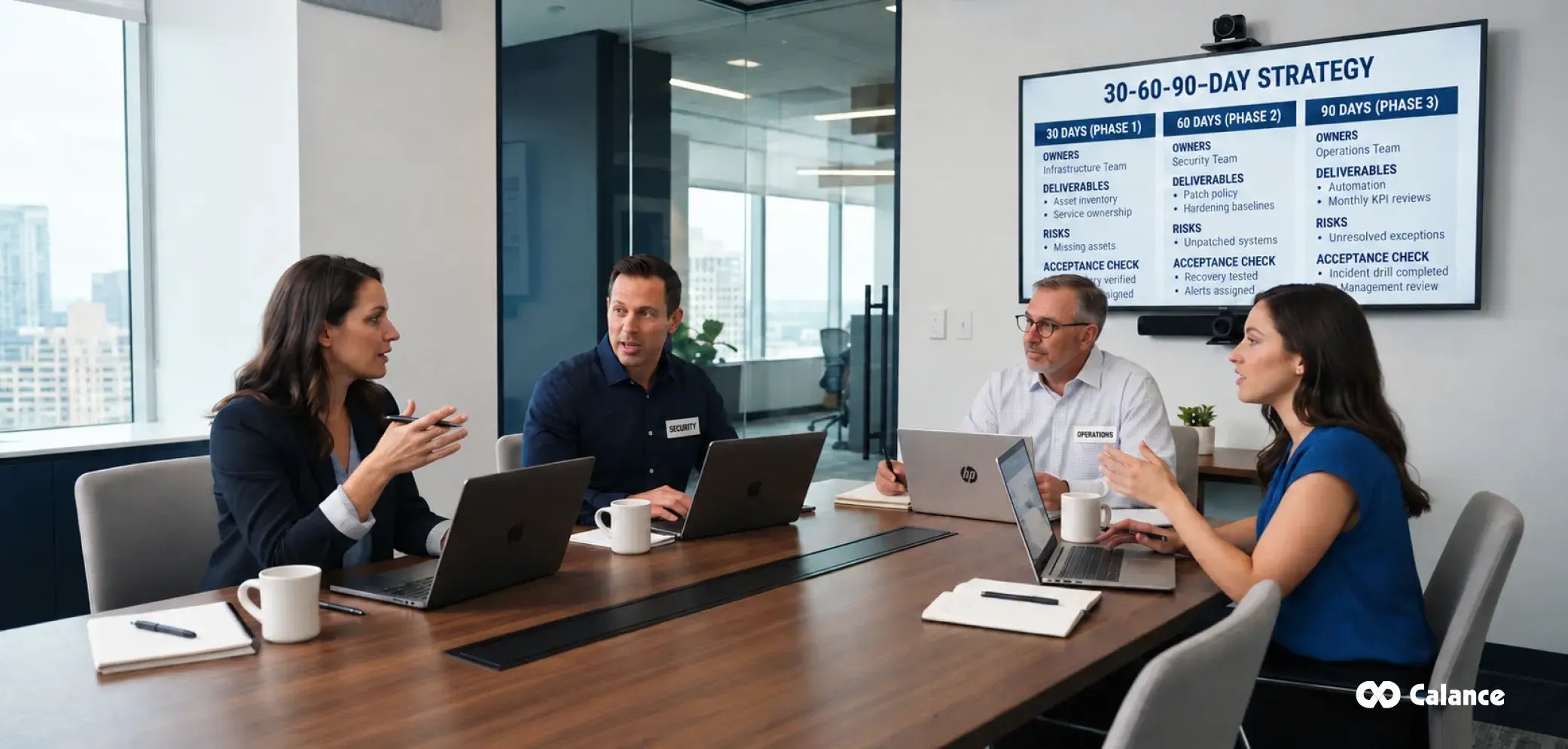
A phased rollout works better than attempting twelve changes at once. In the first 30 days, build a source-of-truth inventory, assign service owners, and reconcile monitoring against production assets. Also identify critical vulnerabilities, backup exceptions, and privileged accounts that lack a review owner. Record the current metrics before setting improvement targets.
During days 31 to 60, approve a patch policy by workload tier, select operating-system hardening baselines, and test recovery for representative services. Route paging alerts to named owners with written response instructions. Begin recording exceptions so urgent changes and fragile applications remain visible rather than silently excluded.
In days 61 to 90, automate repeatable configuration tasks, establish monthly KPI reviews, and rehearse at least one end-to-end incident or recovery scenario. Close the period with a management review covering unresolved risks, budget needs, and the next quarter's priorities. These time windows are a planning example, not a guaranteed implementation schedule.
| Phase | Deliverable | Acceptance check |
|---|---|---|
| Days 1-30 | Inventory, ownership, monitoring gap list | Every critical service has a named owner and discovery record |
| Days 31-60 | Patch policy, baseline exceptions, restore evidence | Security and operations owners approve the control plan |
| Days 61-90 | Automation backlog and recurring KPI review | Leadership receives results, exceptions, and owners for next actions |
Mistakes That Sink Hybrid Server Management
- Running separate standards per environment and calling the gap "context."
- Measuring patch compliance as one blended number that hides the on-prem lag.
- Trusting the shared responsibility model to cover guest OS patching, it explicitly doesn't.
- Counting backup job success while never testing a restore.
- Letting drift accumulate until the DR environment is a distant cousin of production.
- Leaving edge and branch servers out of monitoring because "nothing important runs there."
- Buying tools to fix process problems, then managing the tools instead of the servers.
- Staffing 24/7 expectations with 8/5 people and goodwill.
What's Right for Your Situation?
- Lean IT team, growing hybrid sprawl: standardize the four disciplines first, automate patching and provisioning second, and move the overnight watch to a co-managed arrangement before burnout decides for you.
- Regulated industry with strict patch SLAs: policy-driven patching with per-environment compliance reporting (practice 3) plus hardening evidence (practice 4) becomes your audit package; a managed patching service with contractual SLAs is often cheaper than one audit finding.
- 24/7 uptime requirements without 24/7 staff: fully managed or co-managed monitoring and response through our IT infrastructure and operations services is the honest answer; three-person teams cannot staff a night shift, and pretending otherwise just moves the outage to 2 a.m.
- Mid-migration to the cloud: resist the temptation to let the "legacy" estate decay while attention goes to the new platform; aging assets still require the same risk treatment until retirement is complete. Hold both estates to the same KPIs until the last workload moves, and run the cloud side under managed guardrails like our Azure managed services so new sprawl doesn't replace old sprawl.
- Multi-site business with edge servers: extend monitoring, patching, and backup policy to every site explicitly, prefer agentless plus lightweight agents for constrained hardware, and document per-site recovery, because the branch server is always tier-1 the day it dies.
How Calance Supports Hybrid Server Operations
The practices in this guide can be implemented internally. The harder question is whether your team has enough coverage and process ownership to carry them out consistently. At Calance, we support hybrid infrastructure with monitoring, patch coordination, configuration controls, recovery planning, and operational reporting. We can scope responsibilities for a managed or co-managed model around your existing team and required service levels.
Talk to our infrastructure team for a server management assessment. We'll score your environment against this maturity model, show you exactly where the gaps are, and give you the plan, whether you run it or we do.
Frequently Asked Questions
1. What is hybrid IT management?
Hybrid IT management is the practice of operating infrastructure that spans on-premises servers, private cloud, public cloud, and edge locations under one consistent set of standards for monitoring, patching, security, backup, and cost, rather than managing each environment separately.
2. What is server management?
Server management covers everything required to keep servers healthy and secure through their lifecycle: provisioning, monitoring, patching, configuration, hardening, access control, backup, capacity planning, performance tuning, documentation, and eventual decommissioning.
3. What is the difference between server monitoring and server management?
Monitoring is observing: collecting metrics, logs, and alerts about server health. Management is acting: patching, configuring, securing, backing up, and improving. Monitoring is one discipline inside management; a monitored-but-unmanaged server still decays.
4. How often should servers be patched?
Under a risk-based policy: known-exploited and critical vulnerabilities on internet-facing servers within 72 hours to 7 days, other critical and high severity within 14 to 30 days, and routine updates monthly in scheduled windows, with compliance measured per environment.
5. Why is patching so important right now?
Verizon's 2026 DBIR found vulnerability exploitation started 31% of breaches, overtaking stolen credentials for the first time in the report's history, while median patch time rose to 43 days and only 26% of known exploited vulnerabilities were fully remediated.
6. What is configuration drift?
Configuration drift is the gradual, unplanned divergence of a server from its intended configuration through one-off fixes and undocumented changes. It causes inconsistent behavior, failed failovers, and security gaps, and is prevented with configuration management and scheduled drift detection.
7. What is the shared responsibility model for servers?
In public cloud IaaS, the provider secures the physical infrastructure and virtualization layer, while you remain responsible for the guest operating system, patches, configuration, identity, data, and backups on every VM. Those duties never transfer with the hosting.
8. What are CIS Benchmarks?
CIS Benchmarks are consensus-based, prescriptive hardening guides for operating systems, databases, and platforms, published by the Center for Internet Security. They define secure configuration baselines that servers can be built from and audited against.
9. What is the 3-2-1 backup rule?
Keep three copies of data, on two different media or platforms, with one copy off-site or in a separate environment. In hybrid IT, add immutability or logical air-gapping so ransomware cannot encrypt the backups along with the servers.
10. How often should backup restores be tested?
Test file-level restores at least quarterly and full server or DR recovery at least annually, with results documented. Backup job success rates verify that backups ran; only restore tests verify that recovery works.
11. What KPIs matter most for server management?
Monitoring coverage, patch compliance within SLA, time to remediate critical vulnerabilities, configuration compliance, backup success rate, restore test cadence, uptime per tier, and MTTR. Reported monthly, per environment, so no estate can hide inside an average.
12. What is Infrastructure as Code (IaC)?
IaC defines servers and their configuration in version-controlled code and templates, so environments are provisioned and changed through repeatable automation instead of manual steps. It makes builds consistent, drift visible, and recovery dramatically faster.
13. Is it cheaper to manage servers in-house or through a managed service?
A managed or co-managed model may be cost-effective for teams that need 24/7 operations but lack overnight staffing. Compare contract scope, coverage, response requirements, tooling, and internal staffing before deciding. Larger teams with mature practice may keep management in-house and outsource only specific disciplines.
14. What is zero trust for server environments?
Zero trust, defined in NIST SP 800-207, means no administrative access is trusted by default: every session is authenticated with MFA, authorized per request with least privilege, time-boxed, and logged, regardless of whether it originates inside or outside the network.
15. How do you manage servers during a cloud migration?
Hold both estates to identical standards until the last workload moves: same monitoring plane, same patch SLAs, same backup testing. Source systems remain exposed during coexistence if teams stop patching or monitoring them before retirement.
Let’s Build Your Digital Future Together
Tell us about your business challenges — we’ll help craft the right solutions.
Book a Free Consultation →