

29 Oct 2026
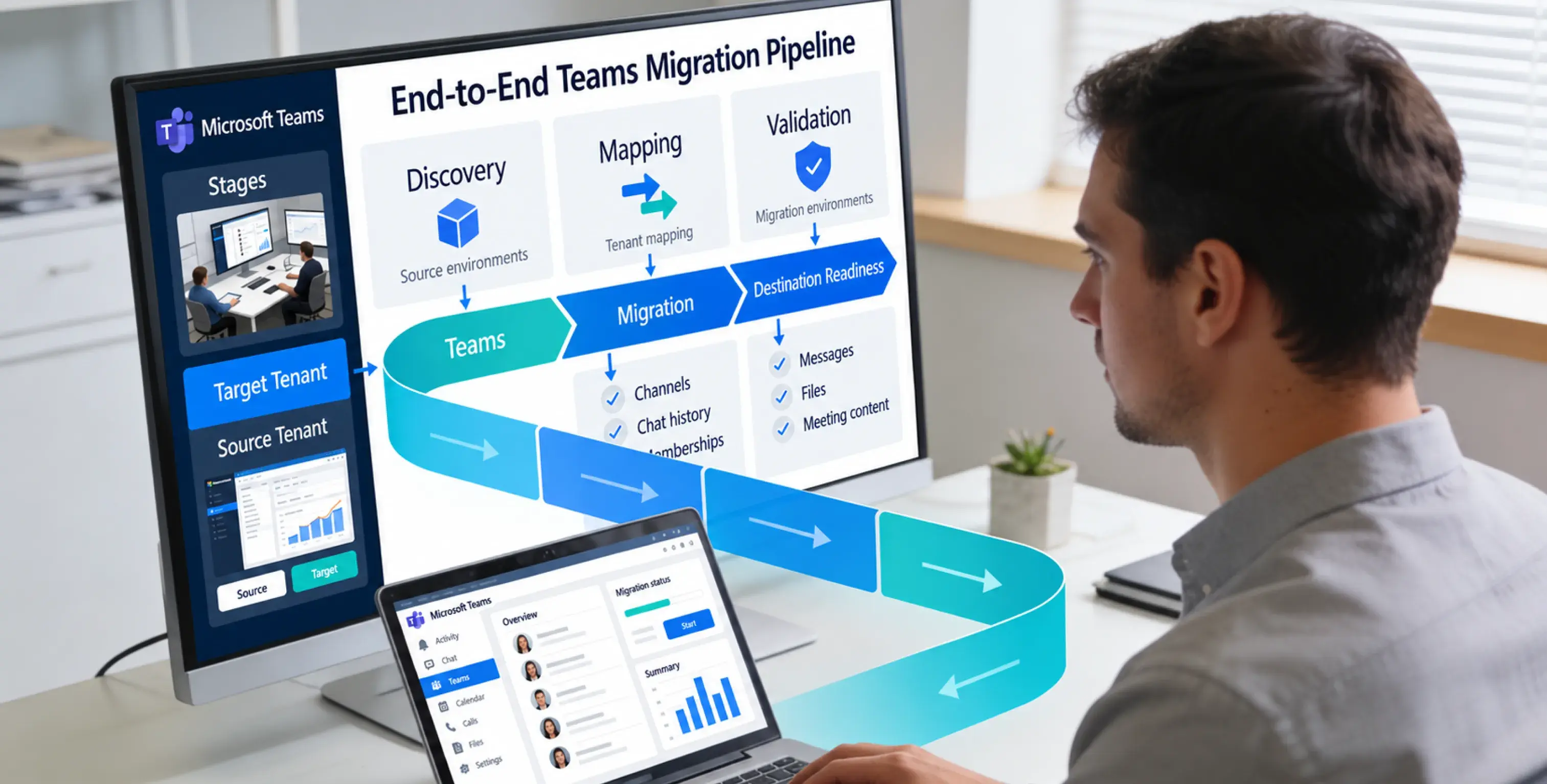
Moving Microsoft Teams from one Microsoft 365 tenant to another is the hardest workload in any tenant-to-tenant migration. Mailboxes have a mature, Microsoft-supported path. OneDrive does too. Teams do not, at least not fully. As of October 2026, Microsoft’s Migration Orchestrator covers eligible user chat and meeting content but not complete team and channel structures, so there is no single Microsoft-native workflow that performs a complete tenant-to-tenant Teams migration while preserving the full team structure, channels, channel conversations, replies, memberships, files, and historical context.
That single fact shapes every decision in this guide. Some Teams data now moves natively, some requires the Microsoft Graph migration APIs or third-party tooling, and some cannot move at all in its original form. Knowing exactly which category each piece of your environment falls into, before you commit to a timeline, is what separates clean migrations from projects that finish with important collaboration history unaccounted for.
At Calance, we recommend a workload-by-workload planning approach for mergers, divestitures, and tenant consolidation. It covers what migrates and what doesn’t, the main migration approaches, a step-by-step process, and a framework for choosing the right path for your scenario. It is written for IT directors, Microsoft 365 administrators, and the decision-makers who sign off on M&A integration plans.
TL;DR
What moves: Microsoft’s orchestrated workflow covers eligible user chats and meetings, but not entire Teams and channel structures. Microsoft Graph supports importing eligible historical messages into chats and standard, private, and shared channels.
What requires separate work: Identity mapping, SharePoint and OneDrive files, memberships, applications, and compliance preservation need dedicated plans.
How to proceed: Inventory each workload, pilot the selected APIs or tools, validate authors and file access, then cut over with an approved preservation and support plan.
What Is a Teams Tenant-to-Tenant Migration?
A Teams tenant-to-tenant migration is the process of moving Microsoft Teams data, including 1:1 chats, group chats, teams, channels, channel conversations, files, tabs, and settings, from one Microsoft 365 tenant to a different Microsoft 365 tenant. Because a tenant is a hard security and identity boundary in Microsoft’s cloud, nothing crosses it automatically. Users get new identities in the target tenant, and every piece of content must be explicitly mapped, moved, or recreated.
It helps to understand that “Teams” is not one data store. Chat messages live in a Teams-specific substrate service with copies journaled to Exchange mailboxes for compliance. Channel files live in SharePoint. Chat file attachments live in the sender’s OneDrive. Tabs point to apps and sites. Meetings live in Exchange calendars with join URLs bound to the source tenant. Migrating Teams really means migrating five interconnected systems in the right order, which is why organizations that have only done mailbox migrations consistently underestimate it. If your team needs a refresher on where each content type actually lives, our breakdown of SharePoint vs Teams vs OneDrive explains the storage architecture in plain terms.
Why Do Organizations Migrate Teams Between Tenants?
Organizations usually migrate Teams during mergers and acquisitions, divestitures, rebrands, or consolidation of regional and subsidiary tenants. In an acquisition, employees need shared access to conversations and files. Divestitures add separation deadlines and strict restrictions on which records may move. A simple domain or brand change does not always require a new tenant, so assess alternatives before migrating. Consolidation can also create opportunities to review duplicate licenses and administrative controls.
Why Are Teams Chats and Channels So Hard to Migrate?
Chats and channels resist migration for structural reasons, not tooling gaps that a vendor simply hasn’t filled yet.
Messages are immutable and identity-bound
Historical Teams messages are associated with source identities and conversations. A destination import reconstructs eligible content through supported APIs rather than transferring the original conversation object unchanged. The result depends on identity mapping and supported message properties.
Chat threads are shared objects
A group chat belongs equally to all participants. If participants migrate in different waves, the thread fragments. Even Microsoft’s native chat migration workflow often introduces entirely new or duplicate threads in the target tenant, which confuses users who expect one continuous conversation.
Channels are containers with dependencies
A standard channel is a message thread plus a SharePoint folder plus tabs plus apps plus membership. Private channels add their own separate SharePoint site collections. Shared channels add cross-tenant membership through Entra B2B direct connect. Each layer needs its own migration method, and they must land in a coordinated way or links break.
Compliance copies complicate everything
Chat compliance records sit in hidden mailbox folders, and Microsoft’s cross-tenant mailbox migration explicitly does not move Teams chat folder content, including private chats and group chats. So mailbox migration alone never brings chat history along, despite what many teams assume.
What Does Microsoft Support Natively in 2026?
This is the area that has changed most in the past year, so it deserves precision. Microsoft now offers three relevant native capabilities plus a developer API path.
The Microsoft 365 Migration Orchestrator (public preview)
The Migration Orchestrator is designed to migrate user-level data between tenants: Exchange Online mailboxes, OneDrive content, and Microsoft Teams chats and meetings. It moves content, not identities, meaning users must already exist and be configured in the target tenant before migration begins. Microsoft documents migration of eligible user chats and meetings, with known exceptions and possible duplicate threads. Review the current meeting rescheduling behavior and supported scenarios in the product documentation before setting user expectations.
The limits matter as much as the capability. The orchestrator does not migrate shared or team-level data: teams and channels remain in the source tenant. Known unsupported chat scenarios include self-chats, chats that originated externally, and app messages, and FastTrack’s cross-tenant migration services explicitly do not support Teams as a workload. Per the official Migration Orchestrator FAQ, cross-cloud moves (for example, commercial cloud to Government cloud) are not supported, and migrating user data back to the source tenant through the orchestrated system isn’t supported in preview. Plan the orchestrator as a one-way, commercial-cloud, user-data-only tool.
Standalone cross-tenant mailbox, OneDrive, and SharePoint migration
These generally available tools handle the dependencies around Teams.Cross-tenant OneDrive migration runs through SharePoint Online PowerShell, keeps data inside the Microsoft 365 cloud, requires only a few minutes of read-only time per user, and is a one-and-done activity; the migration fails if a OneDrive already exists for the user in the target tenant. Cross-tenant SharePoint site migration moves the site collections behind Teams channels, and Microsoft has addedcross-tenant SharePoint migration guidance so organizations can manage these tasks programmatically during tenant-to-tenant migrations.
Licensing is a real line item here. Cross-tenant migrations require the Cross-Tenant User Data Migration add-on license where applicable, subject to current Microsoft terms, assignable to either the source or target user object, and it covers cross-tenant mailbox migration as well. During the preview period, the Teams chats and meetings workloads specifically require no additional licenses. Verify current licensing and price through Microsoft or your licensing provider before budgeting; preview entitlements and licensing terms can change.
The Microsoft Graph import APIs
For teams and channels, the supported programmatic path is the Graph message import flow, and it improved significantly in the past year. Historically you could only import messages into brand-new teams created in migration mode. Microsoft Graph now supports importing messages into an existing Teams chat or channel during a migration session: you enable migration mode with startMigration, import, then call completeMigration, and only the application that started the migration can import into that chat or channel until it completes.
The content scope is broader than most admins realize. The import flow supports messages with rich text, 1:1 and group chat messages, standard, private, and shared channel messages, and up to 250 reactions per message. API throttling and supported message properties must be tested against the selected endpoint and workload. Build a performance baseline using a representative pilot; do not use a single per-second limit as a guaranteed throughput rate for every migration.
What Migrates and What Doesn’t?
Use this table as your planning baseline. “Native” means Microsoft’s orchestrator or standalone cross-tenant tools. “API/third-party” means the Graph import flow, whether scripted or driven by a commercial tool.
|
Teams data type |
Native Microsoft tools |
API or third-party tooling |
Notes |
|
1:1 chats |
Yes (orchestrator, preview) |
Yes |
Duplicate or new threads are common; original 1:1 object type isn’t always preserved |
|
Group chats |
Yes (orchestrator, preview) |
Yes |
Wave planning matters; split waves fragment threads |
|
Standard channel messages |
No |
Yes |
Imported with author and timestamp via migration mode |
|
Private channel messages |
No |
Yes (now in import scope) |
Separate SharePoint sites must move too |
|
Shared channel messages |
No |
Yes (now in import scope) |
Cross-tenant membership must be rebuilt via B2B direct connect |
|
Team/channel structure and membership |
No |
Yes (recreated) |
Rebuilt, not moved; owners and settings need mapping |
|
Channel files (SharePoint) |
Yes (cross-tenant SharePoint migration) |
Yes |
Must be relinked to the new team |
|
Chat file attachments (OneDrive) |
Yes (cross-tenant OneDrive) |
Yes |
Old message links point to source URLs unless rewritten |
|
Meetings |
Partial (canceled and rescheduled) |
Partial |
Join URLs are tenant-bound and never carry over |
|
Reactions |
No |
Partial (up to 250 per message on import) |
Older tools dropped these entirely |
|
Tabs, apps, connectors |
No |
Partial |
Most tabs must be reconfigured; app IDs differ per tenant |
|
Planner plans attached to teams |
No |
Partial |
Frequently forgotten; plan ahead |
|
Teams policies and admin settings |
No |
No |
Rebuild in the target tenant |
|
Audit logs, eDiscovery cases, legal holds |
No |
No |
Preserve in the source tenant; they do not travel |
The pattern is clear: user data has a native path, shared collaboration data does not. Microsoft explicitly excludes shared Teams and channels from the orchestrated user-data workload. Confirm Planner and other app dependencies separately during discovery.
How Should You Evaluate Teams Migration Approaches?
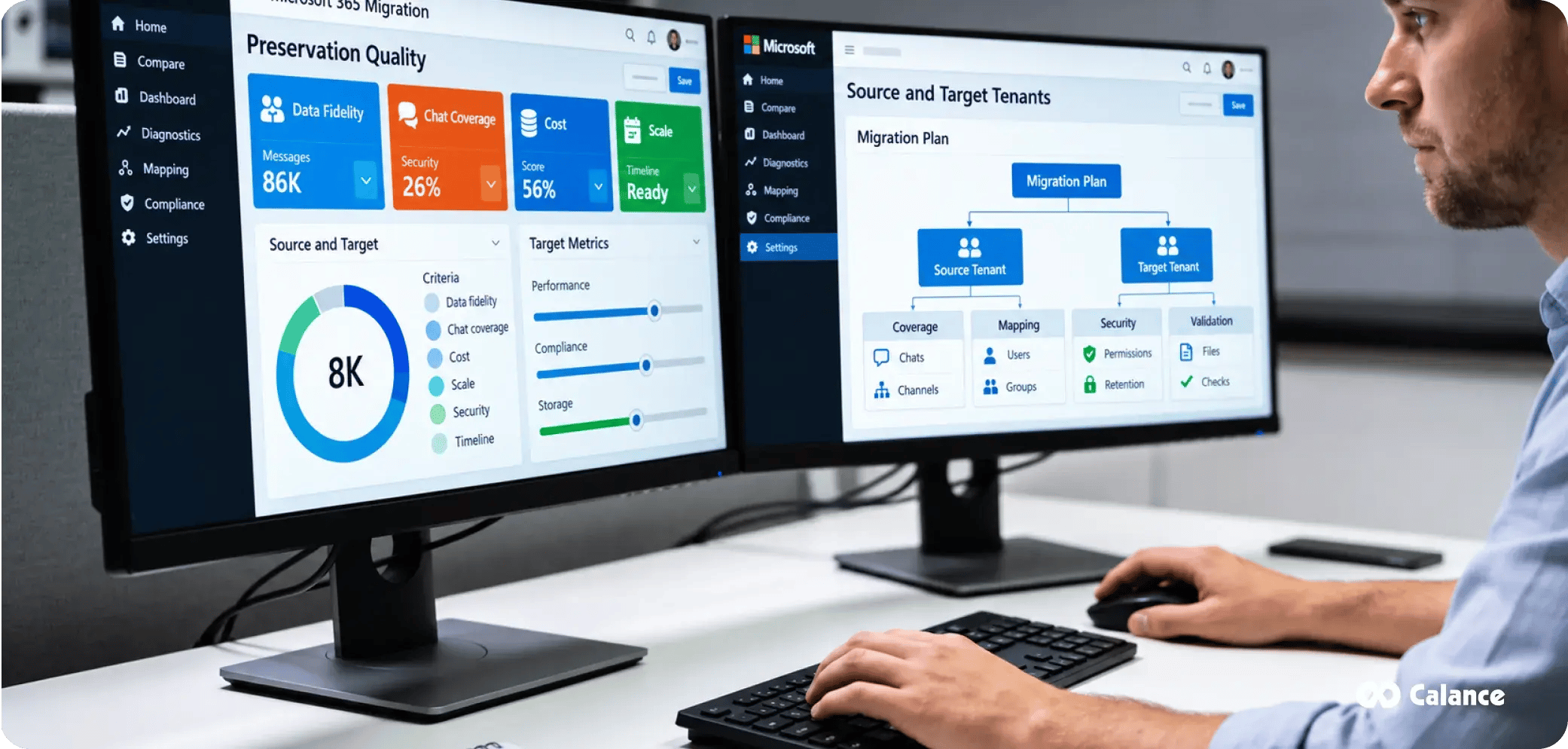
Before comparing methods, agree on the criteria. These eight are the ones we score every project against:
1. Data fidelity. Do messages keep original authors, timestamps, threading, replies, reactions, and formatting? Or do they arrive as flattened HTML archives posted by a service account?
2. Coverage. Does the approach handle 1:1 chats, group chats, and all three channel types, or only a subset?
3. Downtime tolerance. How long can users work without access to history, and can the business accept a read-only window?
4. Security and compliance. Does data stay inside the Microsoft compliance boundary? Can you satisfy retention, eDiscovery, and legal hold obligations through the transition?
5. Identity mapping accuracy. Messages must re-attribute to the correct target identities. Mismapped users mean misattributed history, which is a compliance problem, not a cosmetic one.
6. Cost. License add-ons, tool licensing, engineering hours, and the hidden cost of helpdesk volume after cutover.
7. Timeline and scale. API throttling sets a physical floor on duration. An approach that works for 50 users may be unworkable for 5,000.
8. Support and accountability. When an import batch fails at 2 a.m. on cutover weekend, who fixes it?
How Do the Four Migration Approaches Compare?
|
Criterion |
Native/manual (orchestrator + rebuild) |
Custom Graph API scripting |
Third-party migration tools |
Expert-led managed migration |
|
Chat fidelity |
Varies; duplicates possible |
Depends on scope and testing |
Depends on product |
Depends on selected method |
|
Channel coverage |
None natively; manual rebuild |
Depends on supported APIs |
Varies by product |
Depends on selected method |
|
Downtime |
Varies by workload |
Depends on engineering |
Depends on product |
Depends on cutover plan |
|
Compliance handling |
Data stays in Microsoft cloud |
You own every control |
Varies; must be vetted |
Requires defined ownership |
|
Identity mapping |
Manual CSV mapping |
You build it |
Built-in, needs validation |
Managed as agreed |
|
Cost profile |
Add-on licenses + heavy admin labor |
Low licensing, high engineering |
Per-user tool fees |
Service fees and tool costs |
|
Best scale |
Small, simple tenants |
Small to mid with strong devs |
Mid to large |
Mid to large, high stakes |
|
Accountability |
Yours |
Yours |
Shared |
Defined in engagement |
Native and manual
Use the orchestrator for mailboxes, OneDrive, chats, and meetings, then manually recreate teams and channels in the target and let history stay behind, readable via export or a source-tenant archive. This can reduce tool spend but may leave channel history inaccessible in the destination. Use it only when business and records owners approve that limitation.
Scripting the Graph APIs yourself
Everything the import API supports is available to you, including author and timestamp preservation. But you must build export, transformation, identity mapping, throttling management, retry logic, and validation. Real-world quirks bite here: only one application is allowed to operate within an import session, and completing an import session is a significant transition that must follow validation. Confirm whether any further imports are supported for the specific API flow before closing the session. This path suits organizations with strong engineering teams and modest scale.
Third-party migration tools
Commercial platforms wrap the same Graph APIs in orchestration, mapping, scheduling, and reporting. Depending on product capabilities, they can reduce custom engineering while supporting chats, channels, files, and selected metadata. Compare costs, supported message properties, exceptions, and validation reports in a pilot. A tool cannot replace ownership of the business cutover plan.
Expert-led managed migration
Our approach at Calance is to design the architecture, select and operate the right tooling for each workload, handle identity and compliance planning, run pilots, coordinate cutover, and support users afterward through our Microsoft 365 services practice. This approach introduces professional-services costs but can provide clearer accountability and reduce the burden of planning, exception handling, and post-cutover support for complex projects. This guide uses that planning approach as a practical framework.
Step-by-Step: How to Migrate Teams Chats and Channels Between Tenants
Every successful Teams migration follows the same spine, whatever tooling you choose.
9. Inventory the source tenant. Enumerate all teams, channels (by type), chat volumes, message counts, file sizes, tabs, apps, Planner plans, guest accounts, and shared channels. Flag orphaned teams with no owners now; they block everything later.
10. Classify and rationalize. Mark each team as migrate-with-history, migrate-structure-only, archive, or delete. Only exclude material after business owners and records stakeholders approve its classification and retention treatment.
11. Prepare target identities. Provision users in the target tenant (Entra cross-tenant synchronization helps during coexistence), assign licenses, configure MFA and conditional access, and build the authoritative source-to-target identity mapping file. This mapping drives message attribution, so treat it as production data with change control.
12. Plan domain cutover. Decide when the primary SMTP/UPN domain detaches from the source and attaches to the target, since a domain can only live in one tenant at a time. This usually defines your cutover weekend.
13. Pilot with a real team. Migrate one representative team and a handful of users end to end. Validate message fidelity, file links, tab behavior, and chat continuity. Adjust mappings and runbooks before scaling.
14. Migrate files first or in parallel. Move the SharePoint sites behind channels and users’ OneDrive content using the cross-tenant tools, respecting the applicable batch and scheduling limits published for each workload. File migration discipline follows the same rules as any SharePoint move; our SharePoint migration checklist for zero data loss applies directly.
15. Recreate structure and import channel messages. Create target teams and channels, enable migration mode, import messages with original authors and timestamps at the throttled rate, then complete migration and add members. Sequence so a channel’s files land before or with its messages.
16. Migrate user chats and meetings. Run the orchestrator (or your tool’s chat module) in waves aligned with how people actually work together, so group chats don’t splinter across waves. Expect meetings to be canceled and recreated; meeting URLs aren’t updated cross-tenant, so pre-migration join links will not work.
17. Cut over. Move the domain, update DNS, repoint clients, and switch users to target-tenant sign-in. Communicate exactly what users will and won’t see on Monday morning.
18. Validate, support, decommission. Run post-migration validation (detailed below), staff an elevated support window for two to three weeks, retain necessary source access and preservation controls until legal and operational owners sign off, then decommission.
How Do You Handle Chat History Limitations?
Set expectations honestly, because perfect chat continuity is not achievable today. Three workarounds cover the gaps.
Accept re-threading
Migrated chats often appear as new threads containing history rather than seamless continuations. Tell users in advance that history is preserved but the conversation “restarts,” and the complaint volume drops dramatically.
Archive what can’t move faithfully
For out-of-scope content (external-origin chats, app messages, self-chats), export to HTML or PDF archives stored in a target SharePoint library. Users lose interactivity but keep searchable reference.
Keep the source tenant as a time-boxed reading room
For some divestitures, approved, time-limited source-tenant access may be appropriate; the duration and licensing need to follow legal requirements and the separation agreement. This also preserves eDiscovery integrity for pre-migration matters.
Whatever you choose, remember that migration is not backup. During the transition window you have data in flight across two tenants, and native retention does not protect you from tooling errors; our analysis of Microsoft 365 backup coverage gaps explains why a point-in-time copy before cutover is non-negotiable.
How Do You Migrate Private and Shared Channels?
Private channels bring two extra tasks: each one has its own SharePoint site collection that must migrate separately, and membership (a subset of the team) must be rebuilt precisely, because over-provisioning a private channel in the target is a data exposure incident. The Graph import flow now supports private channel messages, which removed what used to be the biggest fidelity gap, but the membership and site work remains manual or tool-driven.
Shared channels are different. Their defining feature is cross-tenant membership via Entra B2B direct connect, which means two things. First, during coexistence, shared channels can serve as a bridge: users in the unmigrated tenant can participate in target-tenant channels without guest accounts. Second, after migration you must re-establish the B2B direct connect trust relationships and re-invite external organizations, because those trusts are tenant-specific configuration that never migrates.
How Do You Handle Permissions, Governance, and Compliance?
Permissions do not migrate as a bundle; they are rebuilt from your mapping. Validate owner and member rosters per team, re-apply sensitivity labels (label GUIDs differ between tenants, so “Confidential” in the source must be explicitly mapped to its target equivalent), and rebuild Teams policies, app permission policies, and guest access settings in the target admin center.
Compliance deserves its own workstream:
· Legal hold and eDiscovery. Holds and cases do not migrate. Inventory every active hold before touching data, preserve the source content under hold until counsel releases it, and document chain of custody for anything moved. Imported messages in the target are new records with new audit trails.
· Retention. Recreate retention policies in the target before importing content, so imported messages are governed from the moment they land.
· Regulatory obligations. Sectors under SEC 17a-4, HIPAA, or similar regimes should involve compliance officers at the planning stage, not the validation stage. Security posture also needs to carry over: conditional access, DLP, and endpoint policies should be live in the target before the first user cuts over, which is where our cybersecurity services team typically runs a parallel hardening track.
Treat the migration as a governance reset opportunity. You will never have a better moment to fix naming conventions, ownership standards, and sprawl than when every team is being touched anyway.
Coexistence and Cutover: Big Bang or Phased?
Big bang moves everyone in one planned event. It reduces the duration of split-tenant collaboration and can work when dependencies and cutover risk are manageable. The risk concentrates in one window, so the pilot and rollback plan must be real.
Phased migration moves business units in waves over weeks or months. It is the only realistic option at an enterprise scale, but it creates a coexistence period where colleagues live in different tenants. Manage it with Entra cross-tenant sync (so everyone appears in both directories), B2B collaboration and shared channels for cross-tenant work, and wave boundaries drawn along collaboration lines, not org-chart lines. A finance team that chats daily with legal should move in the same wave as legal, whatever the org chart says.
Divestitures often add a third pattern: a contractual transition services period where the divested unit keeps limited source-tenant access while its new tenant is built. Define exactly what remains accessible, for whom, and until when, in writing.
How Do You Communicate the Migration to Users?
Users can experience a migration as unsuccessful even when technical data transfer checks pass. A useful communication plan includes an early announcement, a role-specific change guide, a cutover reminder, and a day-one reference with support contacts. Set exact dates around the migration waves. Recruit champions in each department for the pilot so peer support exists before the helpdesk queue forms. Plan an elevated support window based on the pilot and user impact; organizations can use our IT help desk services for exactly this surge window rather than burning out their internal team.
How Do You Validate a Teams Migration?
Validate a Teams migration against a signed acceptance record, not just successful API responses. At Calance, we recommend a four-gate scorecard that an IT owner can adapt for each migration wave. This is a recommended assessment framework, not a claim about results from an unnamed client engagement.
|
Validation gate |
Evidence to collect |
Release condition |
|
Conversation fidelity |
Source/target message counts, author and timestamp samples, replies and reactions |
Exceptions reconciled and approved |
|
Files and access |
Link tests, document samples, private/shared channel membership, negative access tests |
Required files open only for authorized users |
|
Compliance continuity |
Source hold inventory, target retention configuration, eDiscovery test with compliance owner |
Legal and records owners approve preservation approach |
|
Business readiness |
Meetings, critical tabs, sign-in, pilot user feedback, support runbook |
Named business owner signs off on cutover |
For each gate, record the source identifier, destination identifier, sample tested, test result, exception owner, and retest date. A failed test should stay open until it is corrected or explicitly accepted by the right owner. For instance, if channel posts arrive but linked files are inaccessible, the conversation import can pass while the overall collaboration gate remains open. This separates technical completion from usable migration.
Keep the signed results with the M&A or tenant consolidation records. A validation report is often useful to legal, compliance, and the deal team as well as IT.
What Does a Teams Migration Cost, and How Long Does It Take?
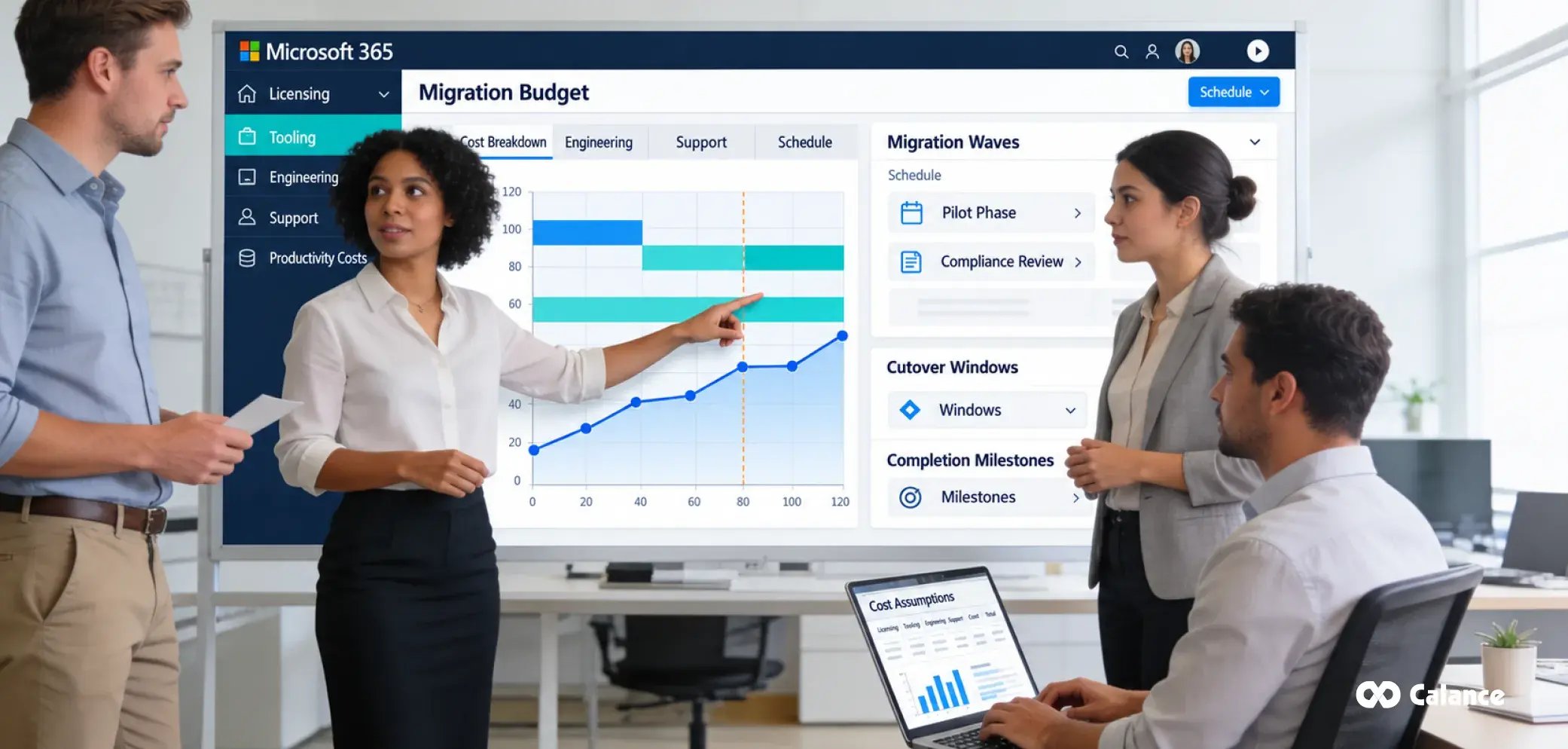
Costs stack in four layers: Microsoft add-on licensing (the per-user, one-time Cross-Tenant User Data Migration license for native workloads), tooling (typically priced per user or per gigabyte for third-party platforms), people (engineering, PM, communications, and helpdesk surge), and productivity impact from cutover disruption, which should be estimated rather than assumed.
Timeline drivers are message volume (throttling math is physics, not negotiation), tenant complexity, compliance review cycles, and wave count. We scope timelines after discovering message counts, file dependencies, identity exceptions, application integrations, and legal approvals. A representative pilot provides more defensible estimates than generic user-count bands.
What Are the Most Common Teams Migration Mistakes?
19. Assuming mailbox migration brings chat history (it explicitly does not).
20. Skipping the pilot, then discovering fidelity gaps at production scale.
21. Treating identity mapping casually and misattributing years of messages.
22. Forgetting meetings, so Monday’s calendar is full of dead join links.
23. Migrating sprawl instead of rationalizing first.
24. Ignoring Planner, tabs, and apps until users ask where their boards went.
25. Decommissioning the source tenant before legal release holds.
26. Calling completeMigration prematurely and permanently closing a channel’s import window.
27. Under-communicating, so the helpdesk learns about the migration from angry tickets.
28. Running it as a side project for an already-full admin team.
Teams Tenant Migration Checklist
Plan: inventory complete; teams classified; stakeholder and legal sign-off; approach selected against the eight criteria; licensing purchased; backup taken.
Prepare: target identities provisioned and mapped; domains scheduled; retention, DLP, and security policies live in target; pilot team migrated and validated; runbook and rollback written.
Execute: files migrated in batches; structure recreated; channel messages imported and completed; chats and meetings migrated in waves; domain cut over, and comms sent on schedule.
Close: validation report signed; hypercare support staffed; source tenant in legal-approved holding state; decommission date set; lessons-learned documented.
Which Approach Fits Your Scenario?
Small tenant with minimal history. Native orchestrator for chats, mailboxes, and OneDrive; rebuild the handful of teams manually; archive old channel content. Lowest cost, acceptable loss.
M&A integration with meaningful compliance needs. Third-party tooling for channel fidelity plus native tools for user data, run under an expert-led plan with a formal compliance workstream. A regulated financial services bank merger migration, where regulatory scrutiny shaped every phase.
Regulated or large-scale enterprise divestiture. Fully managed, phased program with transition services, legal hold preservation, and documented chain of custody. Nothing here should be improvised.
Long coexistence or gradual consolidation. Entra cross-tenant sync plus shared channels as the bridge, with migration waves over quarters. Governance discipline matters more than tooling speed; the patterns from our SharePoint migration consulting best practices carry over directly to the file layer.
Work With Calance on Your Teams Migration
A Teams tenant-to-tenant migration requires careful completion and source-preservation decisions. Ending an import session prematurely, changing access before validation, or retiring protected source data can create difficult-to-reverse gaps.
At Calance, we support Microsoft migration planning, implementation, and post-cutover validation, with our Microsoft cloud consulting team handling identity, security, and compliance as one program rather than a stack of disconnected tools. If your organization is facing a merger, divestiture, or consolidation, a useful time to involve us is before the first message moves. Talk to a Calance migration architect for a migration assessment of your tenant, your timeline, and the approach that fits, and go into the cutover weekend knowing exactly what will be there on Monday morning.
FAQs
Can you migrate Teams chat history to another tenant?
Yes, with caveats. Microsoft’s Migration Orchestrator (preview) migrates 1:1 and group chats, and the Graph import APIs or third-party tools can bring chat and channel history with original authors and timestamps. Threads may appear as new or duplicate conversations, and some chat types (external-origin, app messages, self-chats) are out of scope.
Does Microsoft have a native tool for Teams tenant-to-tenant migration?
Partially. Native tools cover user chats, meetings, mailboxes, OneDrive, and SharePoint sites. No native tool migrates teams and channels as complete structures with their conversations; that requires the Graph import APIs or third-party tooling.
Can you migrate Teams channels natively between tenants?
No. Teams, channels, and their conversations are explicitly out of scope for the Migration Orchestrator and all standalone native tools. Channels must be recreated in the target tenant and their history imported through the Graph migration APIs or a third-party tool.
What license do I need for a cross-tenant migration?
Check current Microsoft licensing for the exact workloads and migration method. Eligible cross-tenant mailbox and OneDrive moves may require a Cross-Tenant User Data Migration add-on; preview Teams entitlements should be confirmed before purchase.
How long does a Teams tenant migration take?
The timeline depends on message volume, files, identity mapping, compliance approvals, migration waves, and support requirements. Estimate it from discovery and pilot throughput rather than relying on a universal range.
Can private channels be migrated to another tenant?
Their messages are now within the Graph import scope, but each private channel’s dedicated SharePoint site must be migrated separately and its restricted membership rebuilt exactly. Over-provisioning membership in the target is a data exposure incident, not a convenience.
Can shared channels be migrated to another tenant?
Shared channel messages can be imported, but the cross-tenant membership that defines a shared channel relies on Entra B2B direct connect trusts, which are tenant-specific and must be reconfigured and re-invited in the target.
Do Teams reactions, GIFs, and emojis migrate?
The Graph import flow supports up to 250 reactions per message, although individual migration products vary. Inline images and rich text generally carry over; some embedded content, stickers, and app-generated cards may not survive with full fidelity, which is exactly what the pilot phase exists to surface.
Do tabs, apps, and Planner migrate with a team?
Teams user-data migration does not automatically recreate these dependencies. Tabs usually need reconfiguration because app IDs and site URLs differ per tenant, and Planner plans attached to teams need their own migration or recreation step. Inventory them early so nothing surfaces as a surprise on day one.
What happens to files shared in chats during migration?
Files shared in chats commonly reside in the sender’s OneDrive and may be included in a separately scoped OneDrive migration. However, links inside old messages still point to source-tenant URLs unless your tooling rewrites them, so plan for link remediation or user guidance.
Does eDiscovery or legal hold data migrate between tenants?
Not as a complete compliance migration. Source audit logs, eDiscovery cases, and existing legal holds require separate preservation and review. Preserve held content there until counsel releases it, and treat imported target-tenant messages as new records with their own audit trail and chain-of-custody documentation.
Can I roll back a Teams migration if something goes wrong?
Do not assume an automatic rollback path. Document restore options separately for mailboxes, OneDrive, chat imports, meetings, and collaboration settings. Preserve source data until acceptance and test recovery procedures before cutover.
How should users be mapped before a Teams tenant migration?
Create an approved source-to-target identity map covering employees, guests, service accounts, and former staff. Test a representative sample against imported message authors and channel memberships. Resolve unmatched identities before production imports to avoid inaccurate attribution.
Can existing Teams meeting links continue working after tenant migration?
Do not assume existing meeting links will remain usable after accounts and calendars move. Review the migration method's meeting behavior, recreate or reschedule affected meetings, and send updated joining instructions before the cutover.
When can the source Microsoft 365 tenant be decommissioned?
Only after business and IT owners accept migrated content and legal teams confirm preservation obligations. Verify access, chat history exceptions, retention, holds, and backups. Keep an agreed source access period for unresolved records before retirement.
Let’s Build Your Digital Future Together
Tell us about your business challenges — we’ll help craft the right solutions.
Book a Free Consultation →