

28 Aug 2026

For years, the Microsoft 365 vs Google Workspace comparison ran on a simple premise: Google was cheaper, Microsoft gave you Office. That argument lost most of its weight on July 1, 2026. Microsoft's updated business pricing moved Business Basic to $7, Business Standard to $14, and Business Premium to $22 per user/month on annual billing. Google Workspace's Business Starter, Standard, and Plus already sit at $7, $14, and $22. The three core SMB tiers are now effectively tied.
So what are businesses actually choosing between? The answer has shifted. Base subscription cost is a tie. The differences that matter now sit in AI licensing architecture (Gemini is broadly included; full Copilot is a separate decision), security packaging (Business Premium and Business Plus bundle very different controls at the same price), desktop application requirements, cloud storage, device management, and the cost of migrating workflows already built around one ecosystem.
This comparison from Calance evaluates both platforms by business requirements rather than declaring a universal winner. Where Google fits better, we'll say so. Where Microsoft fits better, we'll explain why. The goal is a decision your CFO, security team, and users can all live with.
TL;DR: Microsoft 365 vs Google Workspace in 2026
- Base SMB prices are essentially tied at $7, $14, and $22 per user/month (U.S. annual list).
- Google includes substantial Gemini AI capability inside Workspace plans, though depth and usage limits vary by edition.
- Microsoft's deeper work-grounded Copilot experience creates a separate AI licensing decision, with new SMB bundles at $23.50 and $32.
- Microsoft Business Premium bundles a particularly broad identity, endpoint, and threat-protection stack at $22.
- Google provides considerably more pooled storage at Standard (2 TB/user) and Plus (5 TB/user) compared to Microsoft's 1 TB.
- Workflow compatibility (Excel macros, Apps Script, SharePoint sites, Drive automations) can cost more to change than the subscription itself.
- Neither platform is the universal winner. Best fit depends on workforce, security requirements, AI coverage, and existing workflow dependencies.
The 2026 Pricing Reset: Base Plans Now Tell Only Half the Story
Microsoft 365 vs Google Workspace pricing used to be a straightforward argument. Google undercut Microsoft at nearly every tier. That gap closed in July 2026.
Business Plan Pricing at a Glance
| Plan level | Microsoft 365 | Google Workspace | Annual list (USD) | User limit | Key difference |
|---|---|---|---|---|---|
| Entry | Business Basic | Business Starter | $7 / $7 | 300 / 300 | Microsoft includes Teams; Google includes Gemini app |
| Mid | Business Standard | Business Standard | $14 / $14 | 300 / 300 | Microsoft adds desktop Office apps; Google adds 2 TB storage + deeper Gemini |
| Upper | Business Premium | Business Plus | $22 / $22 | 300 / 300 | Microsoft adds Defender, Intune, Entra P1; Google adds 5 TB + Vault |
All prices above are regular U.S. annual-commitment list prices per user/month, excluding temporary promotions. Both platforms cap their business plans at 300 users. Enterprise plans are available beyond that threshold with quote-based or published pricing depending on the vendor.
Why Identical Prices Do Not Mean Identical Value
A $22 Microsoft plan and a $22 Google plan are price equivalents, not feature equivalents. Microsoft Business Premium concentrates identity, endpoint management, email threat protection, and information protection into one package. Google Business Plus concentrates 5 TB pooled storage, Vault for retention and eDiscovery, and advanced endpoint management. The security architectures are fundamentally different at the same price point.
Organizations working through their Microsoft 365 licensing analysis should compare what they receive at each tier, not just what they pay.
What the Real Cost Looks Like Once AI Enters the Budget
The AI licensing question is now the biggest cost differentiator in any Microsoft 365 vs Google Workspace pricing analysis. Base plans may be tied, but the AI economics diverge sharply once you look past the headline claim that "AI is included."
Google made Gemini part of its commercial Workspace subscriptions beginning in 2025. Capability depth varies by edition: Business Starter receives Gemini in Gmail and the Gemini app but limited access to advanced features, while Business Standard and Plus receive deeper Gemini integration across Docs, Sheets, Meet, Drive, and Notebook. Organizations requiring higher AI usage or advanced capabilities like real-time speech translation can purchase AI Expanded Access separately.
Microsoft takes a different approach. Eligible Microsoft 365 users receive Copilot Chat at no extra charge, but full work-grounded Microsoft 365 Copilot, with deeper organizational-data grounding across Word, Excel, PowerPoint, Outlook, and Teams, requires a paid Copilot licence or bundle. Current SMB bundles include Business Standard with Copilot at $23.50 and Business Premium with Copilot at $32 on annual billing. Organizations can also license Copilot selectively by role, which changes the math considerably.
Three AI Adoption Scenarios: 100 Users on the Standard Tier
AI cost comparison (annual, U.S. list pricing)
| Scenario | Google Workspace Standard | Microsoft 365 Business Standard + Copilot mix | Annual difference |
|---|---|---|---|
| 20 users need premium AI | $16,800 (AI included for all) | $14,448 base + $5,640 Copilot = ~$19,080 | +$2,280 Microsoft |
| 50 users need premium AI | $16,800 | $8,400 base + $14,100 Copilot = ~$22,500 | +$5,700 Microsoft |
| 100 users need premium AI | $16,800 | $28,200 (all on Standard+Copilot) | +$11,400 Microsoft |
Google's broad included-AI model is economically attractive when nearly every employee needs AI. Microsoft's selective model may cost less when premium AI is concentrated in 15-25% of the workforce. The winner changes with the AI penetration rate, not with brand preference.
One clarification worth repeating: Google's "included" AI is not unlimited. Usage limits and capability depth vary by edition, and AI Expanded Access exists for heavy users. Microsoft's Copilot Chat provides baseline AI across all eligible plans. The real comparison is about depth and cost, not presence or absence.
Productivity Apps: Desktop Depth or Browser-Native Collaboration?
Microsoft 365 vs Google Workspace comparisons that stop at "Word vs Docs" miss the point. The real question is which working model fits the organization's employees, and that answer looks different for a law firm running complex Excel models than it does for a marketing team living in shared docs and video calls.
Workflow dependency matrix
| Workflow | Microsoft 365 strength | Google Workspace strength | Migration concern |
|---|---|---|---|
| Outlook desktop + mobile, rules, shared mailboxes, calendar depth | Gmail speed, search, labels, native integration with Drive/Meet | Distribution lists, rules, add-ins, calendar delegation | |
| Documents | Desktop Word, complex formatting, templates, track changes | Real-time co-editing, browser-native, lightweight formatting | Macros, templates, complex layouts may not convert cleanly |
| Spreadsheets | Desktop Excel, VBA, Power Query, pivot tables, large datasets | Sheets for collaborative lightweight analysis, Apps Script | VBA macros, Power Query, complex models require remediation |
| Presentations | Desktop PowerPoint, animation, templates, offline editing | Slides for simple collaborative decks, browser-first | Complex animations, embedded media, template libraries |
| File collaboration | SharePoint, OneDrive, Teams file tabs, co-authoring | Drive, shared drives, real-time browser co-editing | Permissions, sharing models, folder structures differ |
| Meetings | Teams (chat, calls, webinars, rooms integration) | Meet (integrated with Calendar, Gmail, simple join) | Recording storage, room systems, telephony integrations |
| Offline work | Full desktop apps work offline natively | Chrome offline mode, limited offline Docs/Sheets/Slides | Heavy offline users need desktop app availability |
Google supports editing Microsoft Office files directly and preserving the original format. That covers basic compatibility. It doesn't cover deep Excel models with VBA, complex PowerPoint templates, or workflows built around SharePoint document libraries. Those are workload dependencies, not file-format issues.
If the workforce lives in desktop Office and Outlook, switching to Google means retraining and possible workflow rebuilds. If the workforce lives in Gmail, Drive, and browser tabs, switching to Microsoft means introducing desktop software many employees have never used. Neither direction is free, and the right answer depends entirely on which habits are already load-bearing.
Microsoft Copilot vs Google Gemini: Compare the Work, Not the Model Name
A useful Microsoft Copilot vs Google Gemini comparison doesn't start with model benchmarks. Those shift every few months. It starts with what employees actually need AI to do inside their working applications.
Job-to-be-done AI matrix
| Work task | Microsoft environment | Google environment | AI entitlement required | Limitation to check |
|---|---|---|---|---|
| Email drafting + thread synthesis | Outlook + Copilot | Gmail + Gemini | Full Copilot (Microsoft) / Included (Google) | Copilot needs paid licence; Gemini depth varies by edition |
| Document drafting | Word + Copilot | Docs + Gemini | Full Copilot / Included | Complex formatting in Word; lighter structure in Docs |
| Spreadsheet analysis | Excel + Copilot | Sheets + Gemini | Full Copilot / Included | Excel handles larger datasets; Sheets has row limits |
| Meeting assistance | Teams + Copilot | Meet + Gemini | Full Copilot / Included | Teams transcription depth; Meet note-taking features |
| Presentation creation | PowerPoint + Copilot | Slides + Gemini | Full Copilot / Included | Different template and animation ecosystems |
| Research + knowledge | Notebooks, Researcher | Gemini Notebook | Full Copilot / Included | Microsoft grounds in M365 org data; Google grounds in Workspace data |
| Workflow automation | Copilot Studio, Power Platform | Workspace Studio | Copilot Studio (metered) / Included | Different automation platforms and connector ecosystems |
Both platforms now embed AI into email, documents, spreadsheets, and meetings. Experience quality depends less on which model runs underneath and more on where the employee's work data already lives. Copilot pulls context from Microsoft Graph: emails in Outlook, files in OneDrive and SharePoint, chats in Teams, calendar in Exchange. Gemini pulls context from Gmail, Drive, Calendar, and Meet within the Workspace environment. An organization with 5 years of email in Exchange and 50 TB in SharePoint gives Copilot a clear context advantage. An organization with everything in Gmail and Drive gives that same advantage to Gemini.
That creates a form of lock-in that didn't exist before AI. Switching platforms doesn't just change the productivity apps, it changes the knowledge environment your AI works against, and migrating the data doesn't instantly hand the new platform's AI the same depth of organizational understanding. Before committing, test both platforms against your own workflows and your own data rather than relying on readiness benchmarks built for someone else's environment.
AI Automation Is Moving Beyond Copilot and Gemini Chat
.webp?width=1562&height=746&name=AI%20Automation%20Is%20Moving%20Beyond%20Copilot%20and%20Gemini%20Chat%20(1).webp)
Both Microsoft and Google now offer more than a chat assistant. They're building toward AI that takes actions across applications, triggers workflows, and operates as an agent. That's a different purchasing requirement than an email-drafting tool.
Microsoft's Automation Path
Microsoft's ecosystem connects Copilot agents, Copilot Studio, and Power Platform into a layered automation environment. Organizations building agentic AI solutions can create agents that read organizational data, call APIs, trigger workflows, and act with governed permissions. Agent consumption is metered separately from the base Copilot licence.
Google's Automation Path
Google's Workspace Studio became generally available in late 2025 and is included with Business and Enterprise plans. It provides an environment for designing AI-powered workflows and agents that operate across Workspace applications, with third-party integration support.
Chat → workflow → agent continuum
| AI maturity level | What it does | Microsoft path | Google path |
|---|---|---|---|
| Assistant | Answers questions, drafts content | Copilot Chat + full Copilot | Gemini in Workspace apps |
| Cross-app workflow | Connects actions across applications | Power Automate, Copilot agents | Workspace Studio workflows |
| Action-taking automation | Executes tasks based on triggers or events | Copilot Studio + Power Platform | Workspace Studio agents |
| Governed agent | Operates with identity, permissions, and oversight | Agent 365 + Copilot Studio | Workspace Studio (evolving) |
Businesses should evaluate whether they need AI assistance (answering questions) or AI-driven workflow execution (taking actions). Those are different requirements with different licensing, governance, and risk implications.
At $22 per User, the Security Packages Are Not Equivalent
This is where Microsoft 365 vs Google Workspace security gets interesting. Both vendors charge $22 for their top SMB tier. They package very different security capabilities at that price.
SMB security control matrix: Business Premium vs Business Plus
| Security control | Microsoft Business Premium | Google Business Plus |
|---|---|---|
| Identity and access | Entra ID P1 (Conditional Access) | Google Identity (basic policies) |
| Conditional / context-aware access | Included (Entra Conditional Access) | Enterprise editions only |
| Endpoint management | Microsoft Intune | Advanced endpoint management |
| Endpoint threat protection | Defender for Business | Not included at Business tier |
| Email threat protection | Defender for Office 365 | Standard spam/phishing filters |
| Information protection | Purview Information Protection | Limited at Business tier |
| DLP | Basic DLP capabilities | Enterprise editions only |
| Retention and eDiscovery | Limited retention; compliance features vary | Google Vault included |
| Mobile device management | Intune MDM/MAM | Advanced mobile management |
| Encryption | Microsoft encryption + customer controls | Google encryption; client-side encryption at Enterprise |
| Admin and audit controls | Microsoft 365 admin center, audit logs | Admin console, audit logs |
Where Microsoft Business Premium Is Particularly Strong
The combination of Entra ID P1, Intune, Defender for Business, and Defender for Office 365 gives Microsoft a particularly broad bundled security stack for organizations with Windows endpoints, managed devices, and identity-based access requirements. Organizations evaluating their Microsoft cloud security architecture should look carefully at what Business Premium already includes before adding separate security products on top.
What Google Business Plus Brings
Google Vault (retention and eDiscovery), 5 TB pooled storage, and advanced endpoint management are the standout additions. But several of Google's stronger security controls, including Context-Aware Access and broad DLP, sit in Enterprise editions. Organizations with DLP or conditional-access requirements should factor the cost of Google Enterprise into their comparison, not just the $22 Business Plus price.
Enterprise Security and Compliance Change the Comparison Again
The SMB comparison doesn't apply above 300 users or when compliance requirements exceed what business tiers provide. Microsoft 365 vs Google Workspace security at the enterprise level is a different analysis entirely.
Requirement-first enterprise security table
| Requirement | Microsoft option | Google option | Likely tier required |
|---|---|---|---|
| Conditional access | Entra ID P1/P2 (Conditional Access) | Context-Aware Access | M365 E3+ / Google Enterprise Standard+ |
| Managed endpoints | Intune | Google endpoint management | M365 E3+ / Google Enterprise |
| Threat detection | Defender for Endpoint, Defender XDR | Google security investigation tools | M365 E5 / Google Enterprise Plus |
| DLP | Purview DLP | Google Workspace DLP | M365 E5 / Google Enterprise Standard+ |
| eDiscovery | Purview eDiscovery | Google Vault | M365 E5 / Google Business Plus+ |
| Client-side encryption | Microsoft encryption + customer key | Client-side encryption | M365 E5 / Google Enterprise Plus |
| Investigation tools | Defender portal, Sentinel integration | Security investigation tool | M365 E5 / Google Enterprise Plus |
| Compliance / audit | Purview Compliance Manager | Admin console, audit tools | M365 E5 / Google Enterprise |
Microsoft 365 vs Google Workspace at the enterprise tier involves Microsoft E3, E5, and the new E7 ($99, including Copilot, Agent 365, Entra Suite, and E5) on one side, and Google Enterprise Standard and Plus on the other. Microsoft publishes U.S. list pricing for these tiers. Google Enterprise pricing is generally negotiated; do not assume a public list price when budgeting.
The practical question isn't which vendor is "more secure." It's which security controls the organization requires and which licence tier includes them. An organization needing DLP, conditional access, endpoint threat detection, and eDiscovery may find Microsoft packages those at E5. Google may require Enterprise Plus. The cost comparison depends entirely on the specific control set, not on brand reputation.
How Microsoft and Google Handle Company Data When AI Is Involved
One of the most common fears in any Microsoft Copilot vs Google Gemini comparison is that a vendor will train its public AI on company data. Both vendors address this directly for commercial customers.
Myth / reality / IT action
| Myth | Reality | IT action |
|---|---|---|
| Copilot can see every file in SharePoint | Copilot uses the authorized user's existing access context and Microsoft 365 permissions | Review SharePoint permissions, remove excessive sharing, audit external access |
| Gemini can read every file in Drive | Gemini operates within the user's existing Workspace access policies and permissions | Review Drive sharing settings, check external access, audit folder ownership |
| Microsoft trains its models on my company data | Microsoft states commercial Copilot prompts, responses, and accessed data are not used to train foundation models | Verify data-protection settings, review Microsoft's enterprise data-protection documentation |
| Google trains Gemini on my Workspace data | Google states organizational data is not used to train Gemini models outside the customer's domain without permission | Verify Workspace AI settings, review Google's commercial AI data commitments |
| AI makes poor permissions safe | AI increases the discoverability and usefulness of information employees can already access | Run a permissions audit before deploying AI on either platform |
Organizations preparing for AI on either platform should start with their Copilot readiness assessment or equivalent Workspace data review. Calance's SharePoint governance framework covers the Microsoft side in depth. The core principle applies to both ecosystems equally: fix your permissions before you turn on AI, not after.
Storage, Meetings, Devices and Administration Can Change the Value Equation
Google Workspace vs Microsoft 365 for business comparisons often focus on headline apps and ignore operational differences that materially affect total cost.
Platform operations scorecard
| Capability | Microsoft 365 | Google Workspace | Advantage context |
|---|---|---|---|
| Storage (Standard tier) | 1 TB OneDrive per user | 2 TB pooled per user | Google provides 2x at the same price |
| Storage (Upper tier) | 1 TB OneDrive per user | 5 TB pooled per user | Google provides 5x; Microsoft relies on SharePoint pooling |
| Email/mailbox | Exchange Online (50-100 GB depending on plan) | Gmail (varies by plan) | Microsoft's Exchange offers deeper admin controls |
| Meetings | Teams (chat, calls, webinars, breakout rooms) | Meet (lighter weight, browser-first) | Teams has deeper telephony; Meet has simpler join experience |
| Desktop apps | Word, Excel, PowerPoint, Outlook (desktop installs) | Browser-based Docs, Sheets, Slides | Microsoft for offline/complex work; Google for browser-first |
| Endpoint management | Intune (Business Premium) | Advanced endpoint mgmt (Business Plus) | Microsoft's Intune is significantly deeper for Windows fleets |
| Identity | Entra ID (P1 at Premium) | Google Identity | Microsoft's Conditional Access is stronger at the business tier |
| Admin complexity | More configuration options, more granular controls | Simpler admin console, fewer knobs | Google easier to administer; Microsoft more configurable |
| Windows integration | Native: OS, identity, security, apps | Works on Windows but not deeply integrated | Clear Microsoft advantage for Windows-heavy organizations |
| Browser-first working | Supported but not the default model | Native design philosophy | Clear Google advantage for browser-first teams |
Storage alone can change the budget math. A 200-person company on the Standard tier gets 400 TB from Google and 200 TB from Microsoft. If the organization has a large content estate, that difference affects whether additional storage purchases are needed. Endpoint management tells a different story: an organization standardized on Windows will find Intune materially deeper than Google's endpoint tools, while a Chromebook-heavy organization will find the reverse is true. Meeting infrastructure follows a similar pattern: organizations with dedicated conference rooms and telephony requirements tend to find Teams more capable out of the box, while organizations that mostly join calls from laptops find Meet's simplicity sufficient.
The Switching Cost Is Hidden in Workflows, Not in Email Migration
Email and files are the visible part of any platform migration. The expensive part usually hides in permissions, shared drives, scripts, macros, workflows, add-ins, integrations, identity, security policies, and end-user habits.
Moving from Google Workspace to Microsoft 365
Assessment starts with Gmail, Calendar, Drive, Shared Drives, and identity. But the deeper questions involve Apps Script automations, AppSheet applications, third-party integrations built against Google APIs, and user workflows that assume browser-first working. Those don't migrate with a data-transfer tool.
Moving from Microsoft 365 to Google Workspace
Exchange, SharePoint, OneDrive, and Teams dependencies are the starting point. The harder work sits in Excel models with VBA or Power Query, Power Platform automations, Office add-ins, SharePoint workflows, and security policies built around Entra and Intune. Google supports editing Office files, but deep application dependencies require remediation, not just file conversion.
The Cost Categories Procurement Often Misses
Migration TCO table
| Cost category | What it includes | Often underestimated? |
|---|---|---|
| Licences during coexistence | Paying for both platforms during transition | Yes |
| Migration tooling | Data transfer, identity sync, mailbox migration | Sometimes |
| File remediation | Fixing formats, macros, templates that don't convert cleanly | Yes |
| Workflow rebuild | Recreating Apps Script, Power Automate, macros, add-ins | Yes |
| Integration rebuild | Reconnecting CRM, ERP, and third-party APIs to the new platform | Yes |
| Security reconfiguration | Rebuilding DLP, Conditional Access, device policies | Yes |
| Training | Teaching employees a new email client, file system, and collaboration model | Yes |
| Support surge | Helpdesk demand spikes for 2-6 months after cutover | Yes |
| Productivity disruption | Lost time while employees learn new workflows | Almost always |
| Post-migration optimization | Removing redundant licences, fixing adoption gaps | Yes |
One 2026-specific note: Google's migration tooling is changing. Google Workspace Migrate for SharePoint Online and OneDrive stops receiving updates in September 2026, with Exchange Online migration through that tool ending in October 2026. Organizations planning migrations in either direction should verify current tool availability before building a project timeline around it, since a plan built on a deprecated tool creates its own remediation cost.
Calance supports organizations evaluating and executing Google Workspace to Microsoft 365 migrations across data, identity, security, and adoption. The critical step is assessment before commitment: model the full TCO, not just the licence delta between two subscription pages.
Which Platform Fits Your Organization? Use Requirements, Not Brand Preference
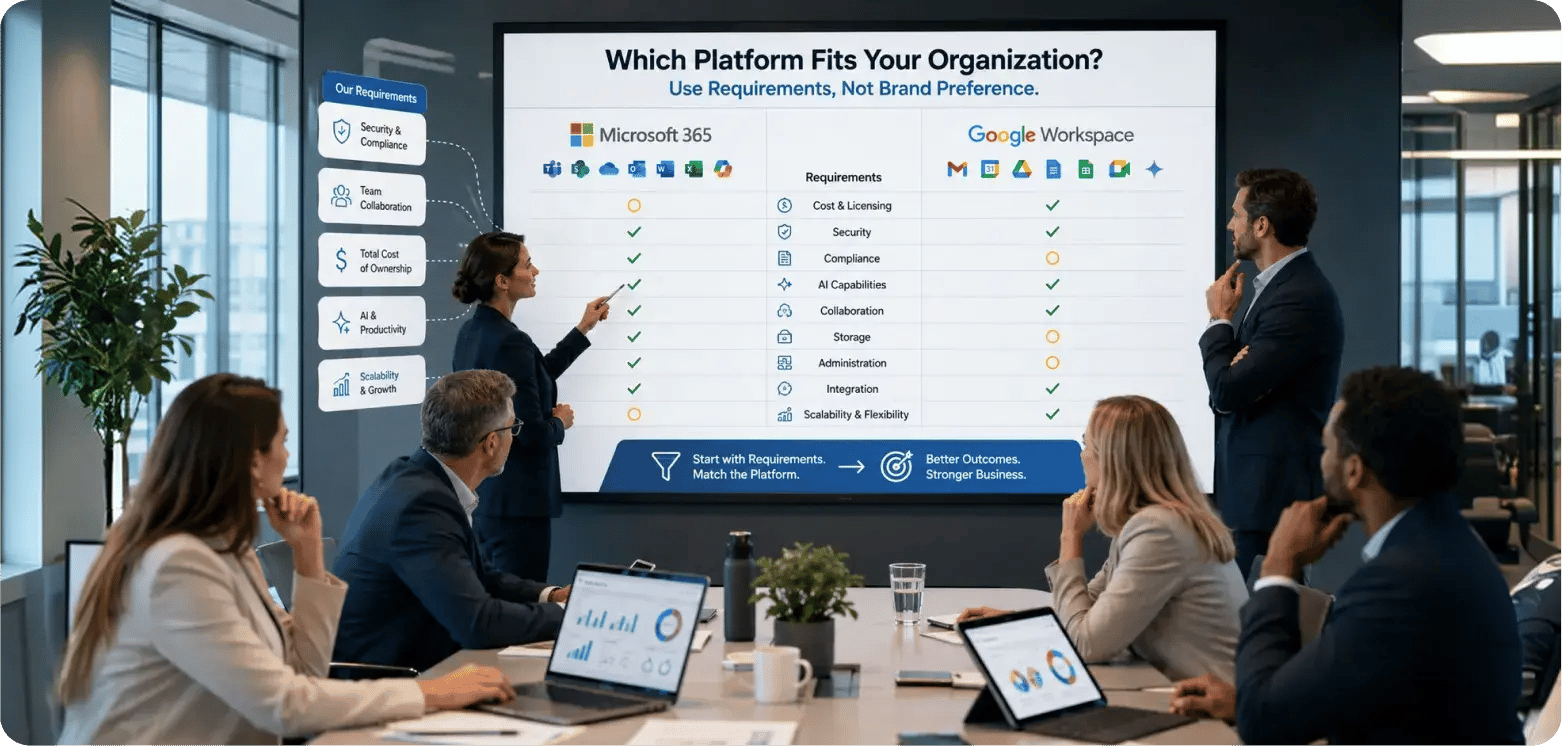
Google Workspace vs Microsoft 365 for business decisions should start with the organization's actual requirements, not vendor loyalty.
8-scenario decision matrix
| Scenario | Best starting point | Why | Verify before deciding |
|---|---|---|---|
| Microsoft-heavy desktop workforce | Microsoft 365 | Desktop Office, Outlook, SharePoint are embedded in daily work | Cost of retraining vs. licence savings |
| Browser-first distributed workforce | Google Workspace | Cloud-native collaboration matches working model | Whether any teams depend on desktop Office |
| AI for nearly every employee | Evaluate Google carefully | Gemini included broadly; Microsoft adds per-user AI cost | Gemini depth at your specific edition |
| Premium AI for selected knowledge workers | Evaluate Microsoft carefully | Selective Copilot licensing can cost less than org-wide AI | Which roles actually need deep AI vs. Copilot Chat |
| Windows-heavy security environment | Microsoft 365 Premium/E5 | Entra + Intune + Defender integration is very strong for Windows | Whether Google Enterprise meets your control requirements |
| High cloud-storage requirement | Google Workspace | 2-5 TB per user vs. Microsoft's 1 TB at the same price | Whether content architecture fits pooled storage model |
| Complex Excel/Office automation estate | Stay on Microsoft 365 | VBA, Power Query, and Office add-ins don't migrate cleanly | Cost of remediating vs. cost of staying |
| Deep Gmail/Drive/Apps Script estate | Stay on Google Workspace | Apps Script and Drive automations don't migrate cleanly | Cost of rebuilding vs. cost of staying |
Microsoft 365 vs Google Workspace doesn't produce one winner. The winner changes with every row in this table. An organization with 80% browser workers, high storage needs, and broad AI demand should seriously evaluate Google. An organization with complex Excel, Windows endpoints, and selective AI licensing requirements should seriously evaluate Microsoft. Most organizations sit somewhere in between, which is why assessment matters more than assumption.
Build a Business Case Before You Switch Platforms
A platform decision built only on licence price misses most of the real cost. The organizations that get this right run a structured sequence before committing to either direction.
- Assess. Inventory current users, applications, licences, data, and workflows to establish a baseline of what the organization actually uses and depends on.
- Segment. Group employees by actual requirements (desktop Office, browser-first, heavy AI, light AI) instead of applying one licence profile to everyone.
- Model. Calculate base licensing, AI, security, migration, and support costs for each platform option to produce an apples-to-apples total cost comparison.
- Test. Pilot the target platform with representative workflows and real users to surface what breaks before the organization commits.
- Plan. Design migration, coexistence, identity, security, and adoption timelines into an executable project plan with risk mitigations built in.
- Optimize. Remove redundant licences, measure adoption, and fix gaps after rollout so the platform keeps earning its cost over time.
Calance supports organizations through this sequence with licensing and platform assessment, security configuration, migration execution, and post-deployment optimization, drawing on infrastructure teams that administer both Microsoft 365 and Google Workspace environments. That dual experience means the assessment starts from operational reality rather than vendor preference.
Microsoft 365 vs Google Workspace FAQs
FAQ 1: Is Microsoft 365 or Google Workspace Cheaper in 2026?
At regular U.S. annual list pricing, the three core business tiers are now essentially tied at $7, $14, and $22 per user/month. The real cost difference appears in AI licensing, security tier selection, storage, migration, and total operating cost.
FAQ 2: Is Gemini Included with Google Workspace?
Yes. Google includes Gemini capabilities across commercial Workspace plans. Capability depth and usage limits vary by edition, with Business Starter receiving less access than Standard or Plus. Organizations needing higher AI usage can purchase AI Expanded Access separately.
FAQ 3: Is Microsoft Copilot Included with Microsoft 365?
Copilot Chat is included with eligible Microsoft 365 subscriptions. Full work-grounded Microsoft 365 Copilot, embedded across Word, Excel, PowerPoint, Outlook, and Teams, requires a paid Copilot licence or a bundle such as Business Standard with Copilot ($23.50).
FAQ 4: Which Is Better for AI, Microsoft Copilot or Google Gemini?
Neither is universally better. Copilot's strength is deep grounding in Microsoft 365 organizational data. Gemini's strength is broad inclusion across Workspace plans. The better choice depends on where the organization's work data lives and how many employees need premium AI.
FAQ 5: Which Is More Secure, Microsoft 365 or Google Workspace?
Security depends on the licence tier. Microsoft Business Premium bundles Entra, Intune, and Defender at $22. Google's stronger DLP and Context-Aware Access controls sit in Enterprise editions. Compare controls at the tier you plan to buy, not in the abstract.
FAQ 6: Is Microsoft 365 Business Premium Better Than Google Workspace Business Plus?
Both cost $22. Microsoft packages broader identity, endpoint, and threat-protection capabilities. Google packages more storage and Vault. They solve different problems at the same price. The better choice depends on whether security depth or storage volume matters more.
FAQ 7: Which Platform Gives Businesses More Cloud Storage?
Google provides significantly more pooled storage: 2 TB per user at Standard and 5 TB per user at Plus. Microsoft Business plans generally include 1 TB OneDrive per user. Google wins on raw storage capacity at equivalent pricing.
FAQ 8: Can Google Workspace Edit Microsoft Office Files?
Yes. Google supports opening and editing Word, Excel, and PowerPoint files directly, preserving the original format. Basic compatibility is strong. Deep workflows involving VBA macros, Power Query, or complex Office add-ins may require conversion or remediation.
FAQ 9: Is Google Workspace Better for Remote Teams?
Google's browser-native design works well for distributed teams that collaborate primarily through shared documents and Meet. Microsoft Teams offers deeper meeting features, telephony, and integration with desktop apps. The better remote tool depends on the team's working model.
FAQ 10: Is Microsoft 365 Better for Companies Using Windows?
Microsoft has a clear integration advantage for Windows environments. Entra, Intune, Defender, and desktop Office are deeply integrated with the Windows OS. Google Workspace works on Windows but doesn't provide the same depth of device management or OS-level identity integration.
FAQ 11: How Difficult Is It to Migrate from Google Workspace to Microsoft 365?
Difficulty depends on data volume, permissions complexity, Apps Script automations, third-party integrations, and user count. Email and file migration is well-supported. Workflow dependencies, identity reconfiguration, and user retraining are where complexity and cost increase.
FAQ 12: How Can Calance Help Compare or Migrate Microsoft 365 and Google Workspace?
Calance provides Microsoft 365 licensing assessment, security architecture, migration planning, Copilot readiness, and post-deployment optimization. Calance's infrastructure team administers both Microsoft 365 and Google Workspace, so the assessment starts from operational reality rather than vendor preference.
Let’s Build Your Digital Future Together
Tell us about your business challenges — we’ll help craft the right solutions.
Book a Free Consultation →